# Tutorial on the restricted use of login devices
[中文](/books/877a9/page/8cb22)
**I. Feature Introduction**
Restrict students from logging in to the same account simultaneously on different browsers at the same time. The restriction applies to channels opened via browsers on PC and mobile devices.
**II. Purpose of Use**
Merchants can independently control the number of devices that students can log in to simultaneously, preventing phenomena such as malicious account sharing, selling course accounts, and course viewing fraud by students, thus protecting the interests of merchants.
**III. Use Scenarios**
This feature is used in scenarios where merchants need to prevent students from sharing accounts or engaging in course viewing fraud.
**IV. Operation Path**
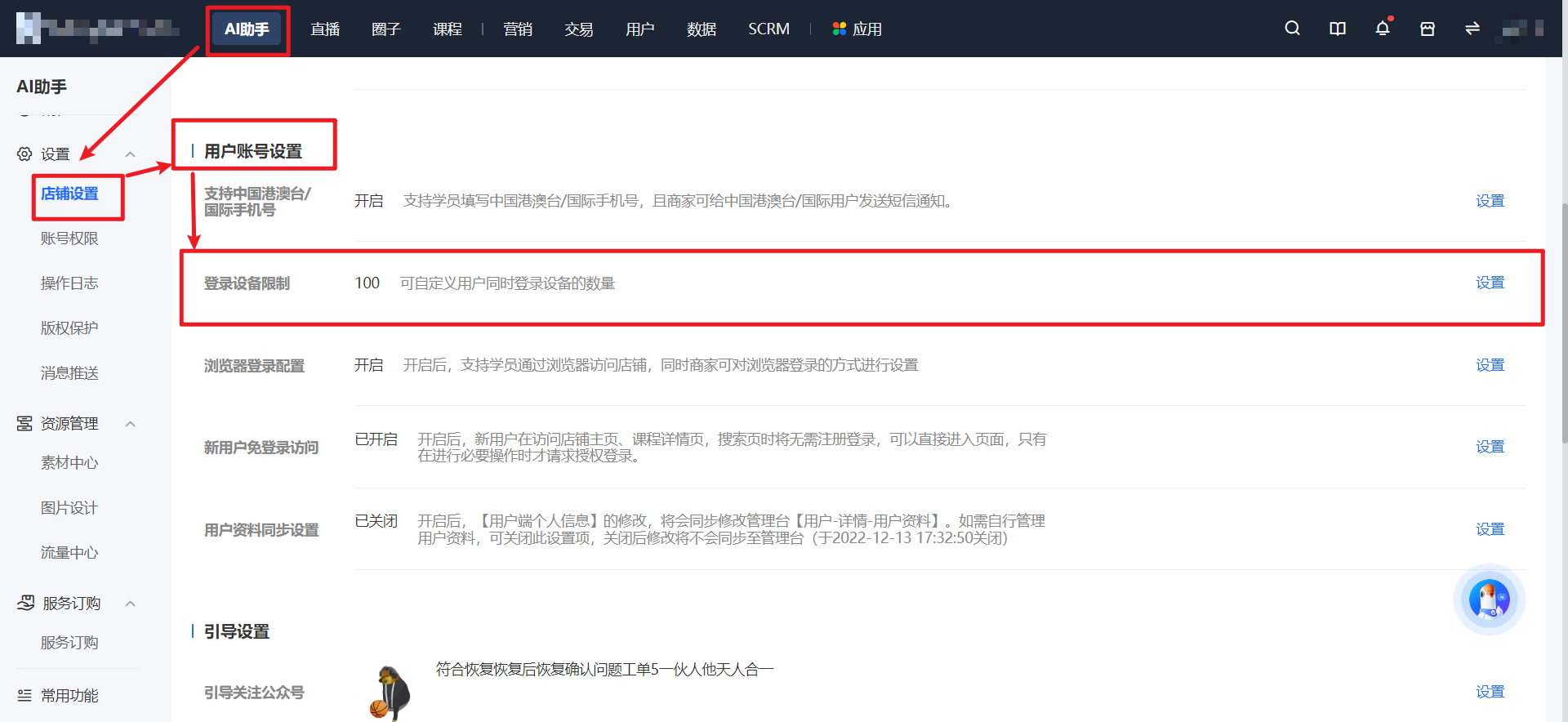
Merchant side: AI Assistant - Settings - Store Settings - User Account Settings - Login Device Restrictions

**V. Usage Tutorial**
**Step 1: Store Settings***(Management Backend)*
Enter the merchant management backend, click \[Store Settings\], find \[Login Device Restrictions\], and click \[Settings\].
**Step 2: Set the Restriction Quantity***(Management Backend)*
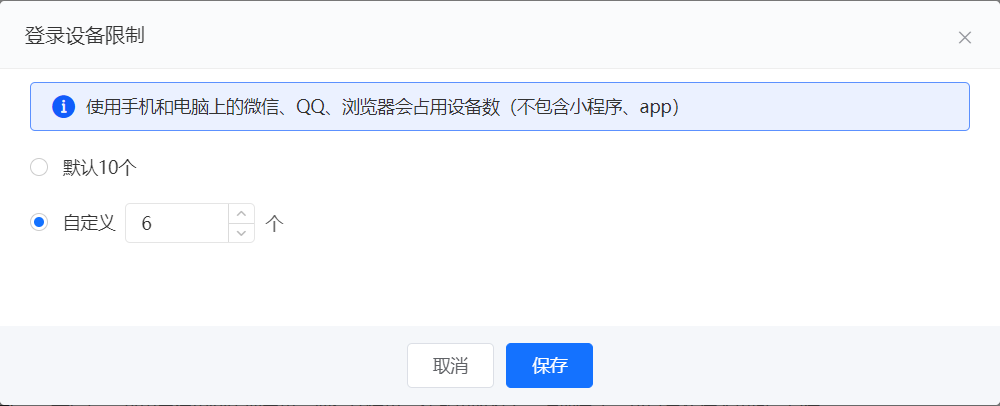
The default limit for login devices is 10, and the custom range is from 1 to 10.