Store staff instructions
I. Feature Introduction
Employee Management: Merchants can add accounts for their team members and assign corresponding roles for logging in and managing the store.
Role Management: Merchants can customize different roles according to the actual division of labor in work, assign different management permissions, and manage them centrally.
II. Scenario Examples
Currently, there is a team of about a dozen people jointly operating an elink store, with each person having their own responsibilities, including the merchant owner, operator, accountant, designer, course administrator, etc. By setting up role/employee management (for example, the merchant owner can perform all operations and view all core data, and the accountant can perform all operations related to the financial module), the team can better divide labor and collaborate while ensuring the security of core data.
III. Feature Operations
1. Role Management
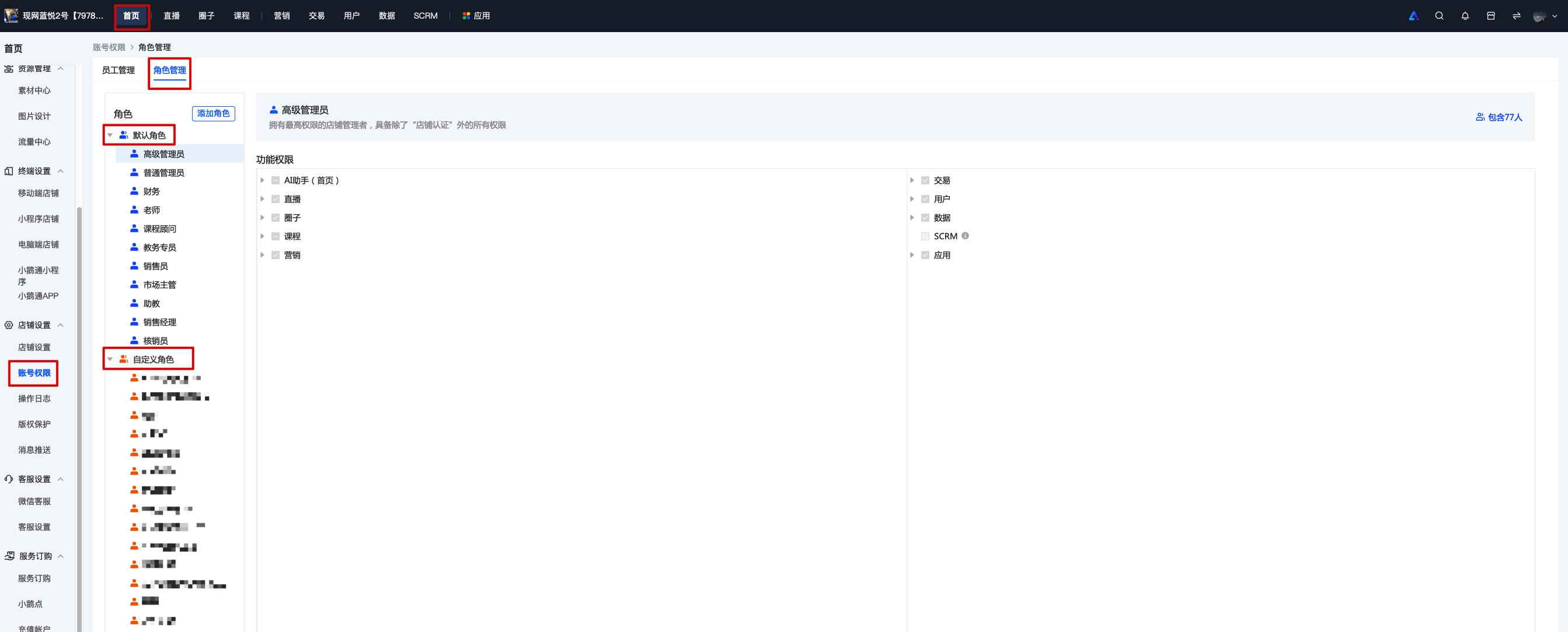
Operation Path: Log in to the merchant management background - [Homepage - Account Permissions - Role Management]. You can view all roles and their corresponding permissions and modify role permissions. In addition to the system default roles, you can also create and customize roles according to actual scenarios (currently, each store can create a maximum of 20 custom roles).
2. Create a New Role
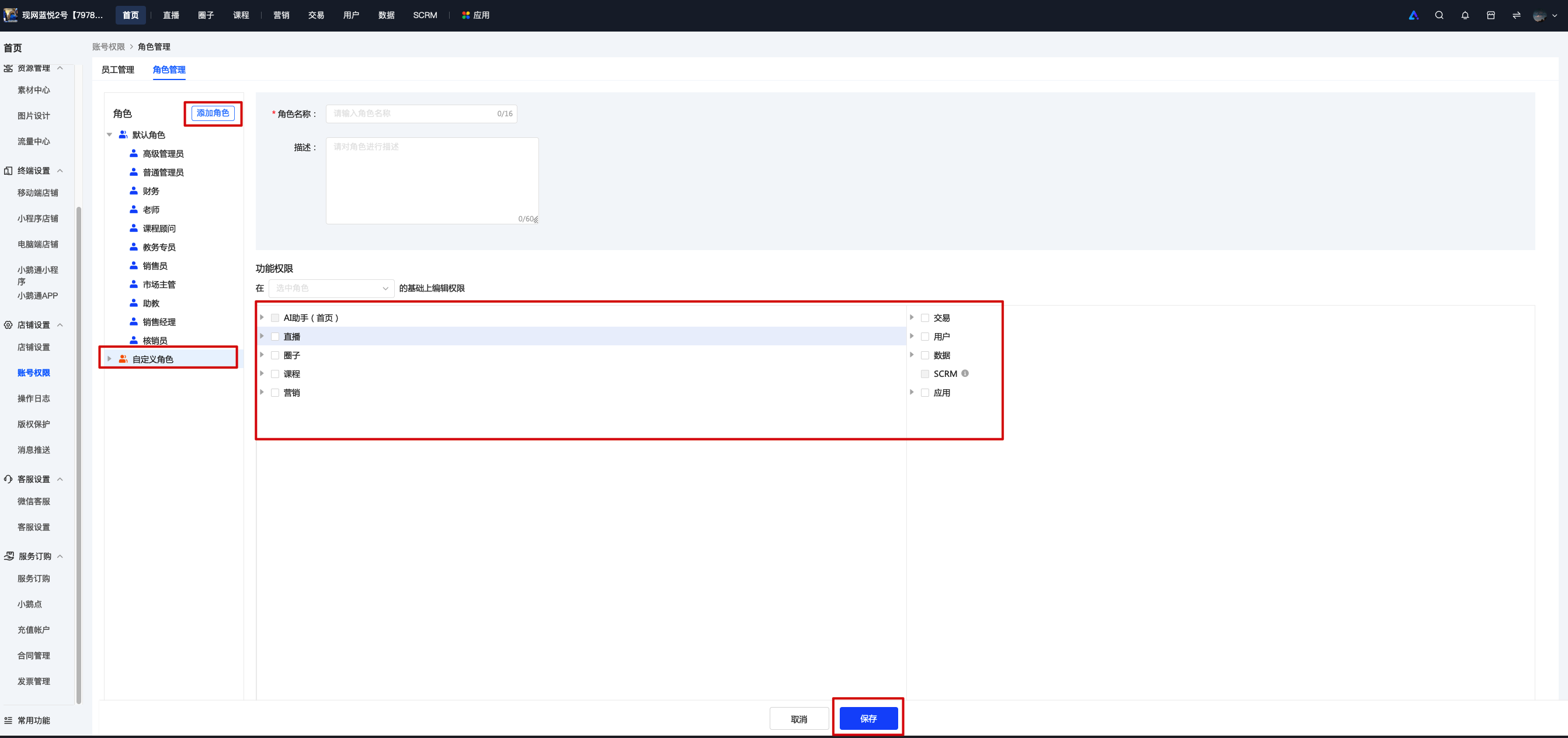
When creating a new custom role, you can select the permissions for this role according to the actual scenario. For unselected permissions, if they are navigation - related, the navigation items seen by this role will be grayed out, and the corresponding pages cannot be accessed; if they are function - related, this role will not be able to operate the corresponding functions.
3. Employee Management
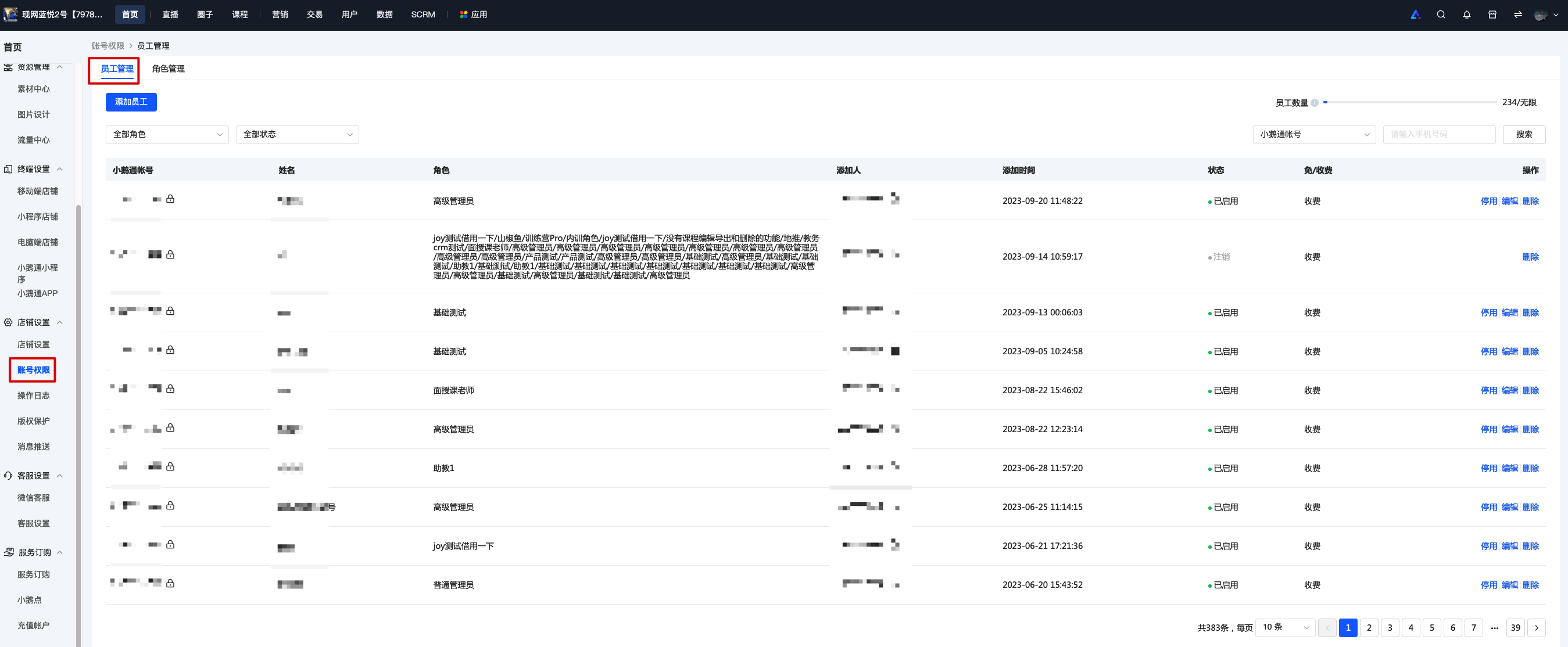
After creating roles, you can add and manage employees in the employee management module.
4. Add Employees
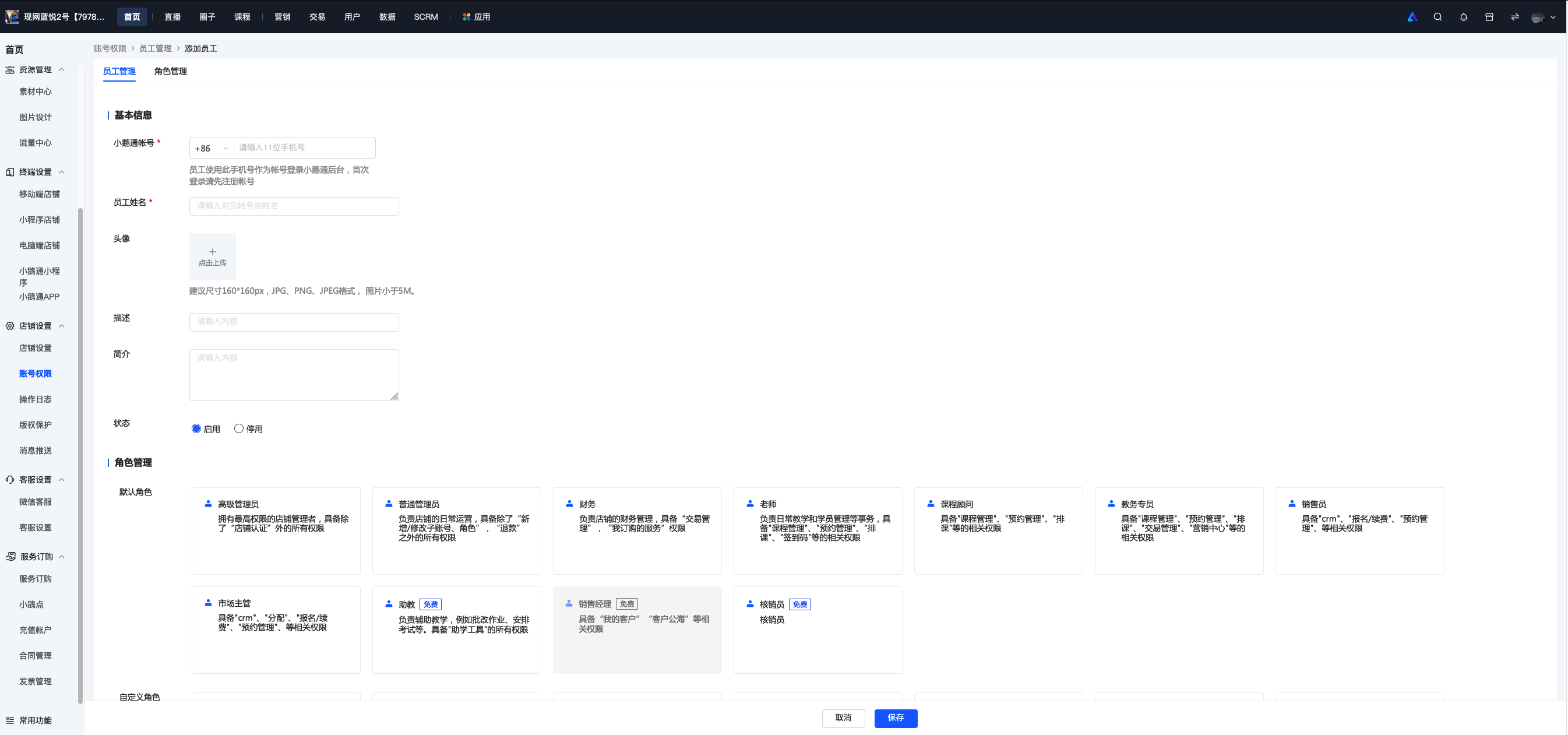
By adding employees, other team members can log in to the store background and manage the modules they are responsible for.