# Information hiding

# How to hide the number of course update periods?

<div data-elink-language-switch="1" id="bkmrk-%E4%B8%AD%E6%96%87" style="border:1px solid #d6d9de;border-radius:6px;padding:10px 12px;margin:0 0 18px 0;background:#f8fafc;font-size:14px;">[中文](/books/877a9/page/f7184)</div><span style="color:rgb(43,43,43);font-size:15px;">Log in to the store management backend. In \[Settings\] → \[Store Settings\], set to hide the update periods. After selecting to hide, the update periods of products will no longer be displayed on the mobile store.</span>

![0.png](https://wechatapppro-1252524126.file.myqcloud.com/help_document/image/ueditor/82297800_1640665099.png ".png")

![1.png](https://wechatapppro-1252524126.file.myqcloud.com/help_document/image/ueditor/27900700_1640665136.png ".png")

# Why can the number of participants still be seen in the live stream even after setting the [Hide Views] option?

<div data-elink-language-switch="1" id="bkmrk-%E4%B8%AD%E6%96%87" style="border:1px solid #d6d9de;border-radius:6px;padding:10px 12px;margin:0 0 18px 0;background:#f8fafc;font-size:14px;">[中文](/books/877a9/page/45c48)</div><span style="white-space:pre-wrap;background-color:rgb(255,255,255);font-size:15px;">To hide the number of visitors to the live streaming room, you also need to set the number of participants to \[Visible only to the instructor\] in \[More\] - \[Live streaming room information\] of the live streaming product.</span>

# What data does the information hiding feature support hiding?

<div data-elink-language-switch="1" id="bkmrk-%E4%B8%AD%E6%96%87" style="border:1px solid #d6d9de;border-radius:6px;padding:10px 12px;margin:0 0 18px 0;background:#f8fafc;font-size:14px;">[中文](/books/877a9/page/ffd52)</div><span style="font-size:15px;">Information hiding supports hiding product sales/subscription numbers, the number of updates for columns/membership courses, course views/visits, the number of visitors in the live - streaming room, and reward reminders (reward amount reminders).</span>

# Tutorial on Information Hiding

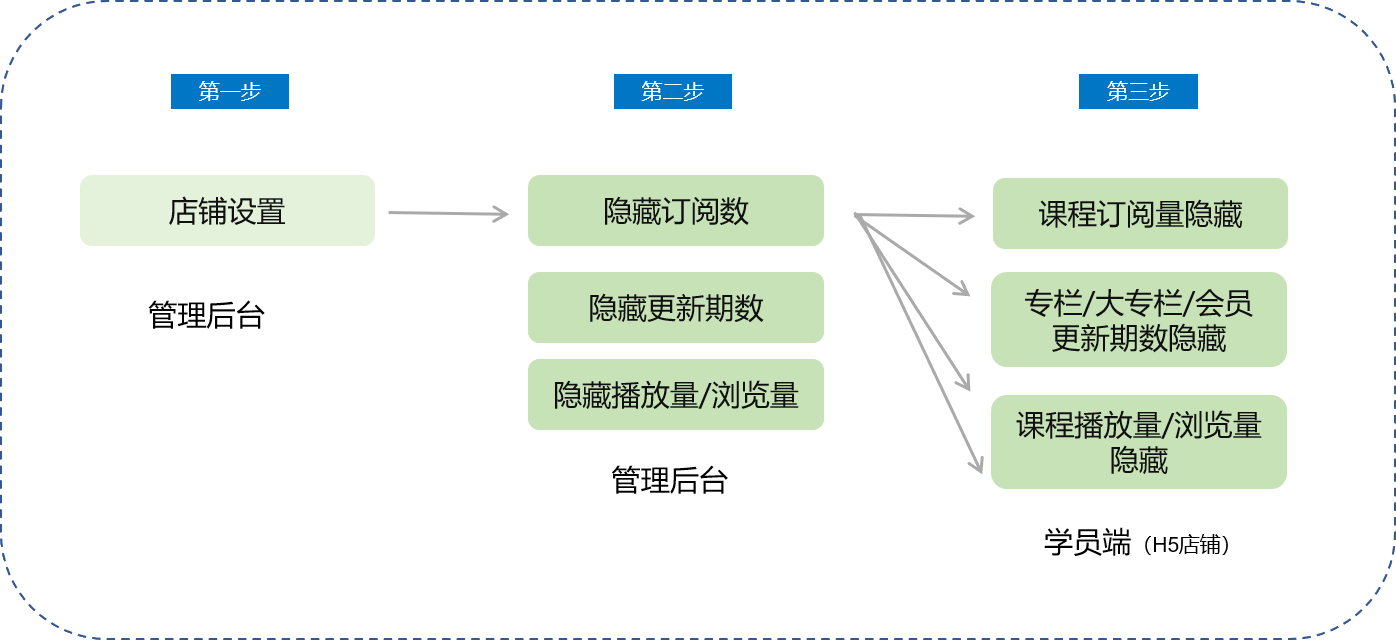
<div data-elink-language-switch="1" id="bkmrk-%E4%B8%AD%E6%96%87" style="border:1px solid #d6d9de;border-radius:6px;padding:10px 12px;margin:0 0 18px 0;background:#f8fafc;font-size:14px;">[中文](/books/877a9/page/816b1)</div>**I. Function Introduction**

Information hiding, customizable hiding<span style="white-space:pre-line;background-color:rgb(255,255,255);">Product sales volume</span>, number of updates, views/visits.

**II. Purpose of Use**

For merchants in the initial stage of operation, to avoid affecting the conversion rate of course subscriptions due to insufficient course subscriptions.

**III. Usage Scenarios**

<span style="color:rgb(53,53,53);background:rgb(255,255,255);letter-spacing:0pt;vertical-align:baseline;font-size:15px;">A merchant is in the initial stage of operation. It is a very successful educational institution offline and wants to develop online education. However, in the initial stage of operation, there are temporarily no students subscribing to the courses. Therefore, it is necessary to hide the number of course subscriptions and views/visits, and then make them visible after students start subscribing one after another.</span>

**IV. Operation Path**

Merchant side

Path 1: Merchant backend →<span style="white-space:pre-line;background-color:rgb(250,250,250);">Settings → Function configuration</span>

**V. Usage Tutorial**

![44713100_1640152460.jpg](https://wechatapppro-1252524126.file.myqcloud.com/help_document/image/ueditor/44713100_1640152460.jpg)

**Step 1Set hiding<span style="white-space:pre-line;background-color:rgb(250,250,250);">Product sales volume</span>**

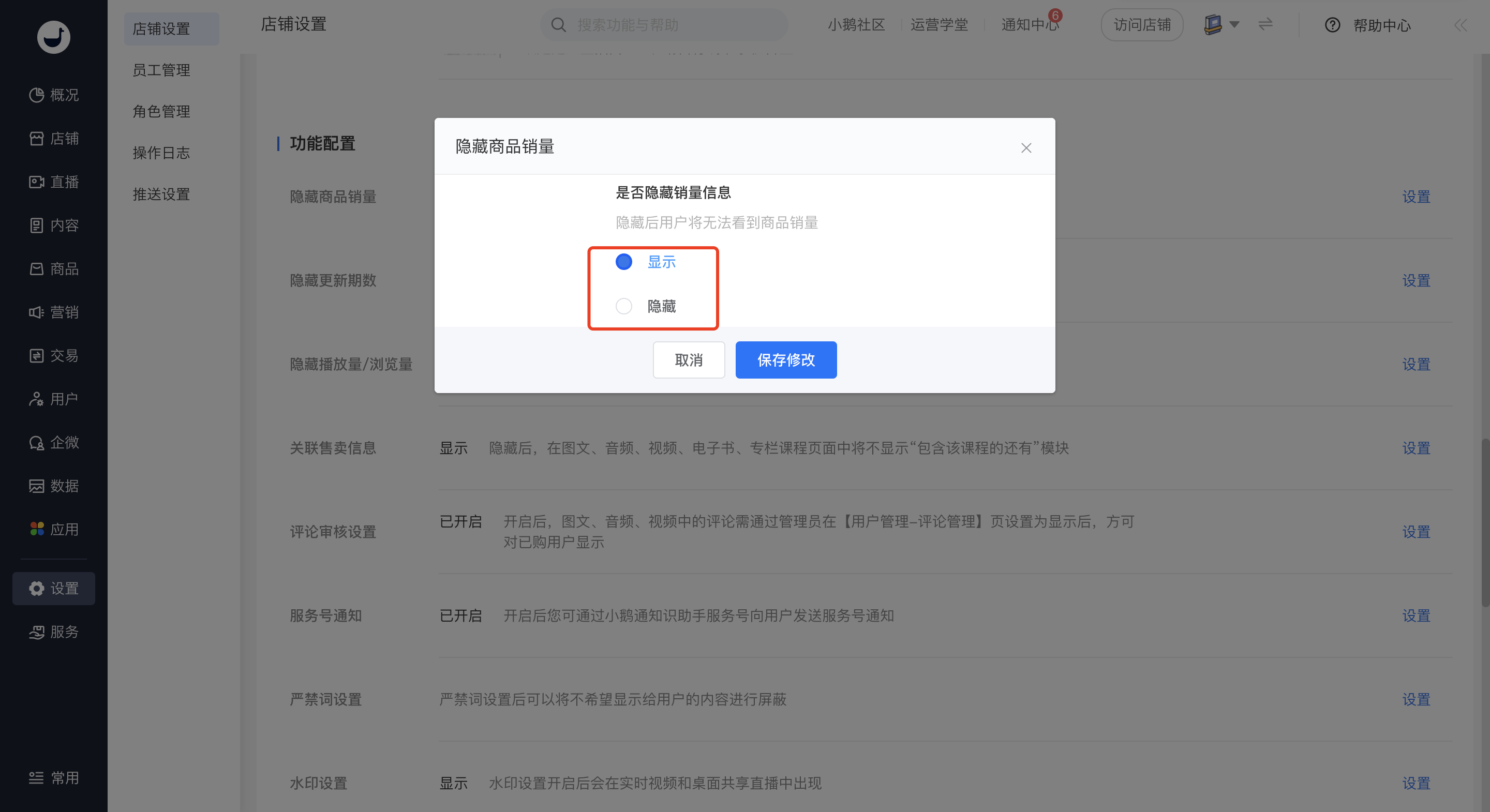
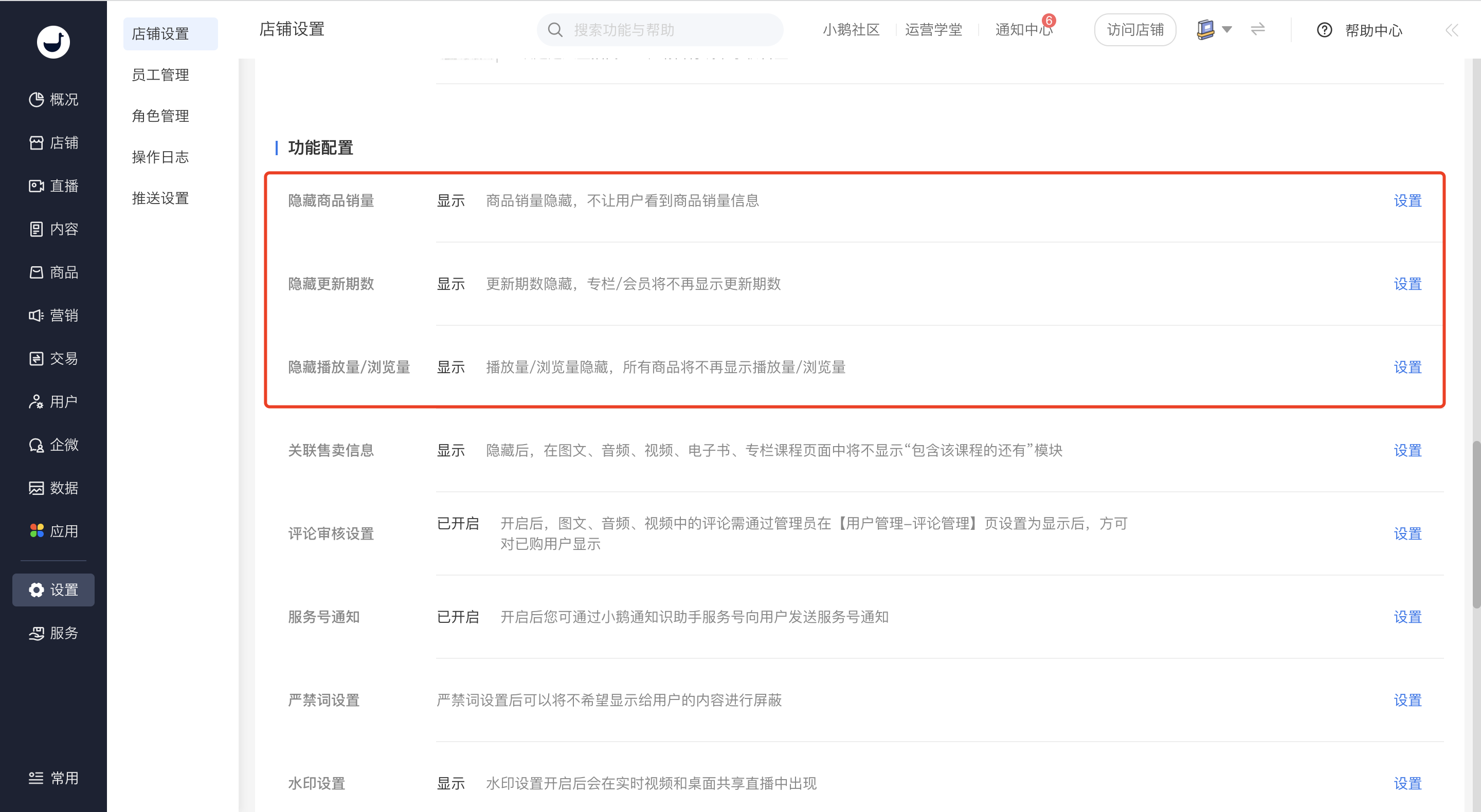
<span style="white-space:pre-line;background-color:rgb(250,250,250);">1. Click \[Settings\] - \[Store settings\], and find the setting item for hiding product sales volume in the function configuration module.  
</span>

![1.png](https://wechatapppro-1252524126.file.myqcloud.com/help_document/image/ueditor/146300_1640152461.png ".png")

2\. Click \[Show\] or \[Hide\], and the sales volume information of the corresponding products on the user side will be shown or hidden.<span style="white-space:pre-line;background-color:rgb(250,250,250);">The sales volume information will be shown or hidden.</span><span style="color:rgb(53,53,53);"></span>

![2.png](https://wechatapppro-1252524126.file.myqcloud.com/help_document/image/ueditor/81062000_1640152461.png ".png")

**Step 2Set the number of store updates**

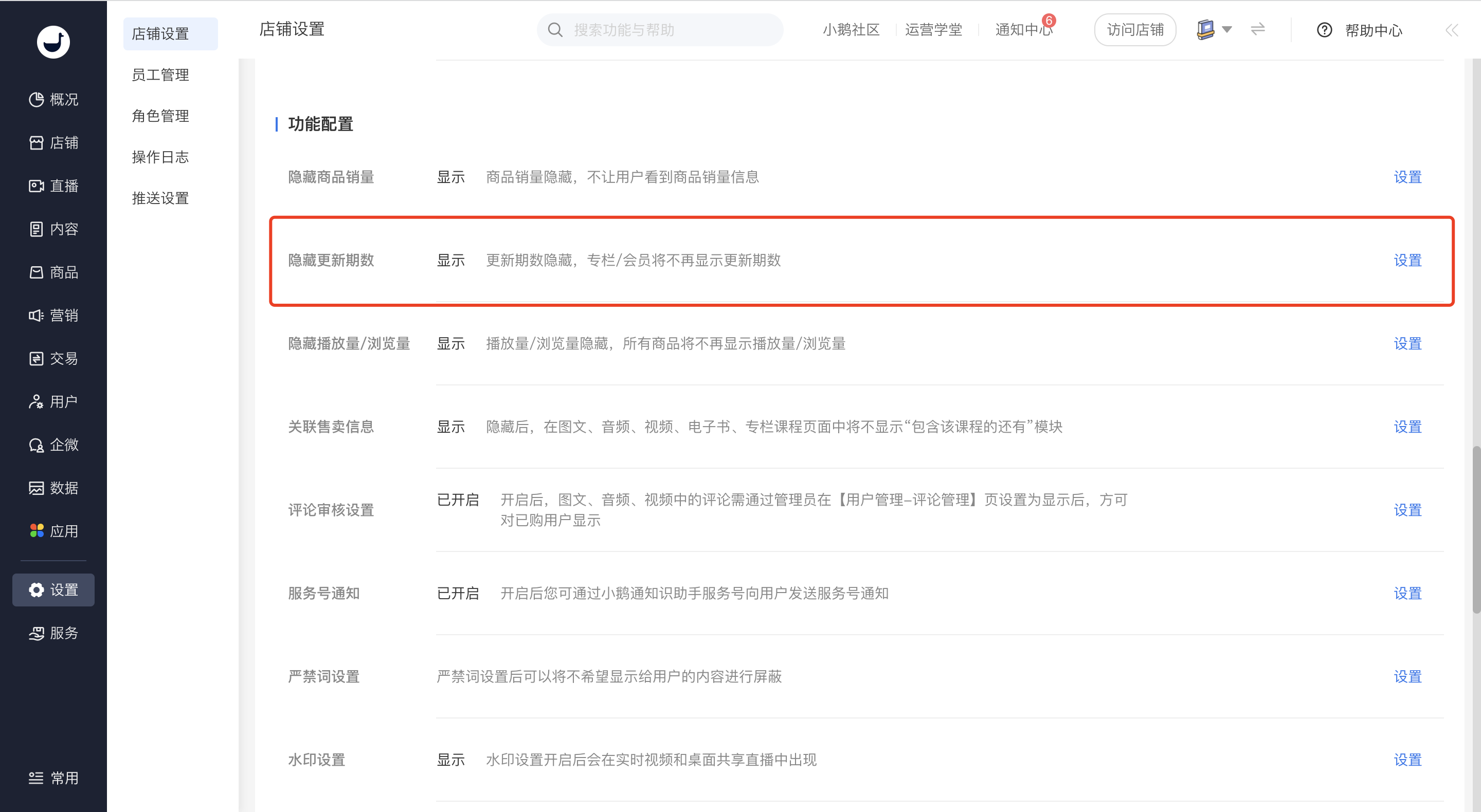
1.<span style="white-space:pre-line;background-color:rgb(255,255,255);">Click \[Settings\] - \[Store settings\], and find the setting item for hiding the number of updates in the function configuration module.</span>

![3.png](https://wechatapppro-1252524126.file.myqcloud.com/help_document/image/ueditor/55976500_1640152462.png ".png")

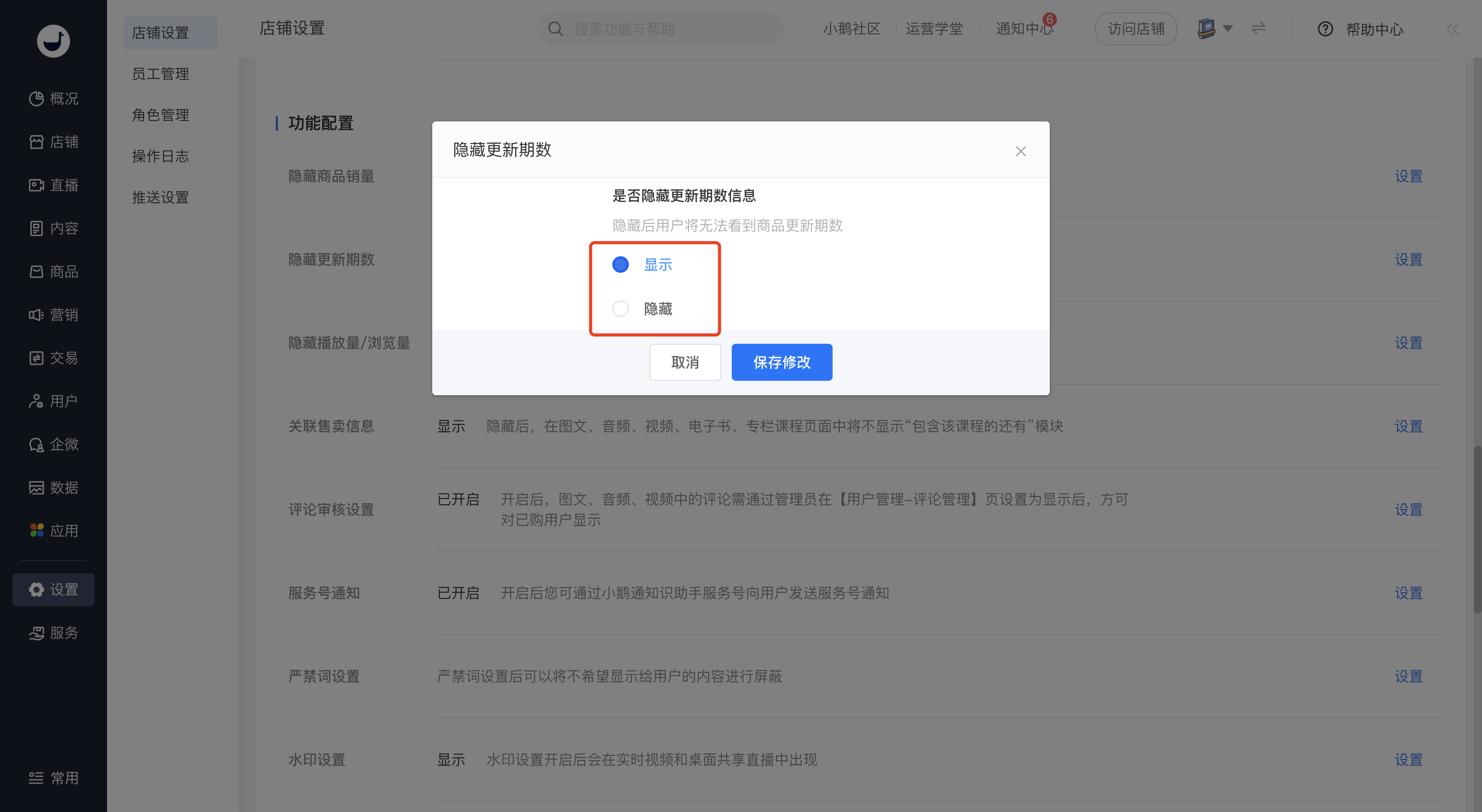
2\. Click \[Show\] or \[Hide\]. If hidden, the number of updates will no longer be shown for columns/memberships.
![4.png](https://wechatapppro-1252524126.file.myqcloud.com/help_document/image/ueditor/21766900_1640152463.png ".png")

<span style="color:rgb(53,53,53);background:rgb(255,255,255);">  
</span>

**<span style="color:rgb(53,53,53);background:rgb(255,255,255);"></span>Step 3Hide views/visits**

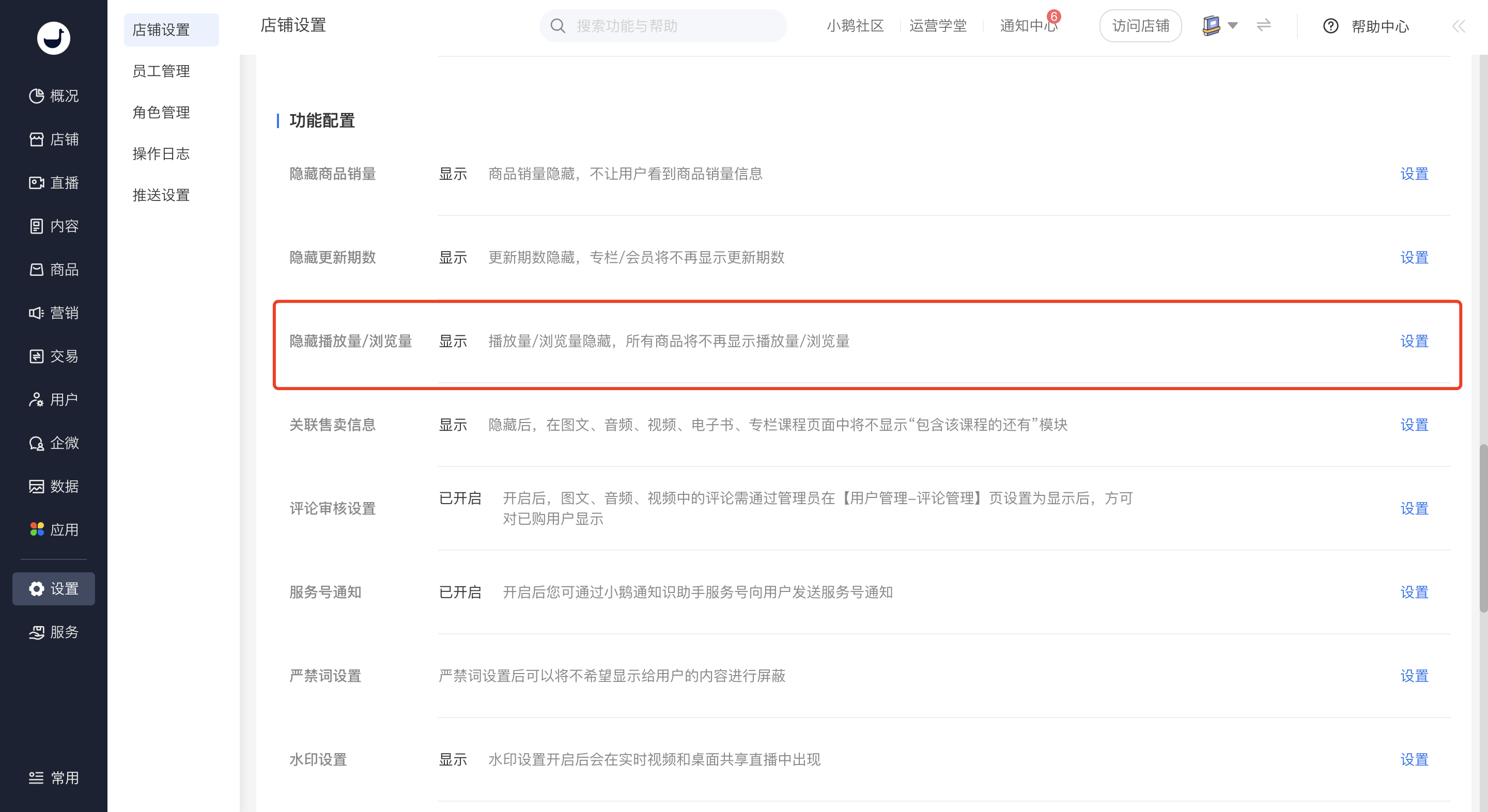
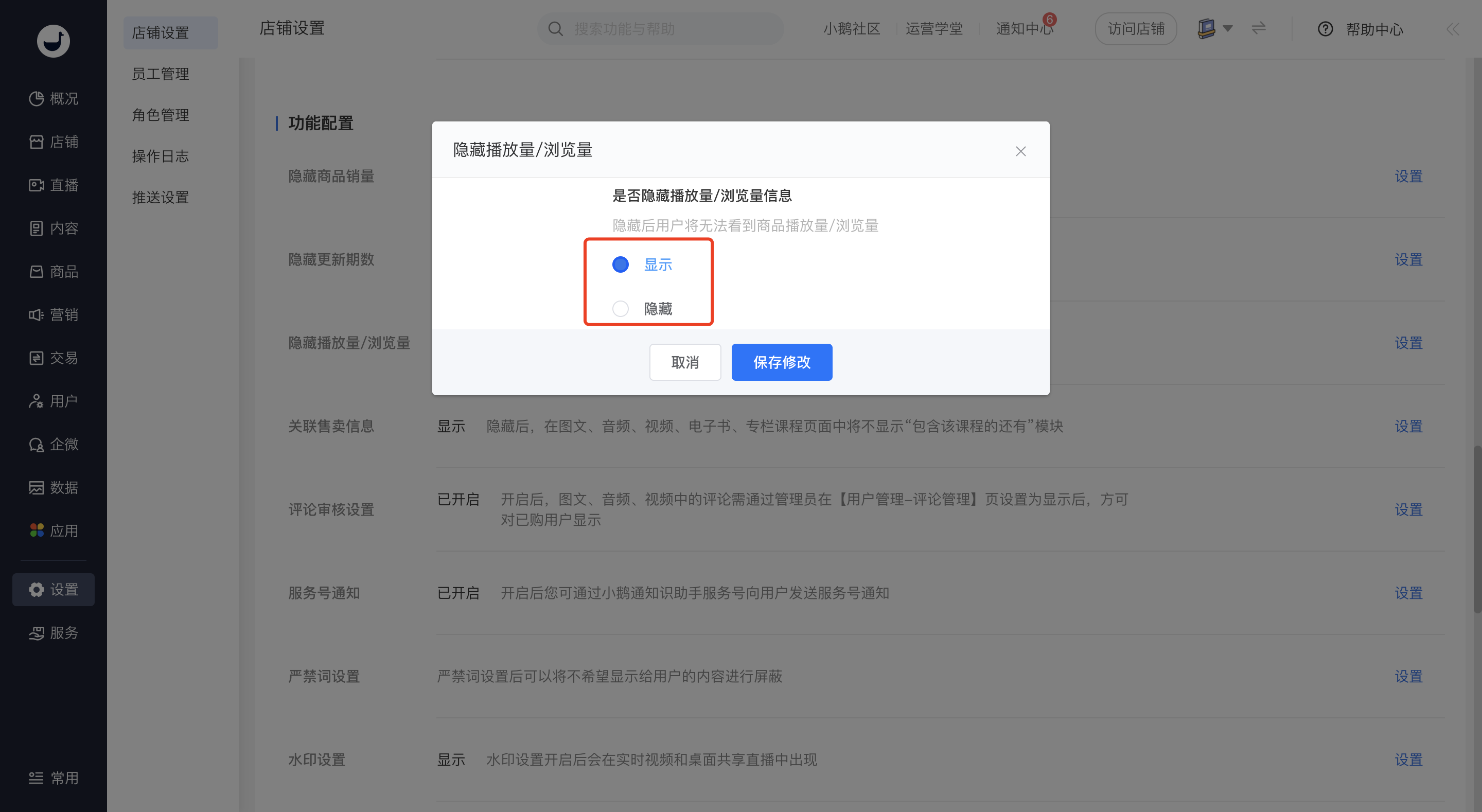
<span style="color:rgb(53,53,53);"><span style="color:rgb(53,53,53);background:rgb(255,255,255);"></span>1.<span style="color:rgb(53,53,53);white-space:pre-line;background-color:rgb(250,250,250);">Click \[Settings\] - \[Store settings\], and find the setting item for hiding views/visits in the function configuration module.</span><span style="color:rgb(53,53,53);background:rgb(255,255,255);"></span></span>

![5.png](https://wechatapppro-1252524126.file.myqcloud.com/help_document/image/ueditor/1289700_1640152464.png ".png")

2\. Click \[Show\] or \[Hide\]. If hidden, views/visits will no longer be shown for all products.
![6.png](https://wechatapppro-1252524126.file.myqcloud.com/help_document/image/ueditor/71129400_1640152464.png ".png")

# How to set the subscription count of hidden products?

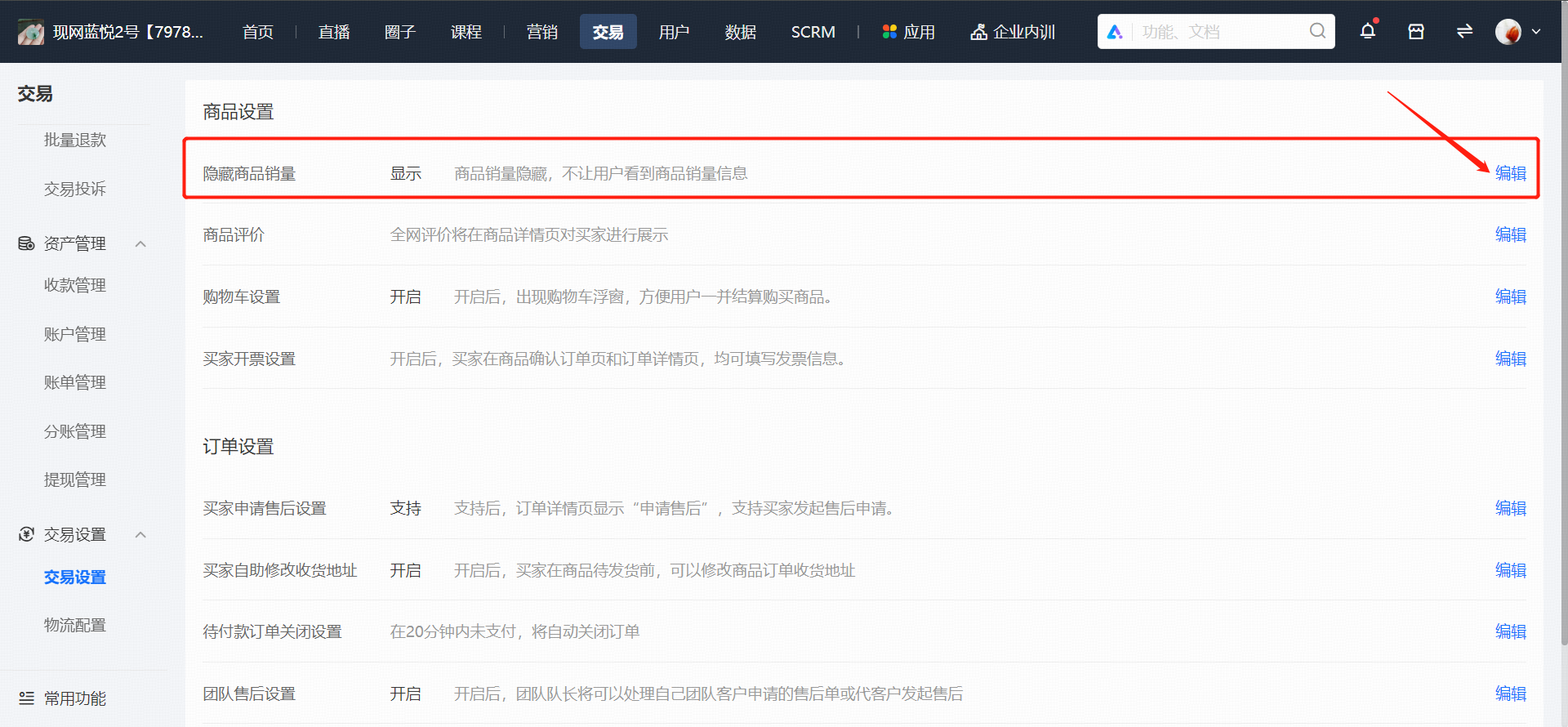
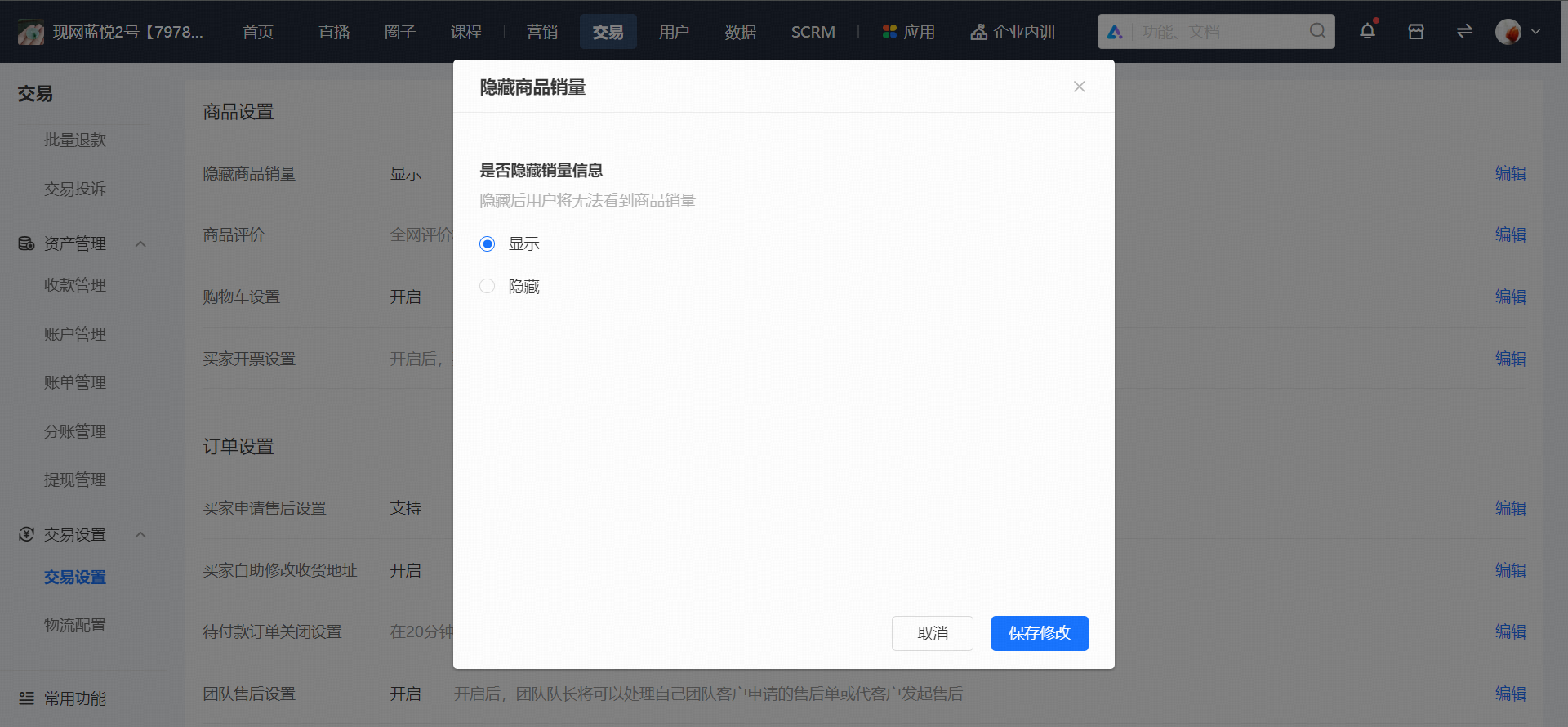
<div data-elink-language-switch="1" id="bkmrk-%E4%B8%AD%E6%96%87" style="border:1px solid #d6d9de;border-radius:6px;padding:10px 12px;margin:0 0 18px 0;background:#f8fafc;font-size:14px;">[中文](/books/877a9/page/05049)</div><span style="color:rgb(43,43,43);font-size:14px;">Log in to the Online Store management backend. In \[Transactions\] → \[Store Transaction Settings\], find the \[Product Settings\] module and locate the setting to hide product sales volume. After selecting to hide, the product sales volume will not be displayed on the mobile app.</span>

![image.png](https://wechatapppro-1252524126.file.myqcloud.com/help_document/image/ueditor/27820100_1722237231.png ".png")

![image.png](https://wechatapppro-1252524126.file.myqcloud.com/help_document/image/ueditor/16035200_1722237231.png ".png")