# 订单列表的发货按钮怎么找不到了

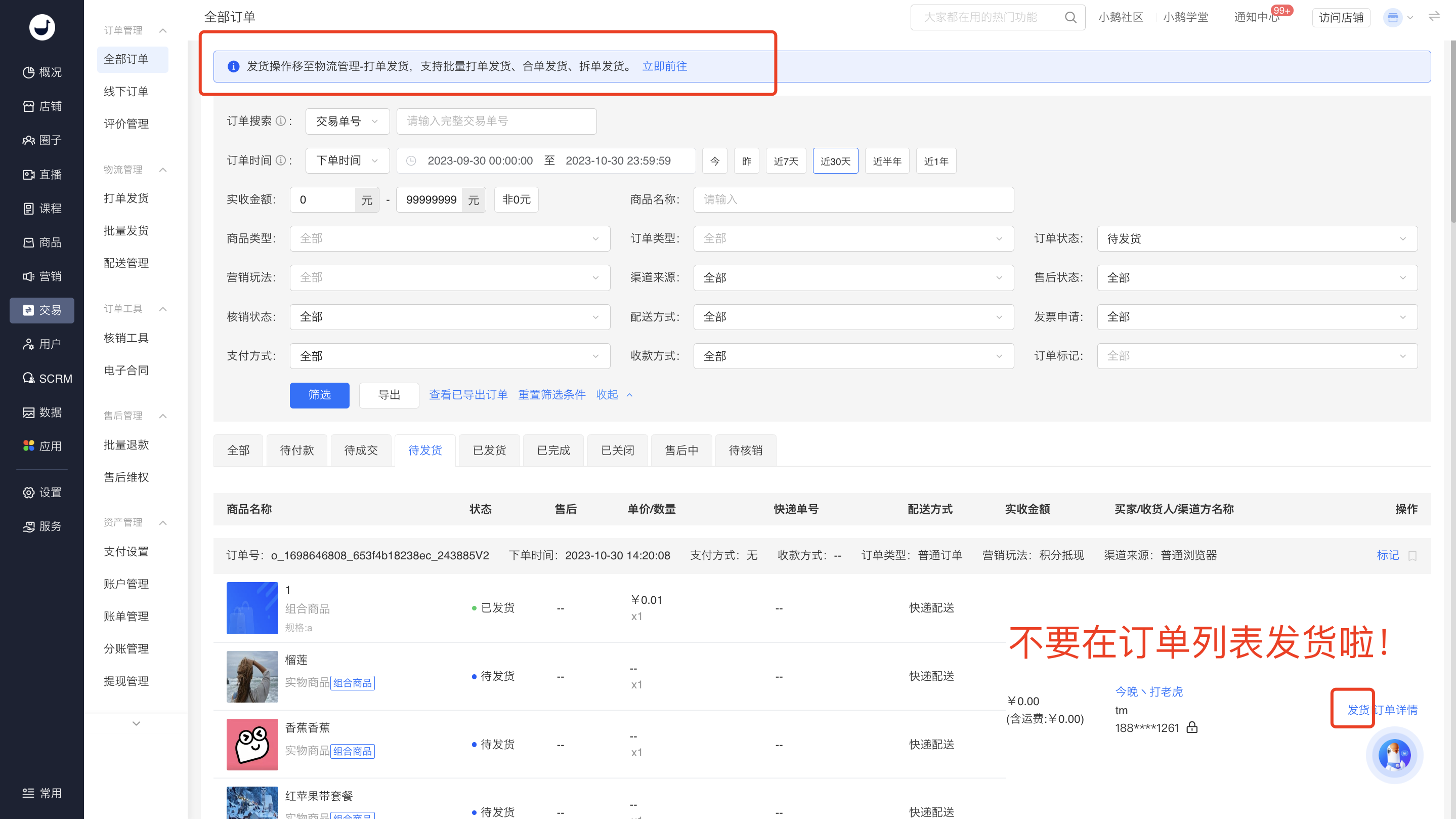
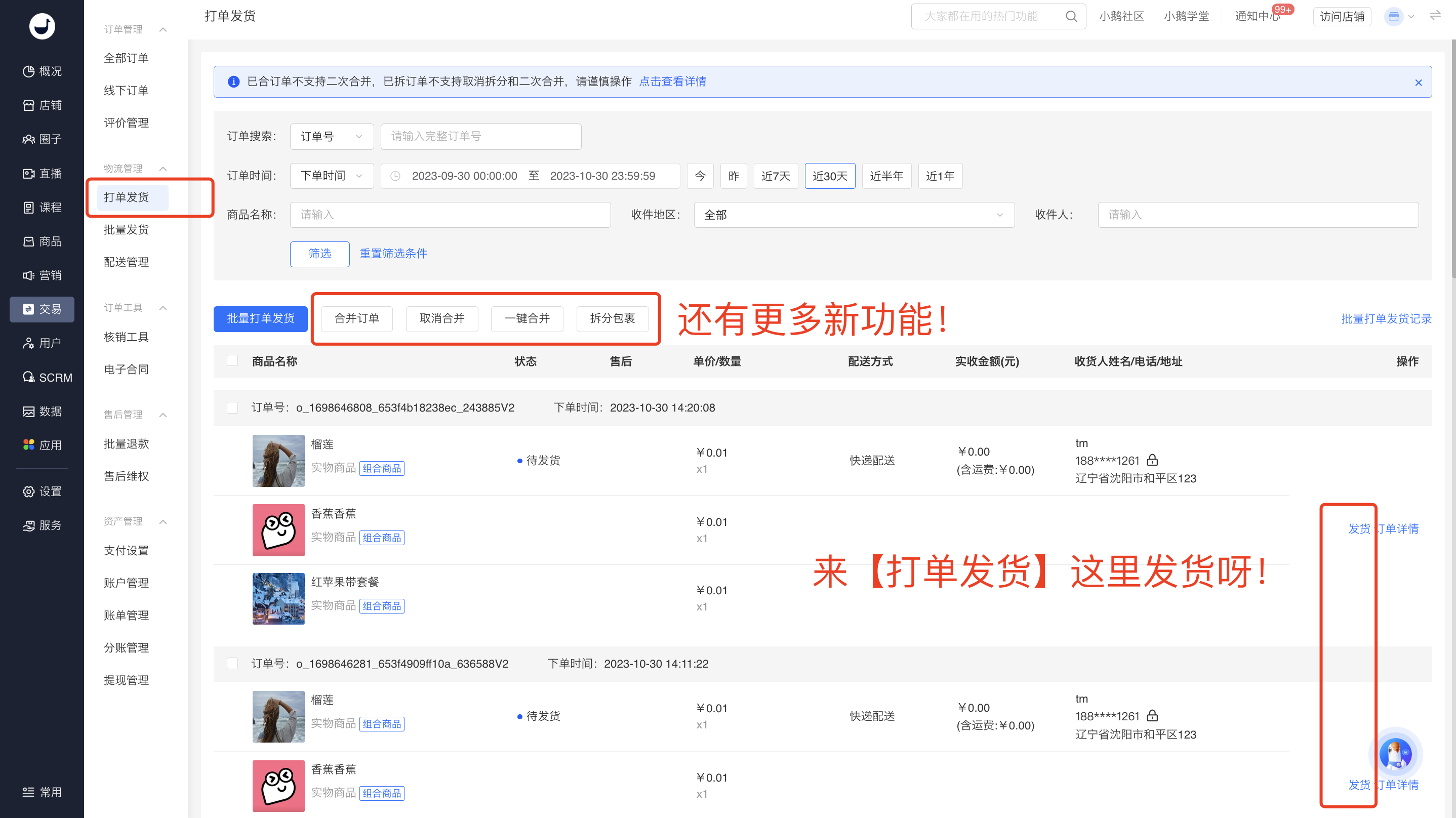
<div data-elink-language-switch="1" id="bkmrk-english" style="border:1px solid #d6d9de;border-radius:6px;padding:10px 12px;margin:0 0 18px 0;background:#f8fafc;font-size:14px;">[English](/books/transaction/page/i-cant-find-the-shipping-button-on-the-order-list-how-come)</div>为了给客户提供更好的打单发货体验，故将发货操作集中到新的模块，同时提供了合单发货、拆单发货的功能。改动如下：

<span style="color:rgb(255,0,0);">**原订单列表的【待发货】操作，移动到【打单发货】模块。后续您可以在【打单发货】列表直接进行发货操作。**</span>  
  
（注：目前处于过渡阶段，订单列表还保留发货按钮，点击跳转到打单发货，后续会将订单列表的发货按钮下掉）

![image.png](https://wechatapppro-1252524126.file.myqcloud.com/help_document/image/ueditor/16279300_1698648746.png ".png")

![image.png](https://wechatapppro-1252524126.file.myqcloud.com/help_document/image/ueditor/68367600_1698649123.png ".png")  
附：打单发货操作说明：  
https://admin.xiaoe-tech.com/helpCenter/problem?first\_id=600&amp;second\_id=416&amp;document\_id=doc\_6538c1231b8ae\_tRslw