# Common Issues with Check-ins

<div data-elink-language-switch="1" id="bkmrk-%E4%B8%AD%E6%96%87" style="border:1px solid #d6d9de;border-radius:6px;padding:10px 12px;margin:0 0 18px 0;background:#f8fafc;font-size:14px;">[中文](/books/bcbe3/page/1651c)</div>###### **<span style="font-size:16px;">1. Can I set a payment requirement for check-ins?  
</span>**

<span style="font-size:15px;">Yes, merchants can choose the participation condition as a paid form when creating a check-in activity.</span>

**<span style="font-size:17px;">2. Can a check-in activity be associated with a course?</span>**

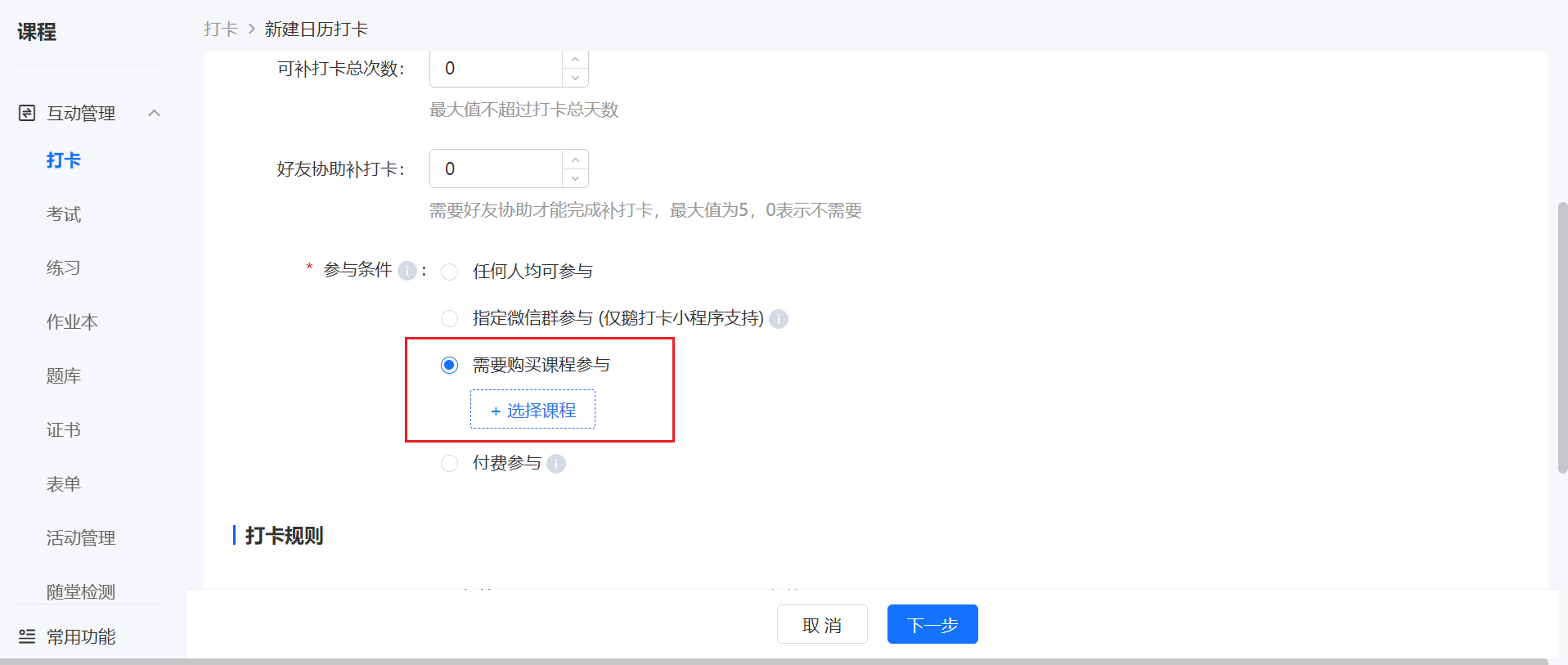
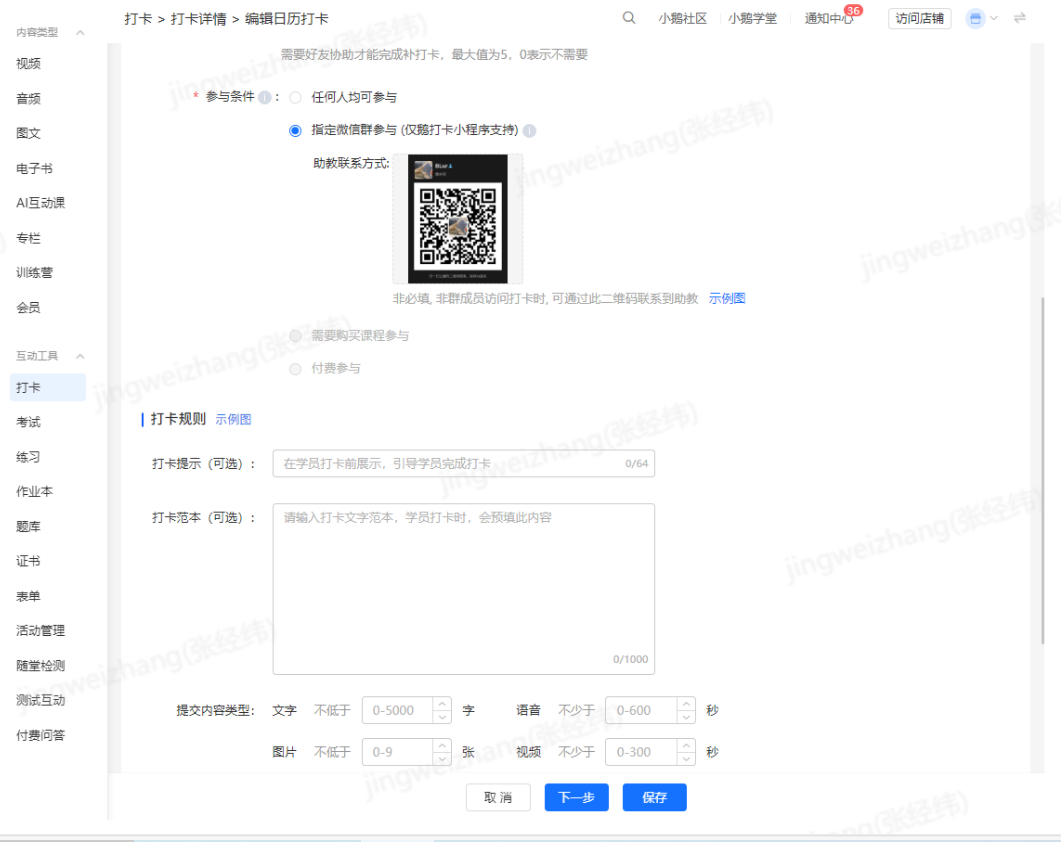
<span style="font-size:15px;">Yes, one check-in activity supports associating with one course. Currently, the supported course types for check-ins are:图文, audio, video, live streaming, columns, memberships, major columns, and class courses.</span>

<span style="font-size:17px;">In \[Set Check-in Information\] - \[Participation Conditions\], select \[Require Course Purchase to Participate\] and then choose the corresponding course.</span>

<span class="image-wrapper" style="display:inline-block;overflow:hidden;width:550px;height:252px;"> ![image.png](https://wechatapppro-1252524126.file.myqcloud.com/help_document/image/ueditor/82187500_1699351814.png ".png")</span>

###### <span style="font-size:17px;">**3. How to set up make-up check-ins?** </span>

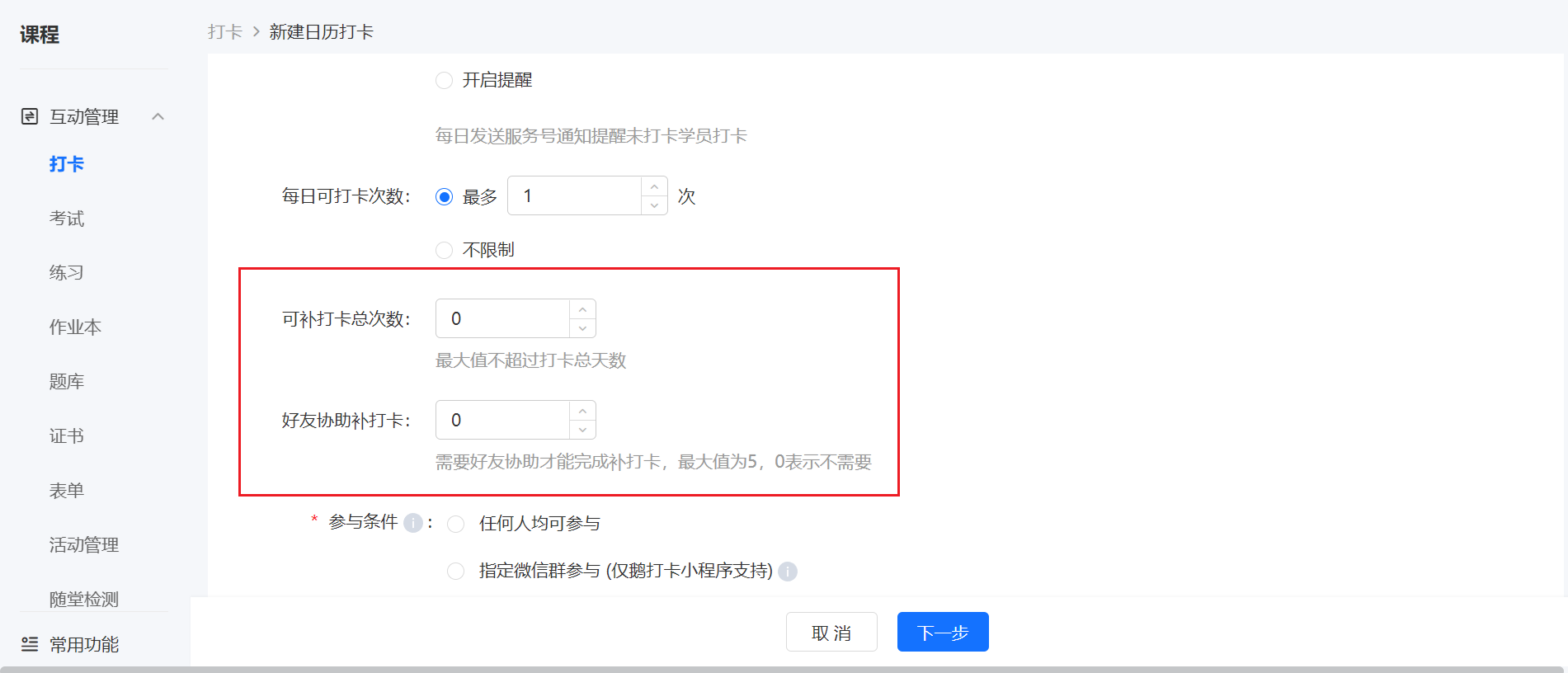
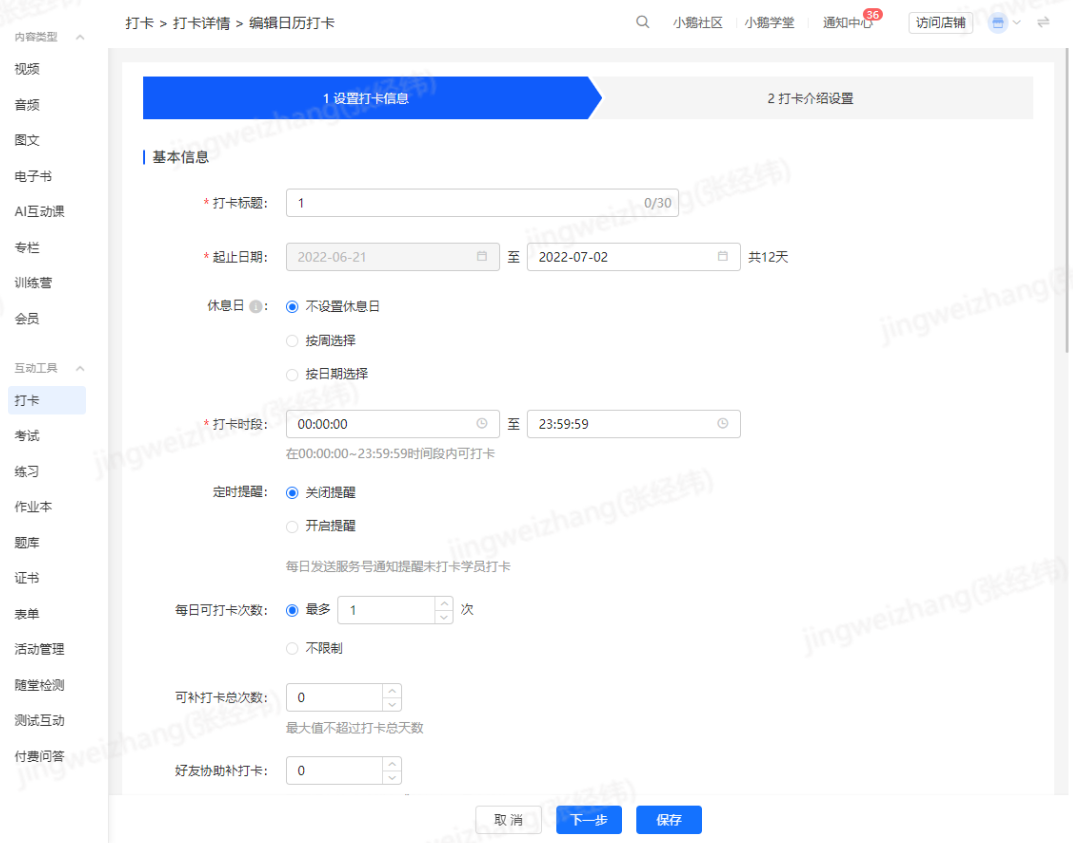
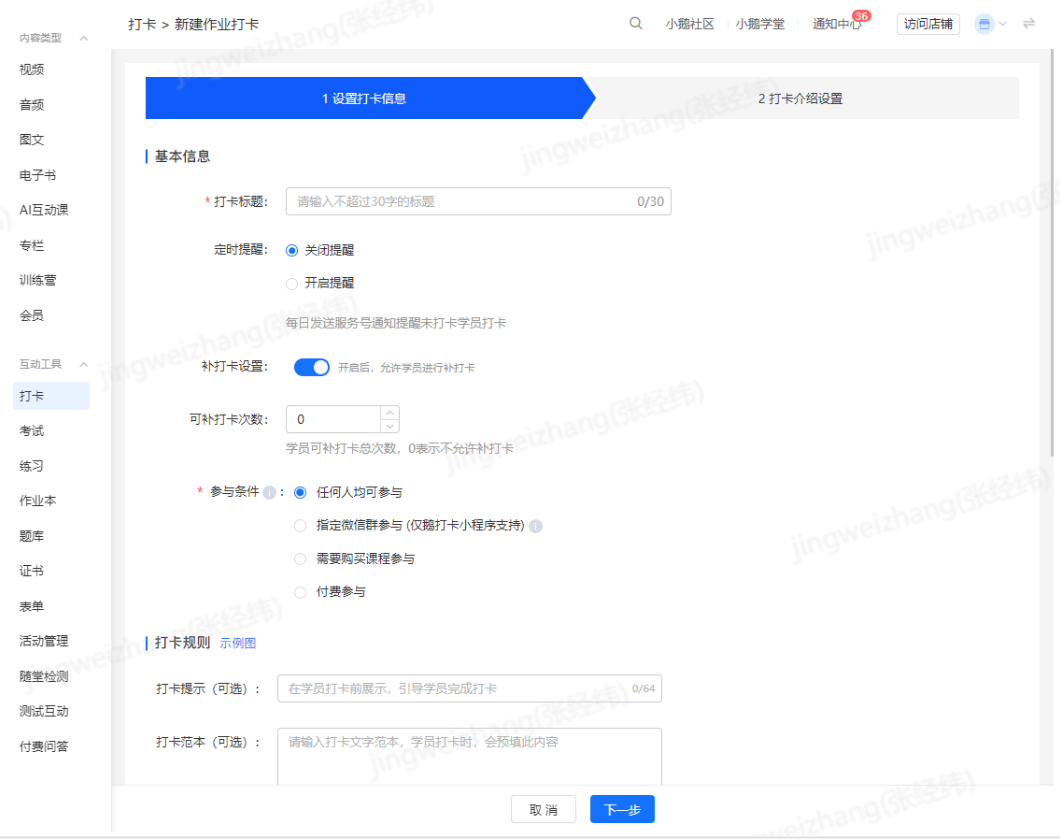
<span style="font-size:15px;">For calendar check-ins and assignment check-ins, you can set the number of make-up check-ins for students on theorpage.</span>

<span style="font-size:15px;">The default number of make-up check-ins is 0, which means make-up check-ins are not allowed.</span>

<span style="font-size:15px;">For calendar check-ins, the maximum number of make-up check-ins cannot exceed the number of check-in days.</span>

<span style="font-size:15px;">For calendar check-ins, students are not allowed to make up check-ins after the check-in period ends.</span>

<span style="text-align:center;"> </span>![image.png](https://wechatapppro-1252524126.file.myqcloud.com/help_document/image/ueditor/94567300_1699351814.png ".png")

**<span style="font-size:17px;">4. How to add teaching assistants?</span>**

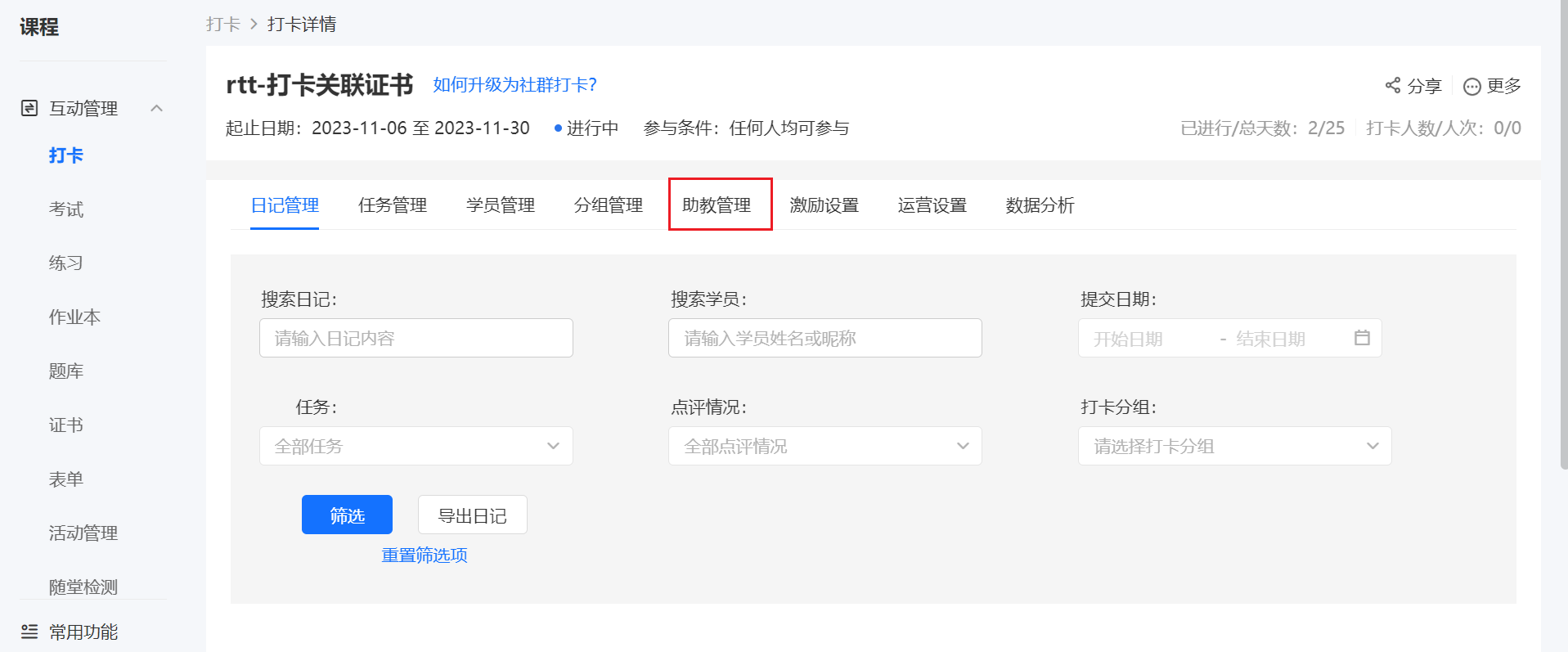
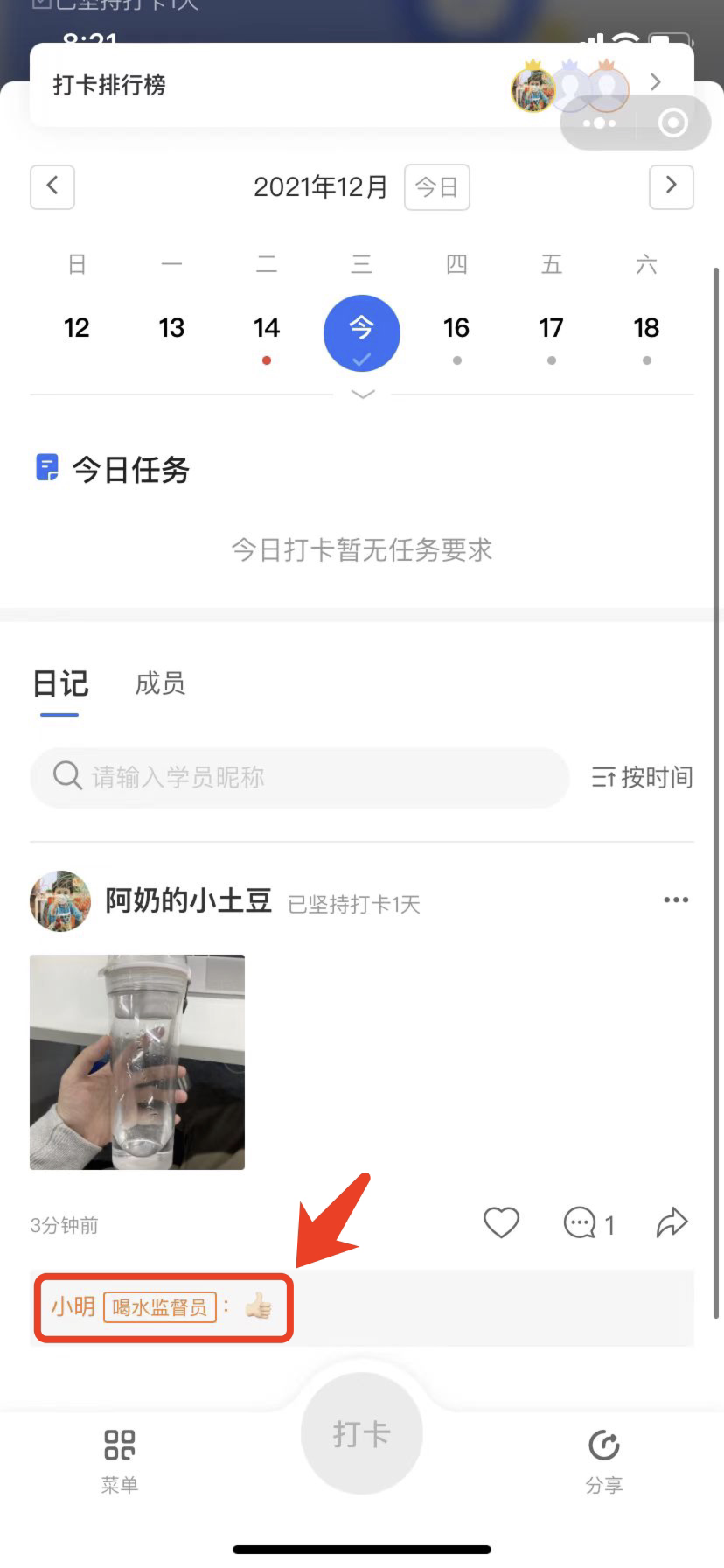
<span style="font-size:15px;">In an existing check-in activity, click \[Details\] - \[Teaching Assistant Management\] to add teaching assistants. Teaching assistants can comment on, delete, select as featured, and pin students' check-in content.</span>

<span class="image-wrapper" style="display:inline-block;overflow:hidden;width:550px;height:251px;"> ![image.png](https://wechatapppro-1252524126.file.myqcloud.com/help_document/image/ueditor/13242900_1699351815.png ".png")</span>

<span class="image-wrapper" style="display:inline-block;overflow:hidden;width:136px;height:294px;"> ![65048600_1699351815.png](https://wechatapppro-1252524126.file.myqcloud.com/help_document/image/ueditor/65048600_1699351815.png)</span>

**<span style="font-size:17px;">5. How to set up certificates?</span>**

<span style="font-size:15px;">There are three ways to configure check-in certificates:</span>

<span style="font-size:17px;">1. Associate an existing check-in activity on the certificate function page.</span>

<span style="font-size:17px;">2. Configure a certificate for an existing check-in activity on the--page.</span>

**<span style="font-size:17px;">6. Can I change the participation conditions of a check-in activity?</span>**

<span style="font-size:15px;">The participation conditions cannot be changed after a check-in activity is successfully created, but you can change the associated course and modify the registration fee for paid participation.</span>

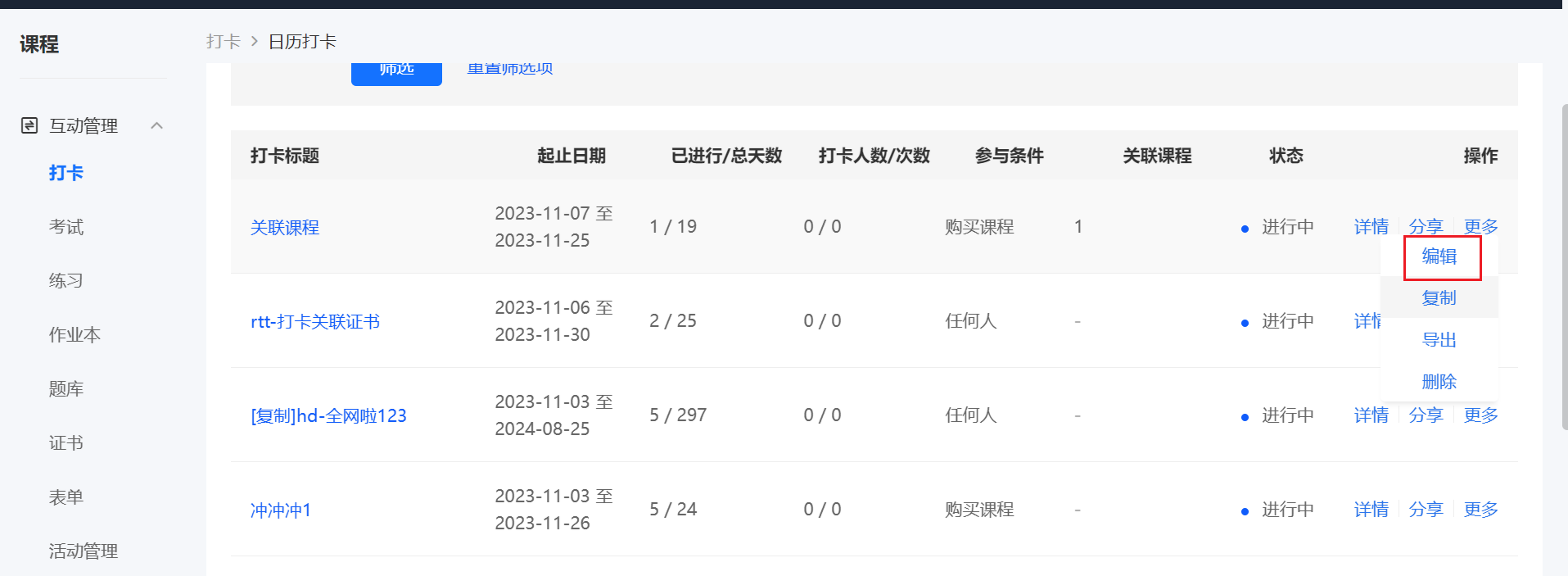
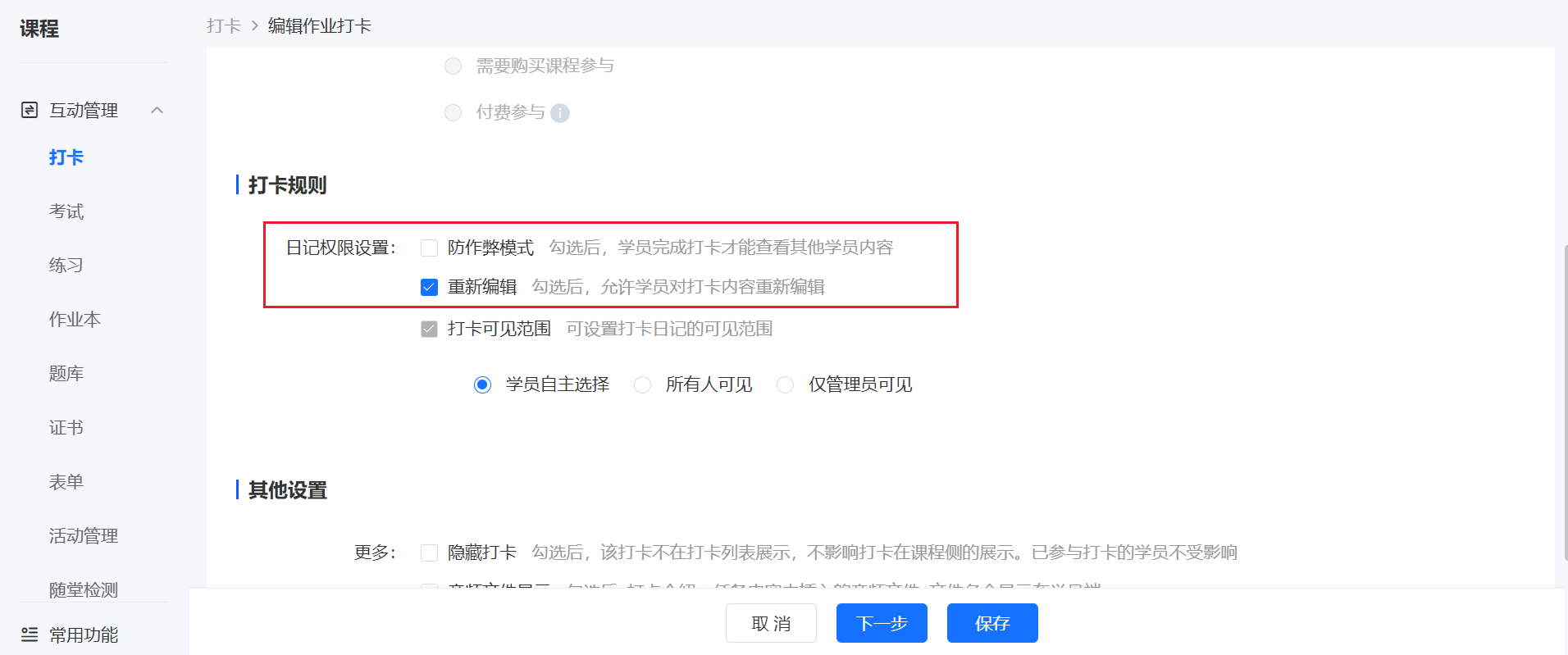
**<span style="font-size:17px;">7. Can I enable the anti-cheating mode after the activity starts?</span>**

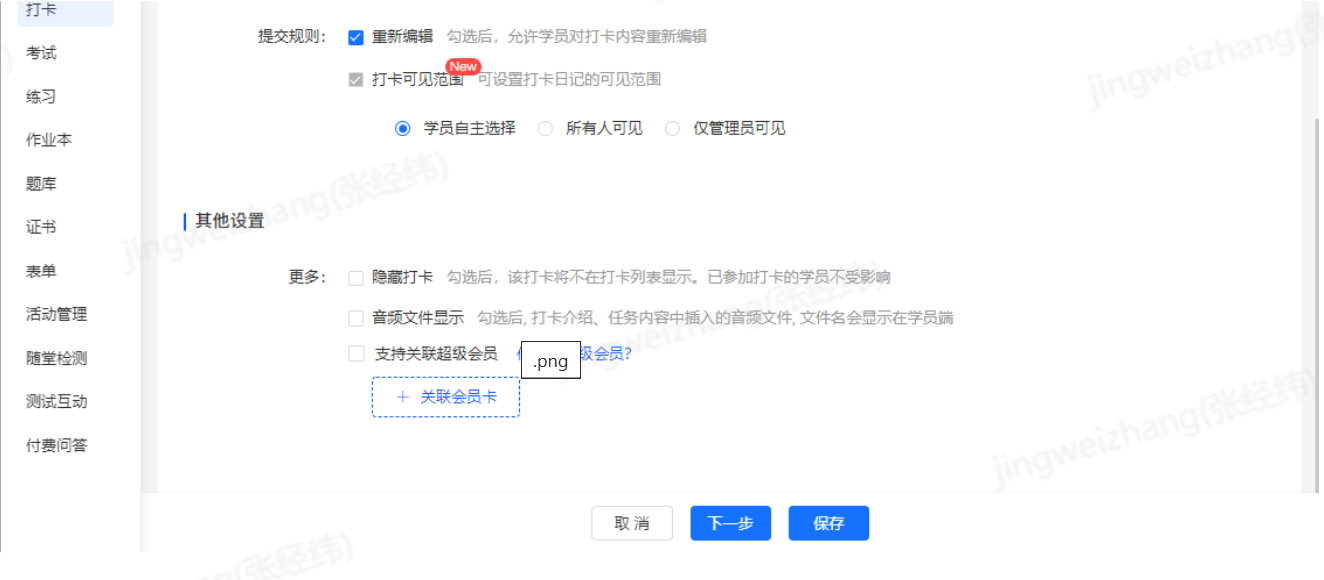
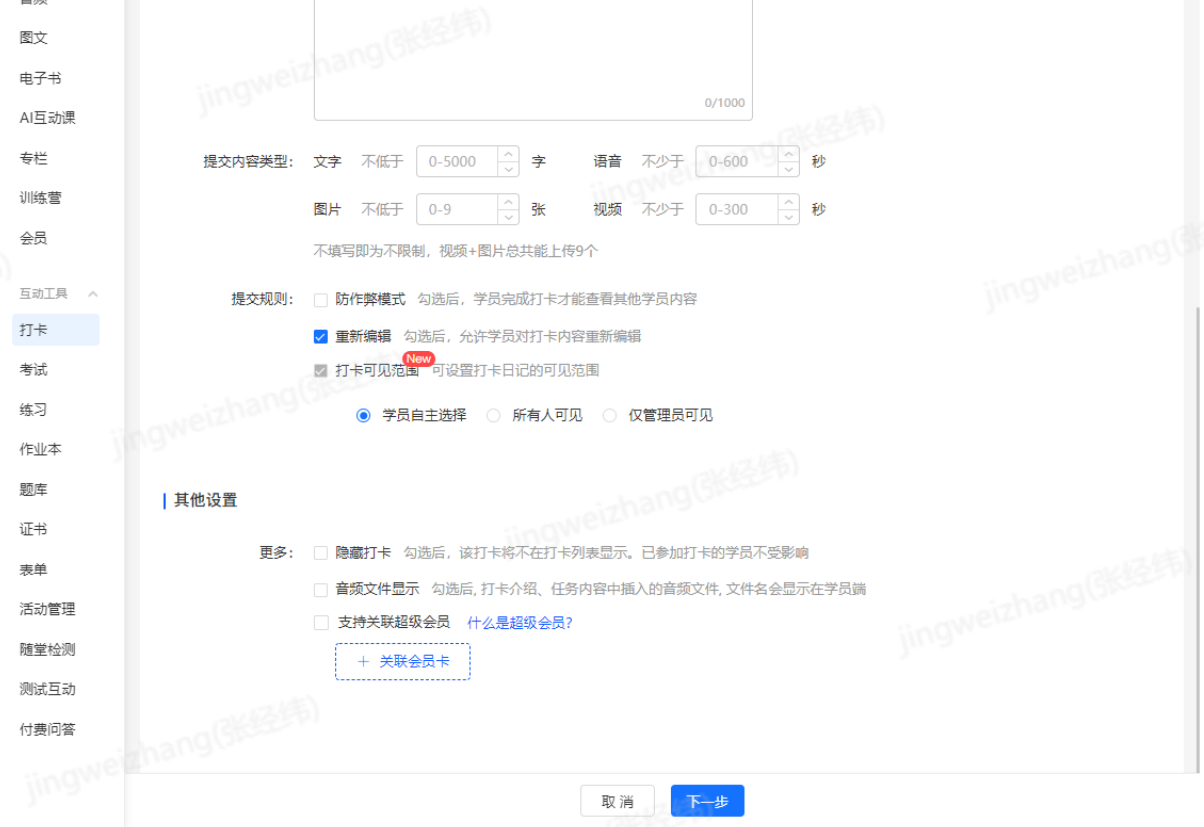
<span style="font-size:15px;">Yes, for assignment check-ins and level-based check-ins, you can enable the anti-cheating mode on the edit check-in page. After enabling, students need to complete their check-ins before they can view other students' check-in content.</span>

<span class="image-wrapper" style="display:inline-block;overflow:hidden;width:550px;height:270px;"> ![image.png](https://wechatapppro-1252524126.file.myqcloud.com/help_document/image/ueditor/80100000_1699351815.png ".png")</span>

![image.png](https://wechatapppro-1252524126.file.myqcloud.com/help_document/image/ueditor/98308500_1699351815.png ".png")

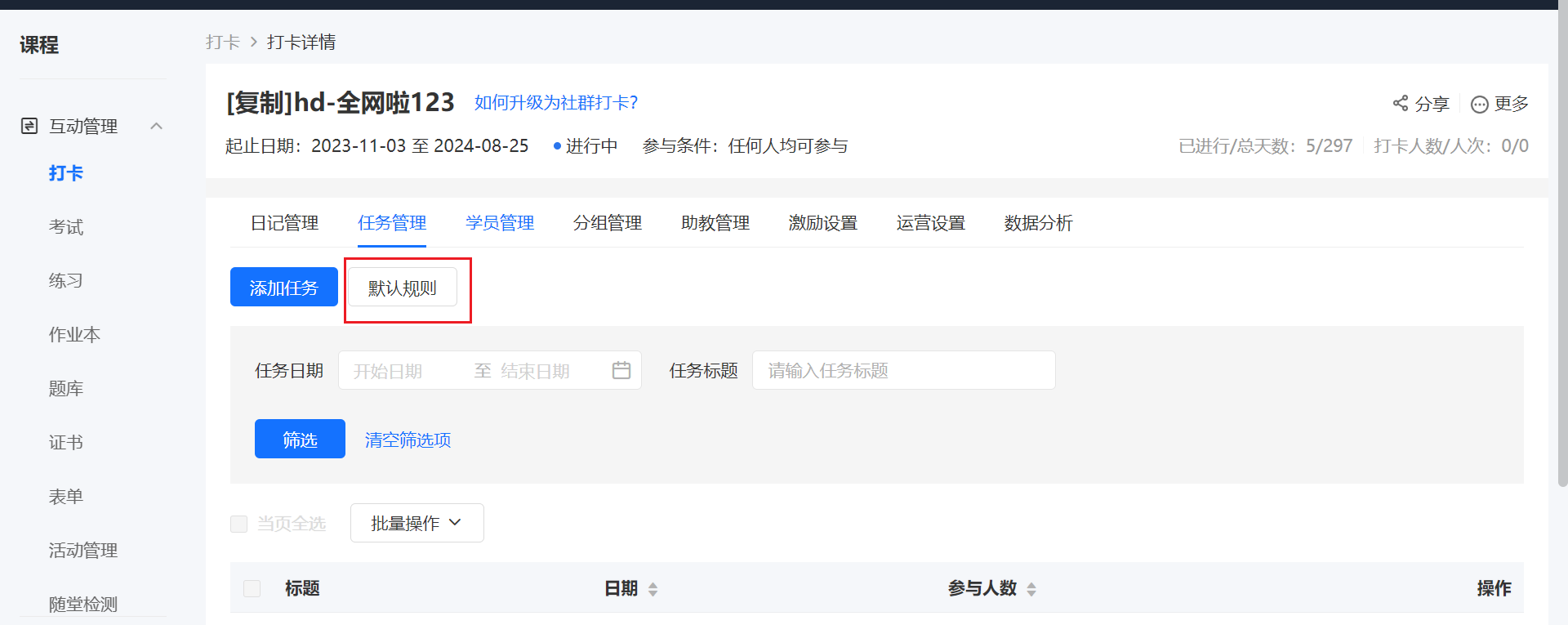
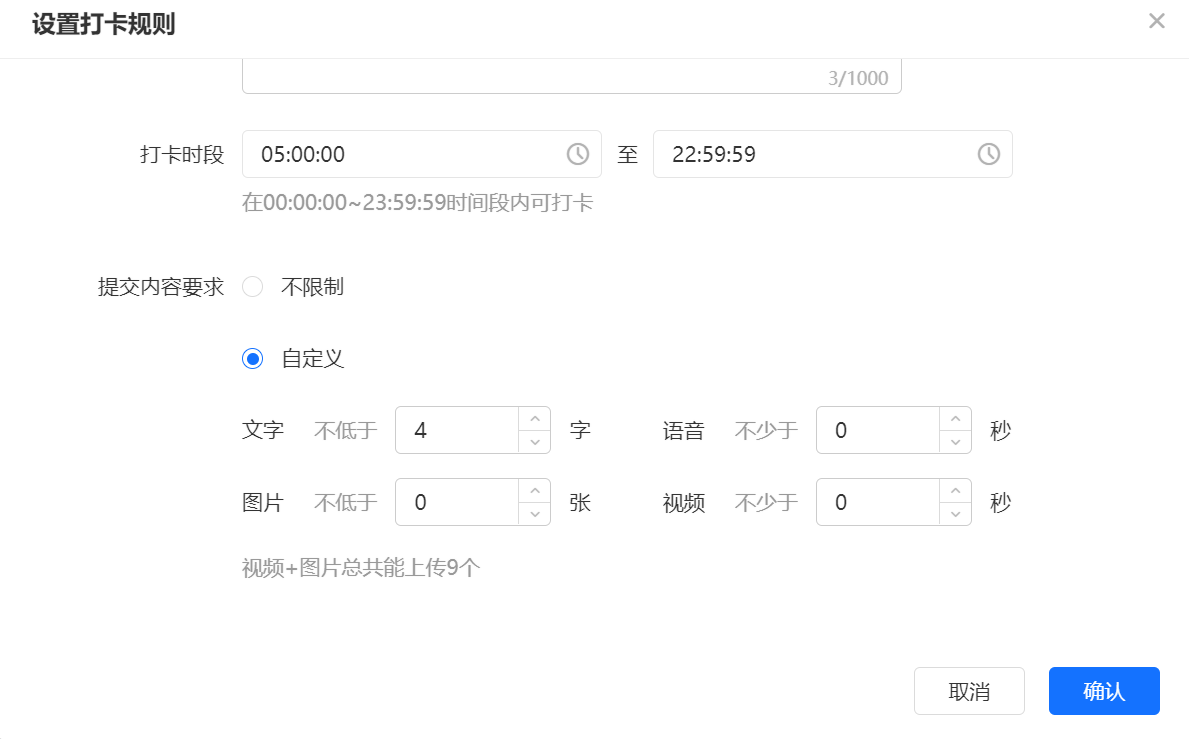
<span style="font-size:17px;">**8. Can I modify the check-in requirements after the activity starts?**</span>

<span style="font-size:15px;">Yes, you can modify the requirements in \[Default Rules\] on the——&gt;page. After the modification, students who have already checked in will not be affected, and students who have not checked in need to meet the latest check-in requirements to check in successfully.</span>

<span class="image-wrapper" style="display:inline-block;overflow:hidden;width:550px;height:251px;"> ![image.png](https://wechatapppro-1252524126.file.myqcloud.com/help_document/image/ueditor/63921800_1699351816.png ".png")</span>

<span class="image-wrapper" style="display:inline-block;overflow:hidden;width:550px;height:251px;">![image.png](https://wechatapppro-1252524126.file.myqcloud.com/help_document/image/ueditor/72958900_1699351940.png ".png")</span>

**<span style="font-size:17px;">9. How to add AI voice assessment?</span>**

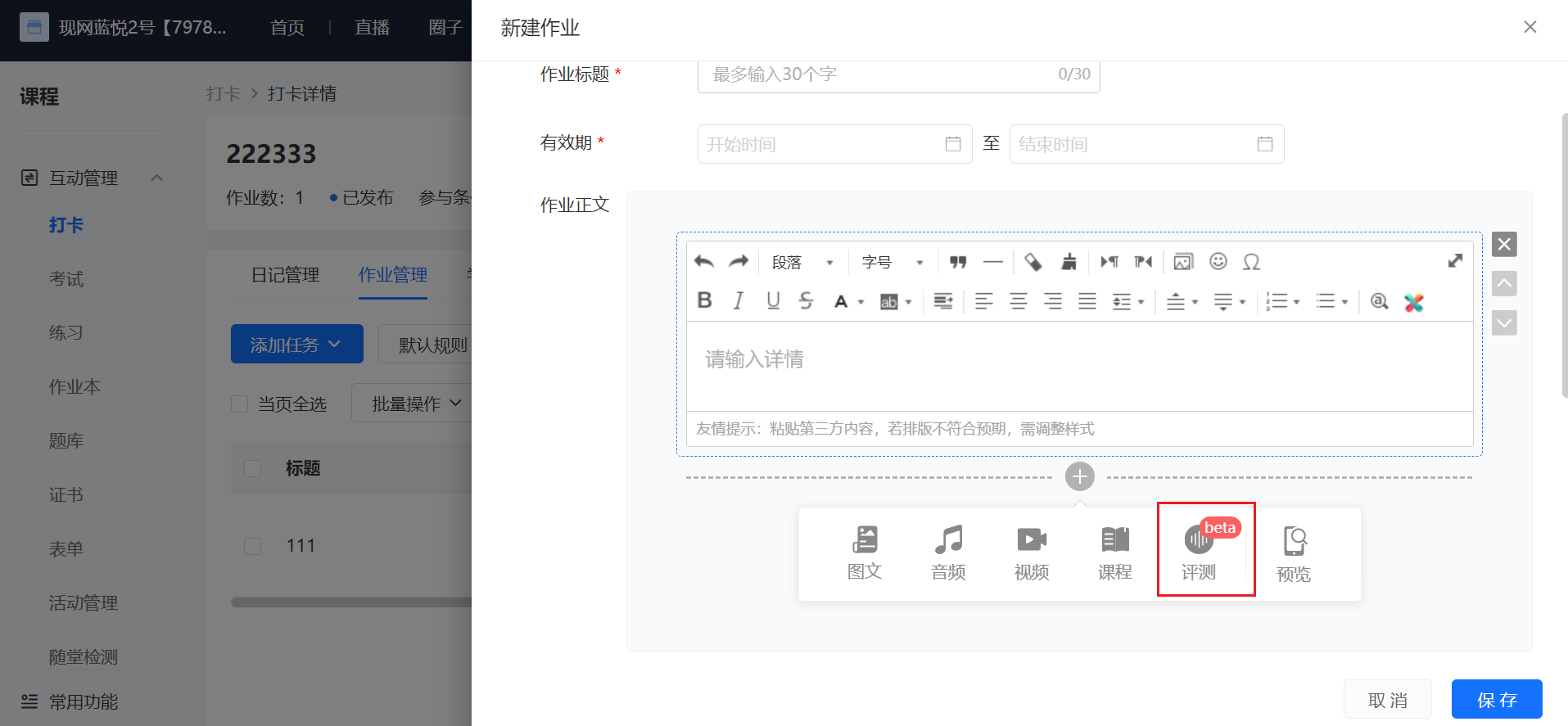
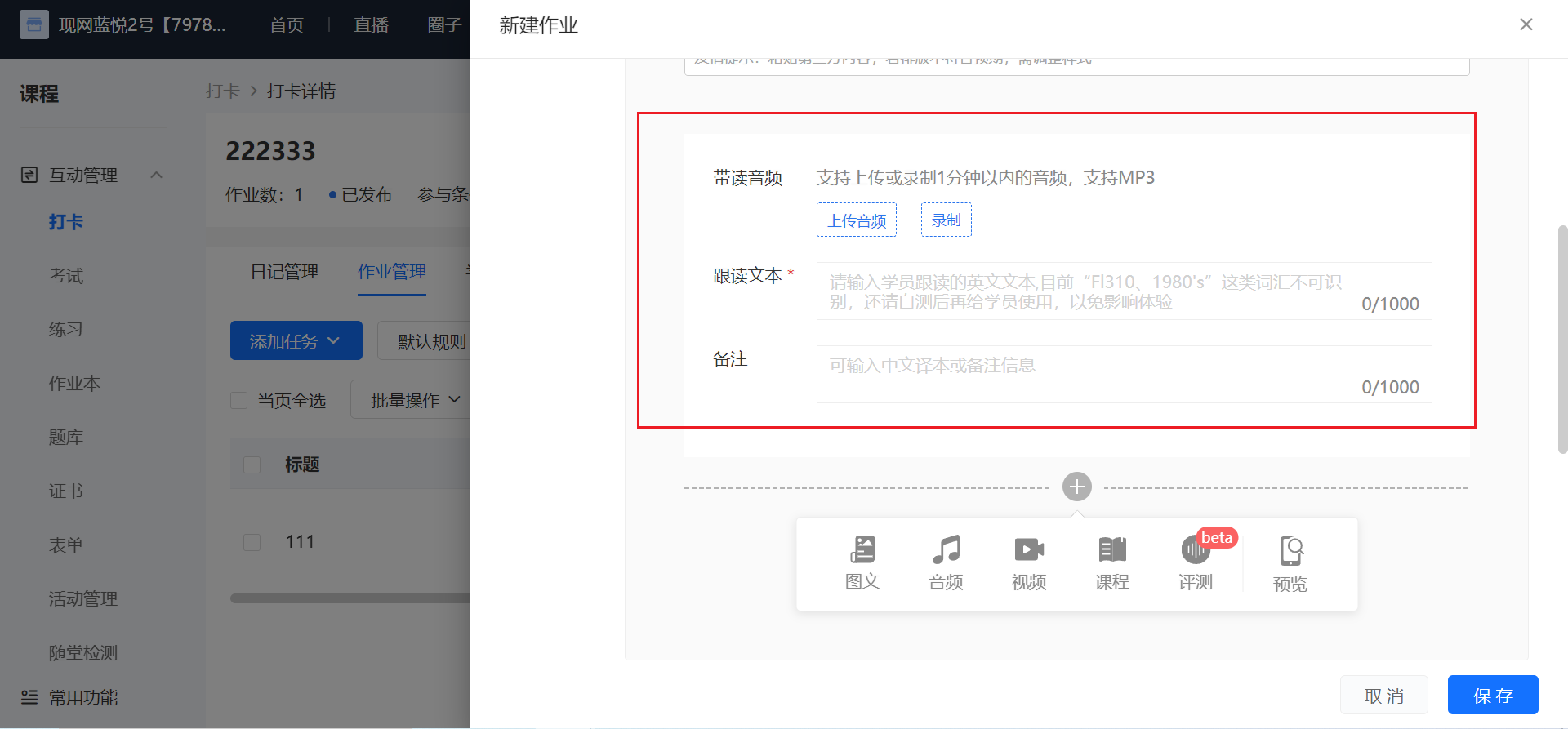
<span style="font-size:15px;">Merchants can add an assessment module when creating an assignment check-in - adding an assignment. When students post their diaries, they can listen to the model reading audio, view the text for imitation, and then record their own imitation voice. After recording, they can see the score. After submitting the diary, they can view the words that need improvement and those with excellent pronunciation. You can set the following content according to requirements:</span>

<span style="font-size:15px;">1. Model reading audio: You can choose to upload or record the model reading audio.</span>

<span style="font-size:15px;">2. Imitation text (required): Only English characters and English punctuation marks are allowed.</span>

<span style="font-size:15px;">Note: You can enter Chinese translations or other note information.</span>

<span class="image-wrapper" style="display:inline-block;overflow:hidden;width:550px;height:248px;"> ![image.png](https://wechatapppro-1252524126.file.myqcloud.com/help_document/image/ueditor/5432500_1699352005.png ".png")</span>

<span class="image-wrapper" style="display:inline-block;overflow:hidden;width:550px;height:249px;"> ![image.png](https://wechatapppro-1252524126.file.myqcloud.com/help_document/image/ueditor/46559200_1699352434.png ".png")</span>

**<span style="font-size:17px;">10. What kind of content can students upload for check-ins?</span>**

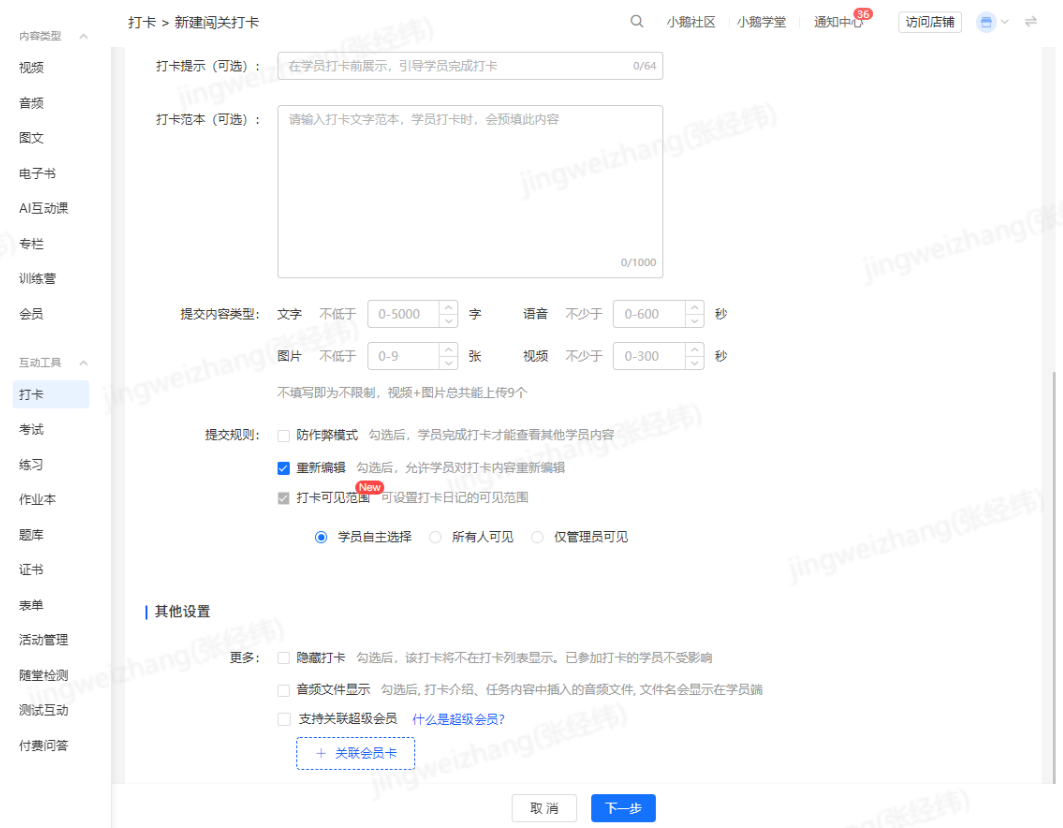
<span style="font-size:15px;">Currently, students can upload text, recordings, mobile phone pictures, mobile phone videos, courses, and WeChat files for check-ins. Courses include图文, audio, video, live streaming, memberships, columns, major columns, and class courses. The specific quantity and size limits are as follows:</span>

<span class="image-wrapper" style="display:inline-block;overflow:hidden;width:550px;height:97px;"> ![52010000_1699351817.png](https://wechatapppro-1252524126.file.myqcloud.com/help_document/image/ueditor/52010000_1699351817.png)</span>

**<span style="font-size:17px;">11. What are the differences between calendar check-ins, assignment check-ins, and level-based check-ins?</span>**

<span style="font-size:15px;">Calendar check-ins are based on a 'day' unit. Students need to submit check-in content within the valid period every day. It is suitable for scenarios of habit formation, such as morning run check-ins and early sleep check-ins.</span>

<span style="font-size:15px;">Assignment check-ins are based on an 'assignment' unit. Students need to complete the assignment within the limited time. It is suitable for teaching assessment scenarios.</span>

<span style="font-size:15px;">Level-based check-ins are based on a 'level' unit. Students need to finish the current class and complete the check-in to unlock the next class. Students can arrange their check-in time freely. It is suitable for scenarios where the check-in time is not fixed.</span>

**<span style="font-size:17px;">12. What will happen after a student is added to the blacklist?</span>**

<span style="font-size:15px;">After a student is blacklisted, the user will not be able to access all check-in activities in the store, and all of the user's check-in diaries will be hidden from other users. However, you can remove the user from the blacklist at any time.</span>

**<span style="font-size:17px;">13. Can I modify a check-in activity after it is created?</span>**

<span style="font-size:15px;">The following explains the three check-in modes of calendar check-ins, assignment check-ins, and level-based check-ins respectively:</span>

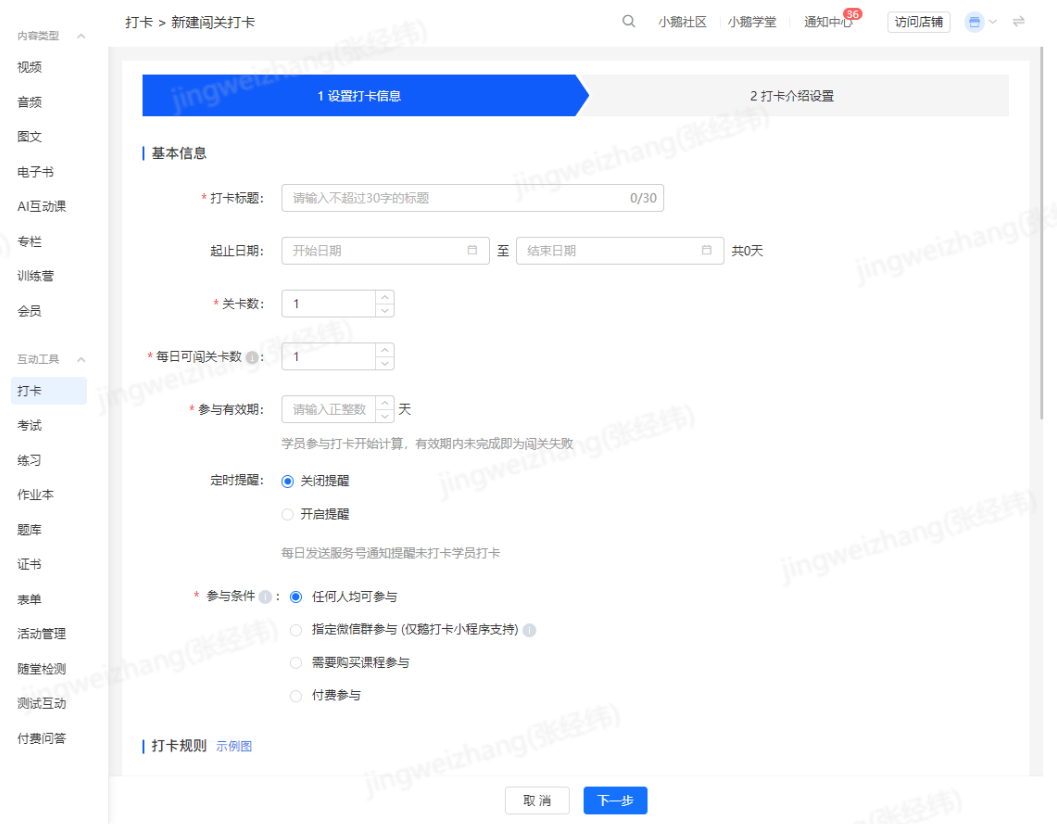
<span style="font-size:15px;">1. For calendar check-ins, after the check-in starts, all settings except the check-in start date and participation conditions can be modified.</span>

<span style="text-align:center;">![image.png](https://wechatapppro-1252524126.file.myqcloud.com/help_document/image/ueditor/31644200_1699352458.png ".png")</span>

<span style="text-align:center;">![image.png](https://wechatapppro-1252524126.file.myqcloud.com/help_document/image/ueditor/53634700_1699352479.png ".png")</span>

<span style="text-align:center;">![image.png](https://wechatapppro-1252524126.file.myqcloud.com/help_document/image/ueditor/11315300_1699352500.png ".png")</span>

<span style="text-align:center;"></span>

<span style="font-size:15px;">2. For assignment check-ins, all settings except the participation conditions can be modified.</span>

<span style="font-size:15px;">![image.png](https://wechatapppro-1252524126.file.myqcloud.com/help_document/image/ueditor/98546700_1699352520.png ".png")</span>

<span style="font-size:15px;">![image.png](https://wechatapppro-1252524126.file.myqcloud.com/help_document/image/ueditor/85503300_1699352544.png ".png")</span>

<span style="font-size:15px;">3. For level-based check-ins, all settings except the start time can be modified. Note that the validity period for students' participation can only be extended, not shortened.</span>

<span style="font-size:15px;">![image.png](https://wechatapppro-1252524126.file.myqcloud.com/help_document/image/ueditor/13838500_1699352572.png ".png")</span>

<span style="font-size:15px;">![image.png](https://wechatapppro-1252524126.file.myqcloud.com/help_document/image/ueditor/13143000_1699352572.png ".png")</span>

<span class="image-wrapper" style="display:inline-block;overflow:hidden;width:550px;height:251px;"></span>