What should I do if the audio cannot be played or the transcoding has not been completed for a long time?
To provide a better course learning experience for students, we aim to improve the audio quality. Currently, elink supports audio uploads of up to 500MB and is compatible with mp3 (recommended) and m4a audio formats.
Through testing and research, some merchants have reported the following audio issues:
Common audio issues:Unable to play on WeChat, audio resources unavailable, audio file transcoding not completed after a long time
Most of these problems are due to issues with the original recorded files,such as audio file format incompatibility with the player (e.g., WeChat player), outdated audio formats, corrupted recorded files, or only changing the file extension without actually converting the format when changing the file format.elink recommends the following solutions for video transcoding for your reference:
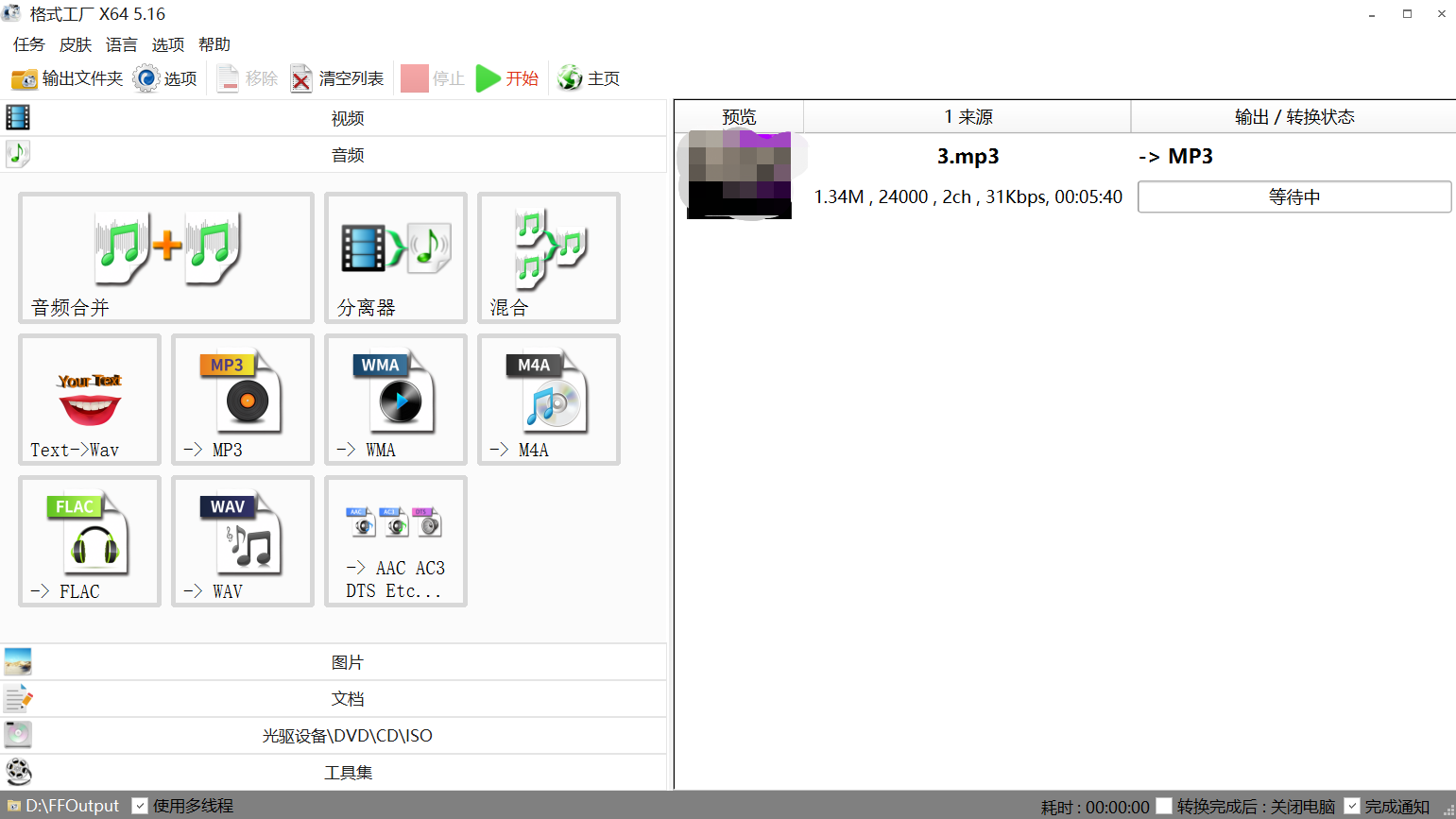
1. Use Format Factory (recommended),Video Editing Expert and other Windows toolsto transcode (convert the format) to mp3 format for normal playback.
How to use Format Factory to generate audio files compatible with the WeChat player?
I. Select appropriate editing and transcoding software
For video editing and transcoding: We recommend commonly used Windows software such as Format Factory and Video Editing Expert. Download address:http://www.pcgeshi.com/
II. Select an appropriate video format
For the final video format, it is recommended to choose the MP3 format.
III.Software operation process (taking Format Factory as an example):
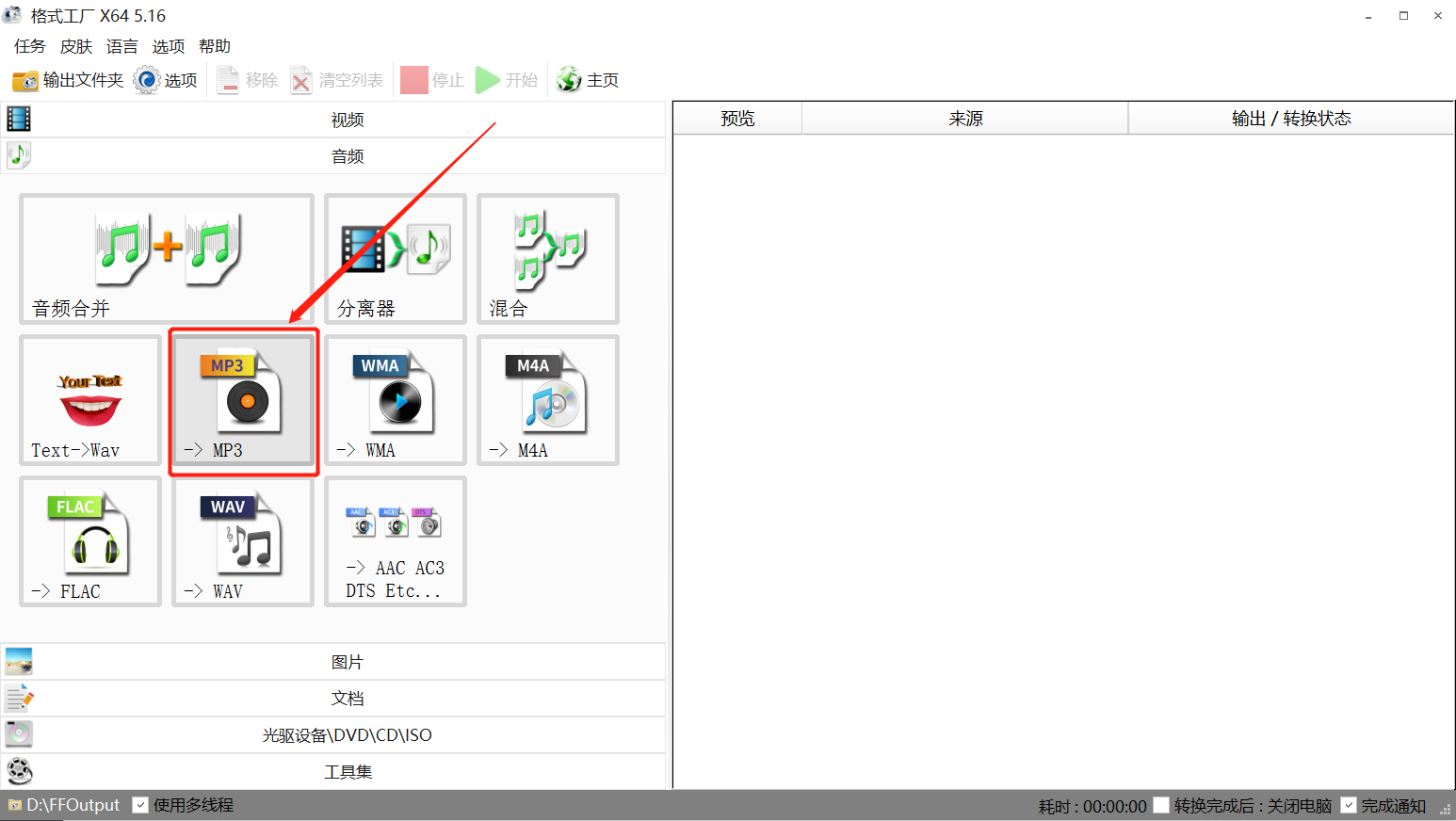
① Click to output MP3
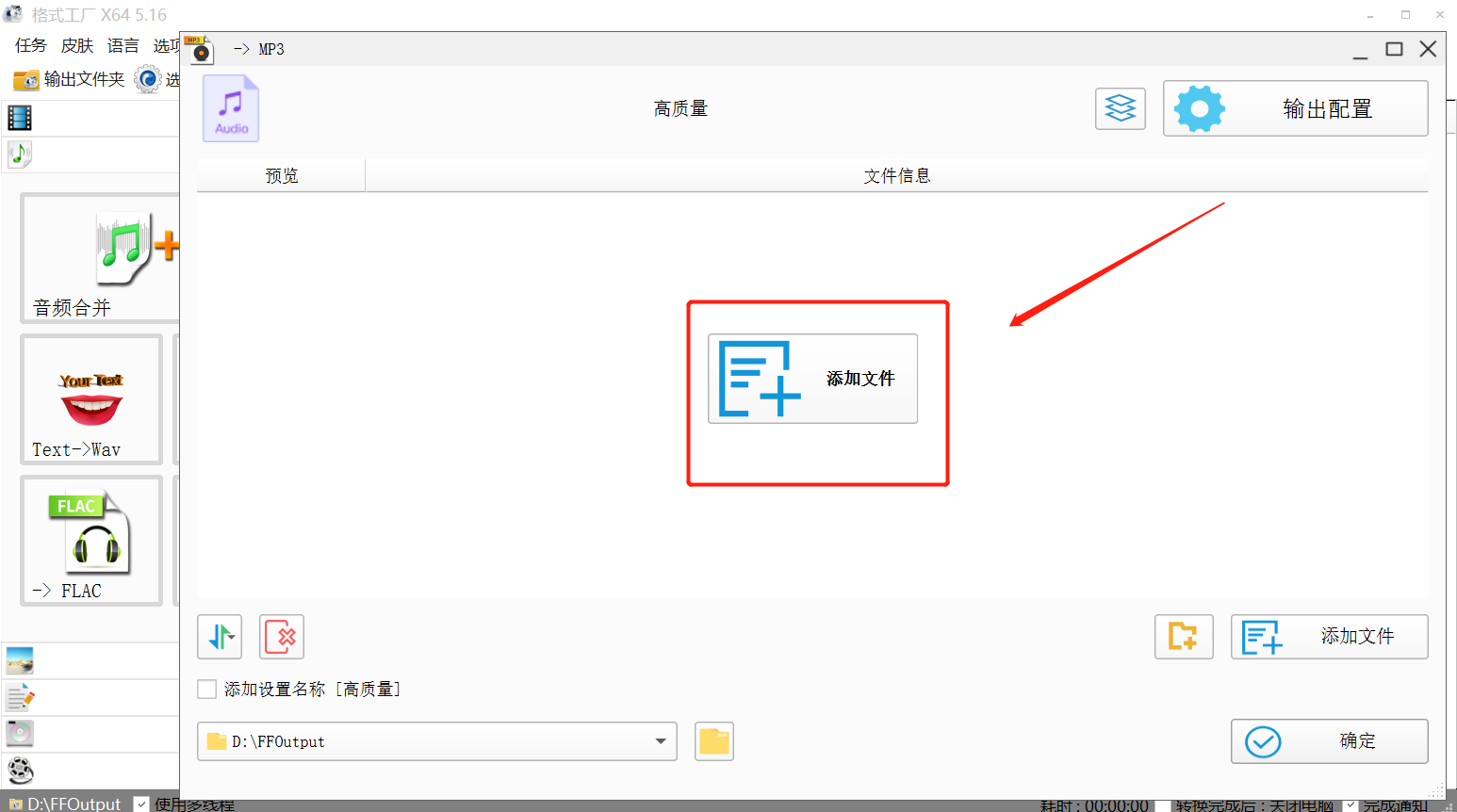
② Click to add files
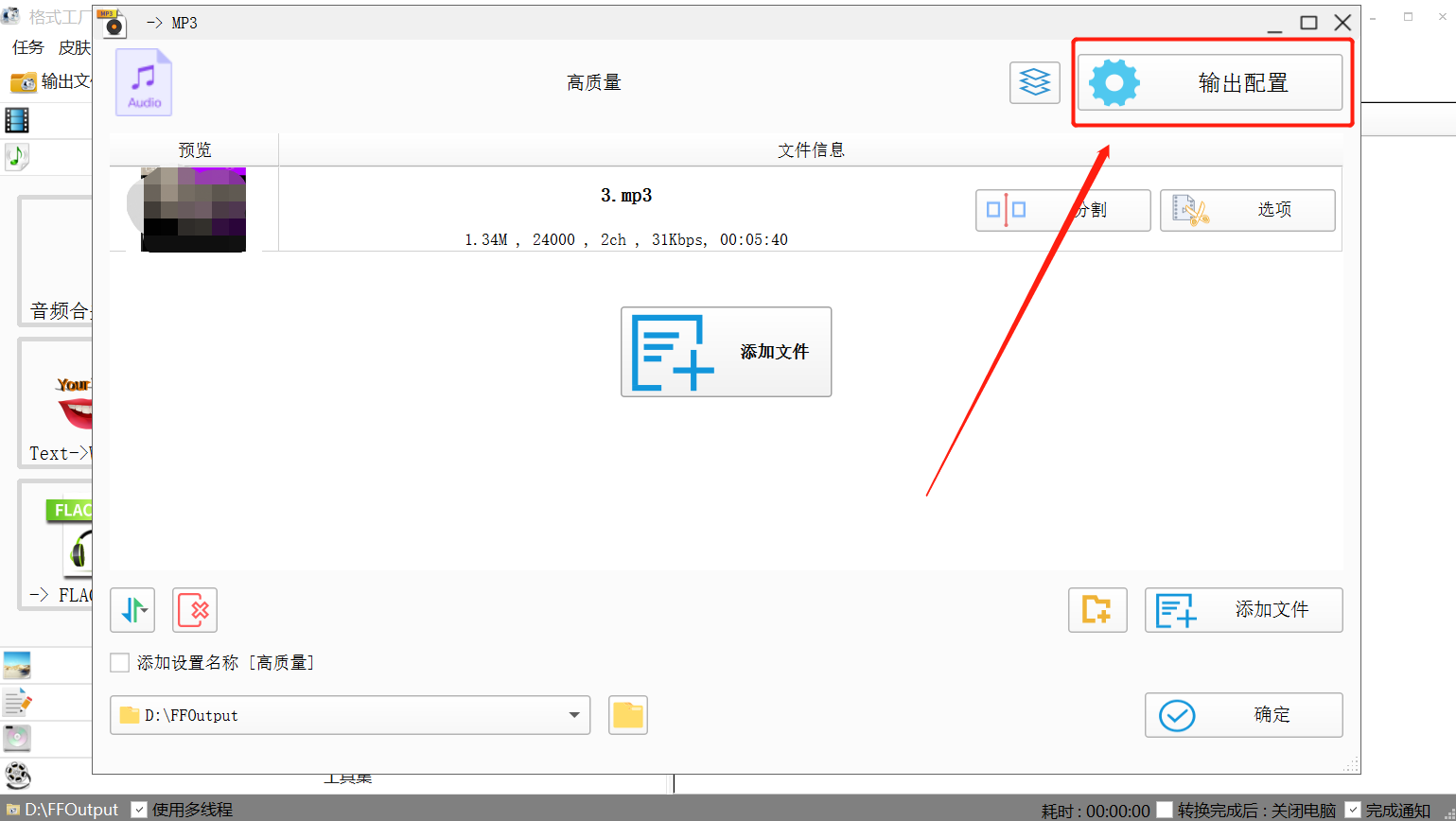
③ Click to configure output
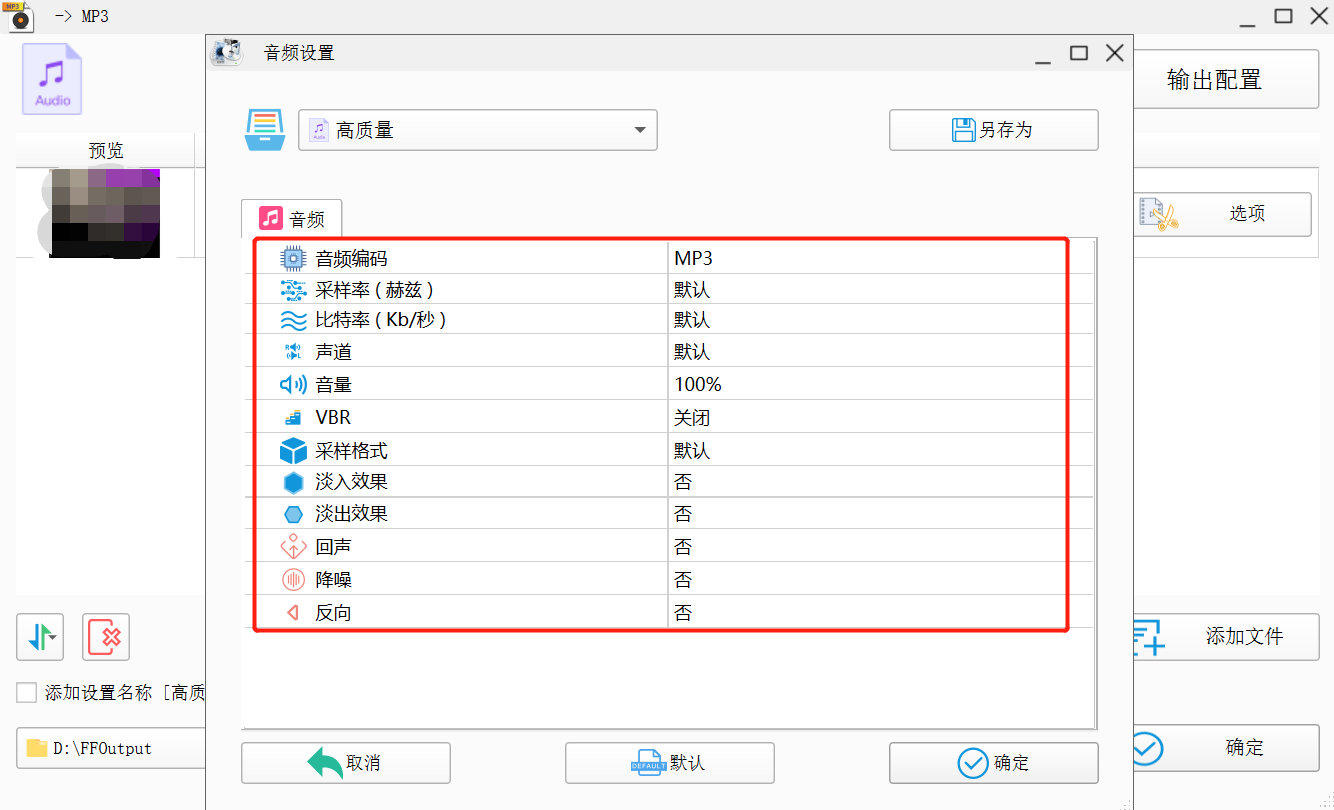
④ Set the audio as needed. Usually, no changes are required. After confirming that everything is correct, click the OK button in the lower right corner.
⑤ You can see that the file is being converted. Wait for the transcoding to succeed.
Upload the processed audio to elink
After processing, you can upload it to elink. We recommend that you play it on a mobile device. If it does not meet the requirements, you can check the size of the original audio and the processing steps.