# Tutorial on Using Strikethrough Prices
[中文](/books/250cf/page/bac91)
**I. What is the strikethrough price?**
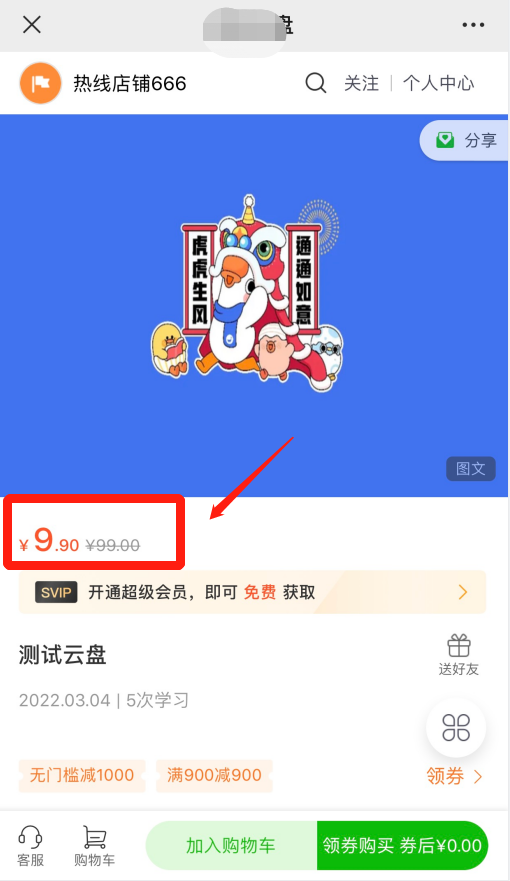
The strikethrough price refers to the price of a product displayed on the product sales page with a horizontal line through it. It is usually shown alongside the actual selling price without a strikethrough.
You can set the strikethrough price independently. It can be the original price, reference price, brand counter price, tag price, manufacturer's suggested retail price, or a previously transacted price of the product. It is not the final transaction price.
The strikethrough price you set must be real and valid. Using a fictitious price as the strikethrough price may violate relevant laws and regulations, and you will need to bear the corresponding legal responsibilities. \[Manual adjustment required\]
**II. How to set the strikethrough price?**
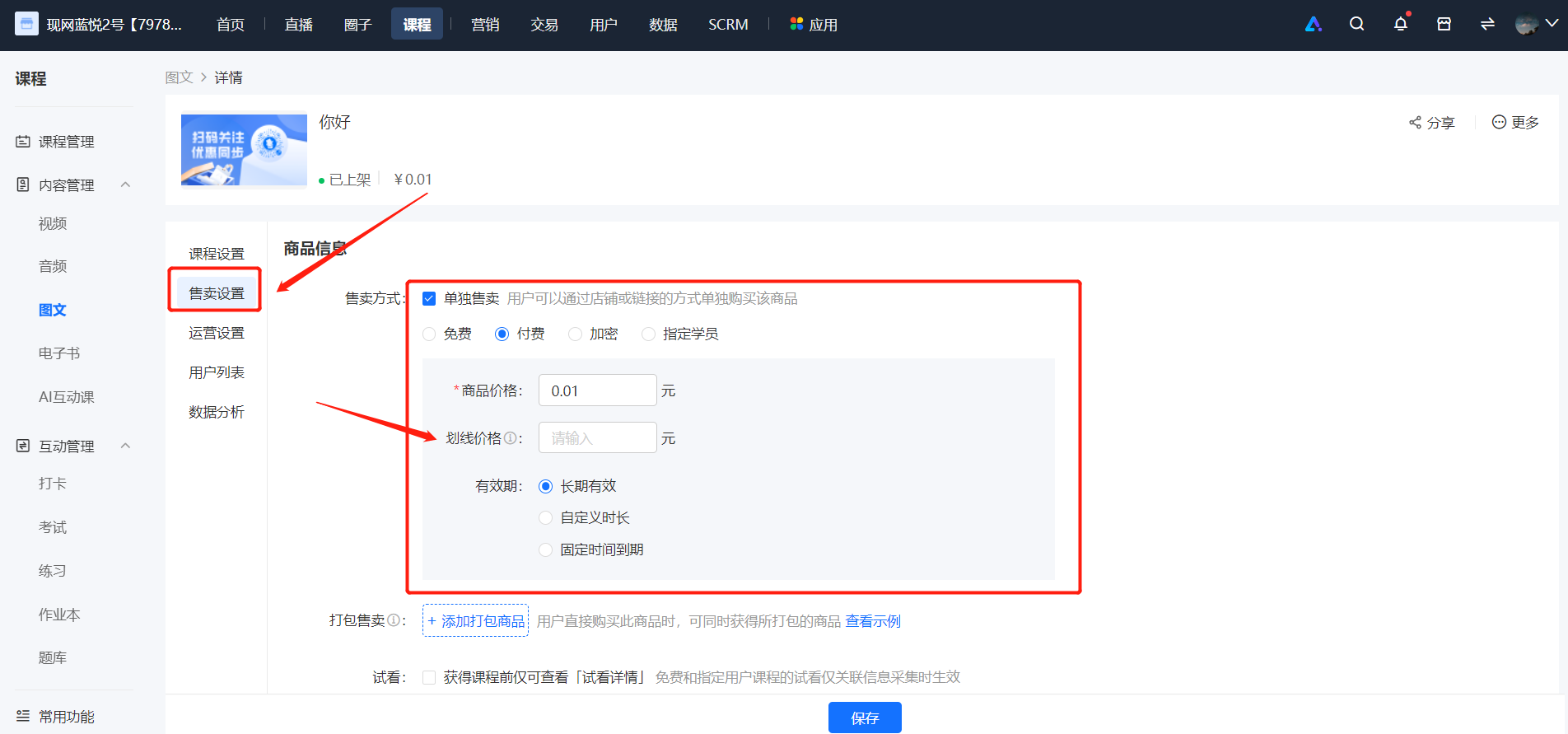
The strikethrough price can be set in \[New Product - Product Information\]. The strikethrough price option only appears when the product sales method is set to \[Paid\], and it is an optional field.If the product has no other promotional activities (such as Joint Orderg), after you fill in the strikethrough price, it will be displayed in a strikethrough format on the product details page.
\* Take a text - image product as an example:
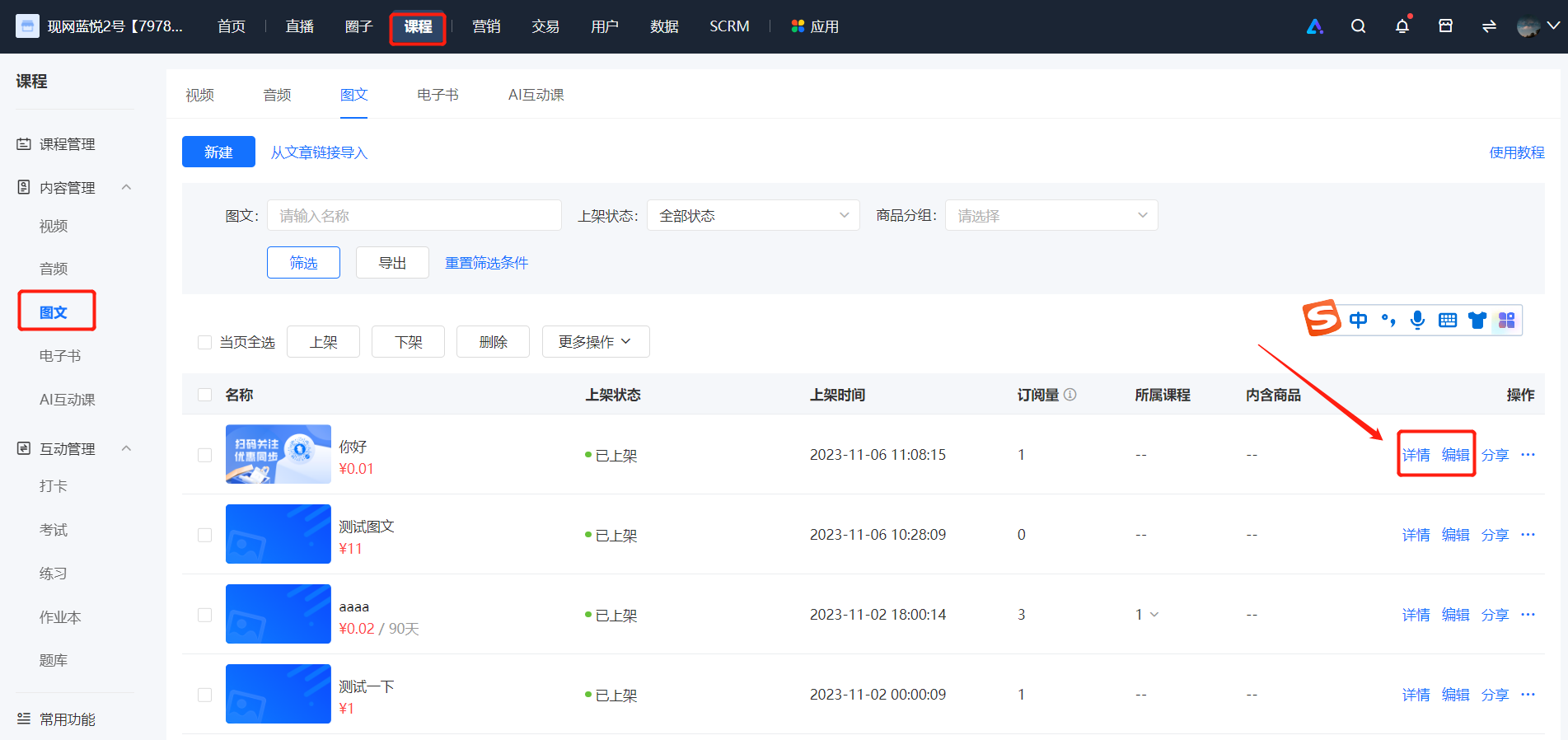
1. After creating a new \[Text - Image\] product, click \[Details/Edit\] to enter \[Sales Settings\]
**III. Presentation effect on the H5 learner's end:**