How to enable the table of contents display for a column?
Merchants log in to the elink backend, go to [Course Management] - [Columns], select [More] for the corresponding column, and then click [Enable Table of Contents Display].
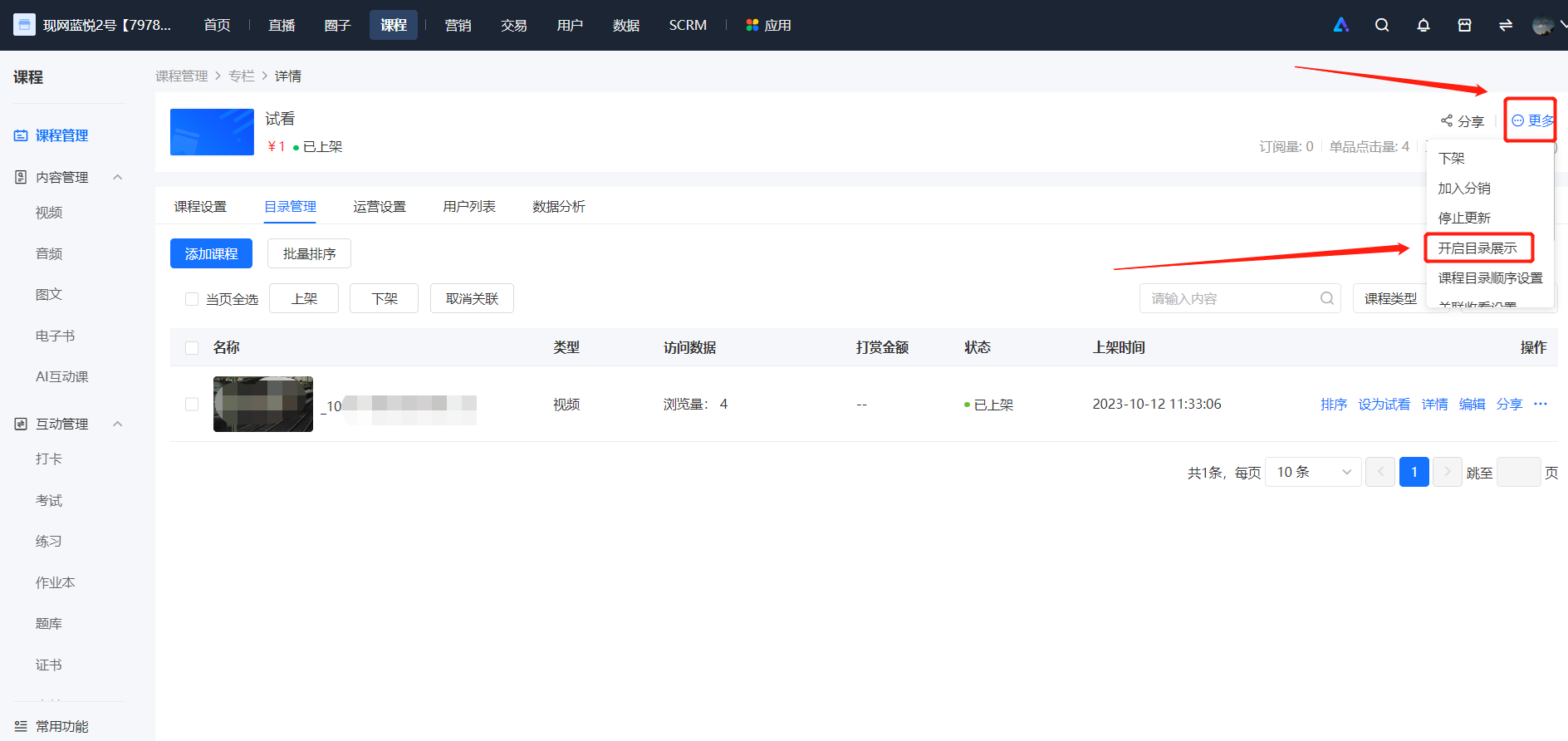
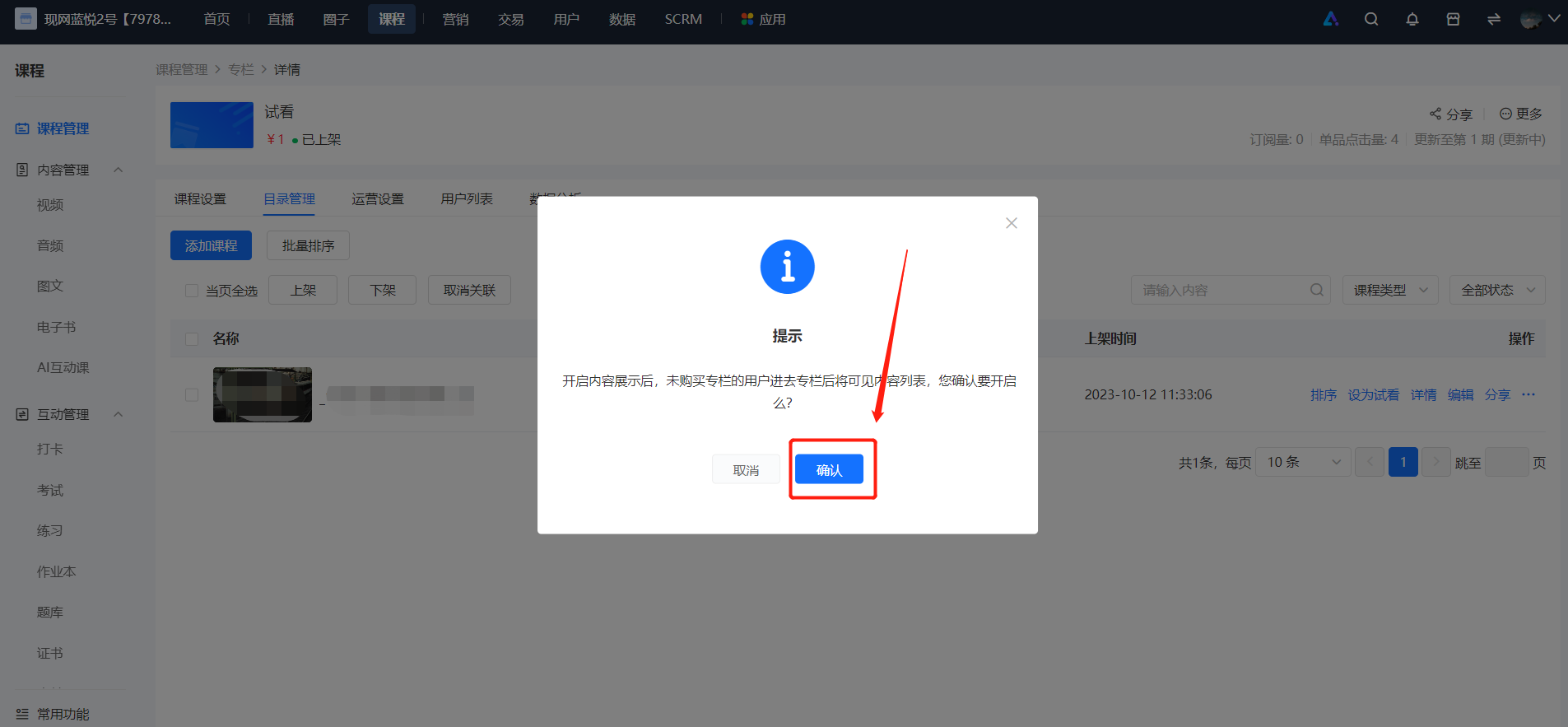
Merchants log in to the elink backend, go to [Course Management] - [Columns], select [More] for the corresponding column, and then click [Enable Table of Contents Display].