In-class test
- Where can I configure the question pop-up time?
- Does the correctness of the question answer affect the ability to continue watching?
- Will the system conduct a check every time a user enters the course?
- When the progress bar can be dragged, if you drag the progress bar to skip the question popup time, will the questions still pop up?
- Will courses with duplicate detection enabled be checked every time a user enters the course?
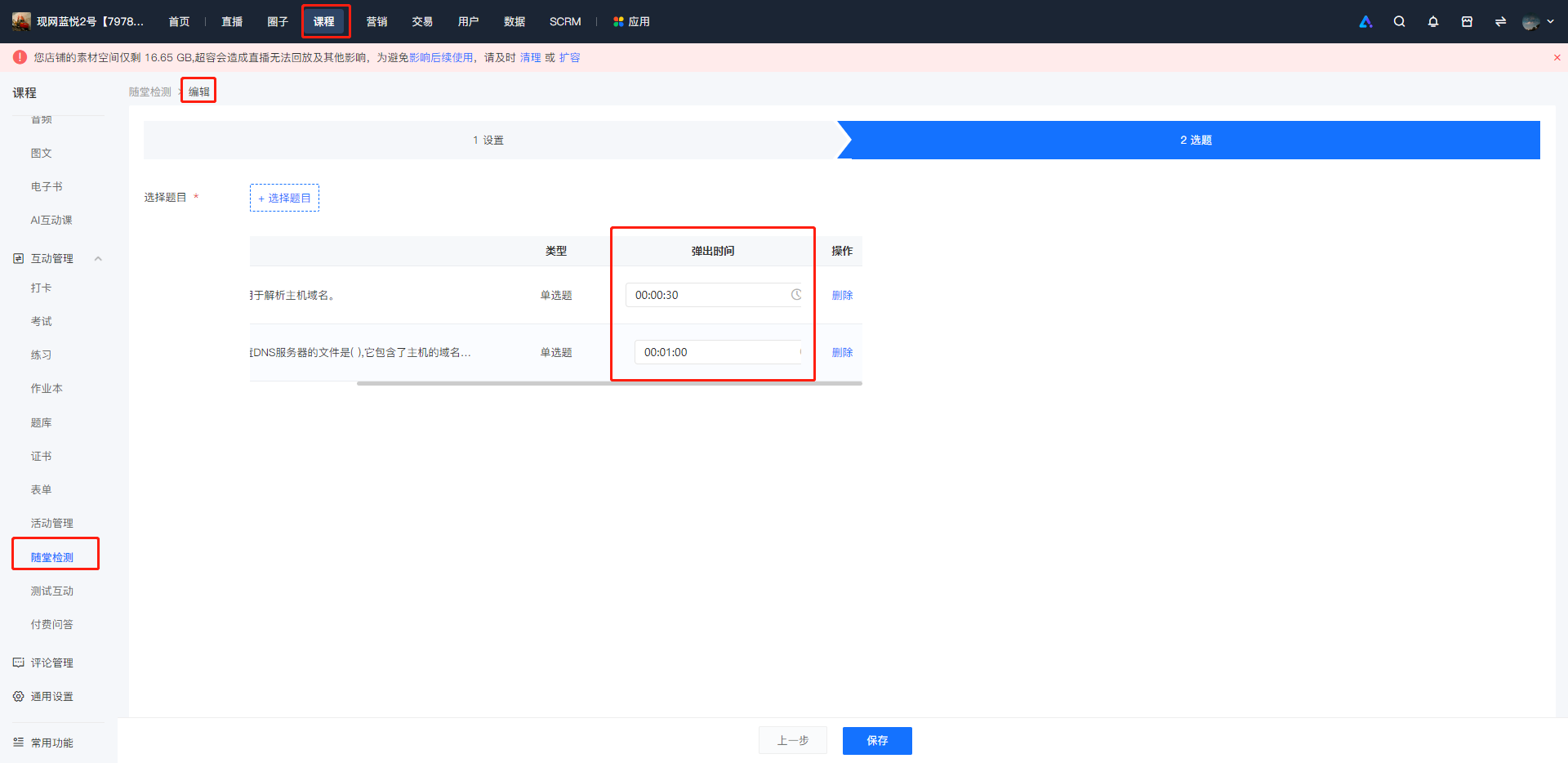
Where can I configure the question pop-up time?
In the [Create/Edit In-class Quiz -> Question Selection List], manually configure the pop-up time for each question.
Does the correctness of the question answer affect the ability to continue watching?
Whether your answers to the questions are correct or incorrect will not affect your continued viewing. The course will resume playing after you submit the questions.
Will the system conduct a check every time a user enters the course?
During the learning process of a course, once a user has completed a section, the corresponding quiz will not pop up again.
When the progress bar can be dragged, if you drag the progress bar to skip the question popup time, will the questions still pop up?
You can drag the progress bar beyond the question pop-up time, and the questions will not pop up. You can choose to use it in conjunction with the "Disable speed playback/skip forward" function.
Will courses with duplicate detection enabled be checked every time a user enters the course?
For courses with duplicate detection enabled, a detection question will pop up every time the configured quiz time is reached during playback.