E-book
- What formats are supported for uploading e-books?
- Can the background and font size of e-books be adjusted?
- How to set up trial reading content?
- How to display e-books on the homepage?
- How to turn the pages of an e-book?
- How to adjust the font size of e-books?
What formats are supported for uploading e-books?
E-books support PDF and EPUB formats. Currently, PDF e-books do not support the functions of highlighting and theme switching.
Can the background and font size of e-books be adjusted?
E - book background: For EPUB e - books, you can adjust the background theme, while PDF e - books do not support theme background adjustment.
E - book font size: On Android devices, you can click the three dots in the upper - right corner and select [Adjust Font]. iOS devices do not support font adjustment. This method of adjusting the font is only effective for EPUB - format e - books and does not work for PDF e - books. For PDF e - books, you can use two - finger gestures to zoom in and out. Also, when the e - book is not in the normal proportion, you cannot turn the pages. After restoring the original proportion, the normal left - right page - turning function will be restored.
How to set up trial reading content?
1. If the product is set to be free, users can directly view the complete e-book content.
2. If the product is set to be paid and trial reading is supported, users can only view the trial content and can access the complete e-book after purchase. (The chapter list shows in black and grey. The trial part is in black, and the grey part requires payment to view.)
3. If the product is set to be paid and trial reading is not supported, users cannot view the e-book content or the trial content.

Free e-books do not have the concept of trial reading. Therefore, it doesn't matter whether trial reading is set or not supported for free e-books, and the trial reading setting will not take effect.
Trial reading supported: Set the trial reading to which chapter. Here, the number of chapters refers to the chapters of the e-book, starting from the first page of the e-book, not the first chapter of the main text. If there is content such as preface and copyright information, it is also counted as a separate chapter. (Note: For e-books in PDF format, set the trial content by page number.)
Trial reading not supported: If you choose not to support trial reading, the trial reading button will not be displayed on the user side.
How to display e-books on the homepage?
When setting up the store homepage, you can select [Product Components] - [Product Collections] for display.
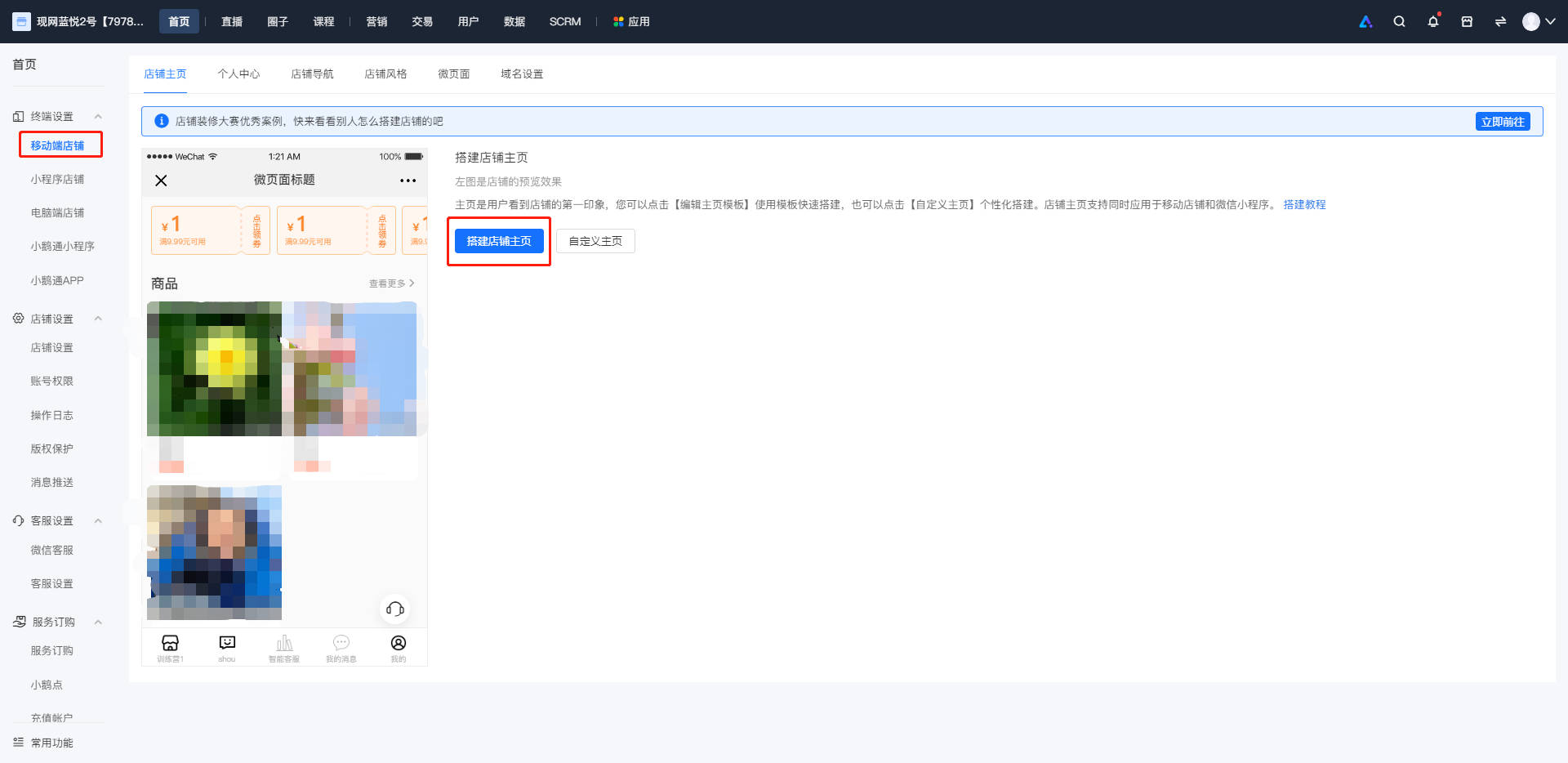
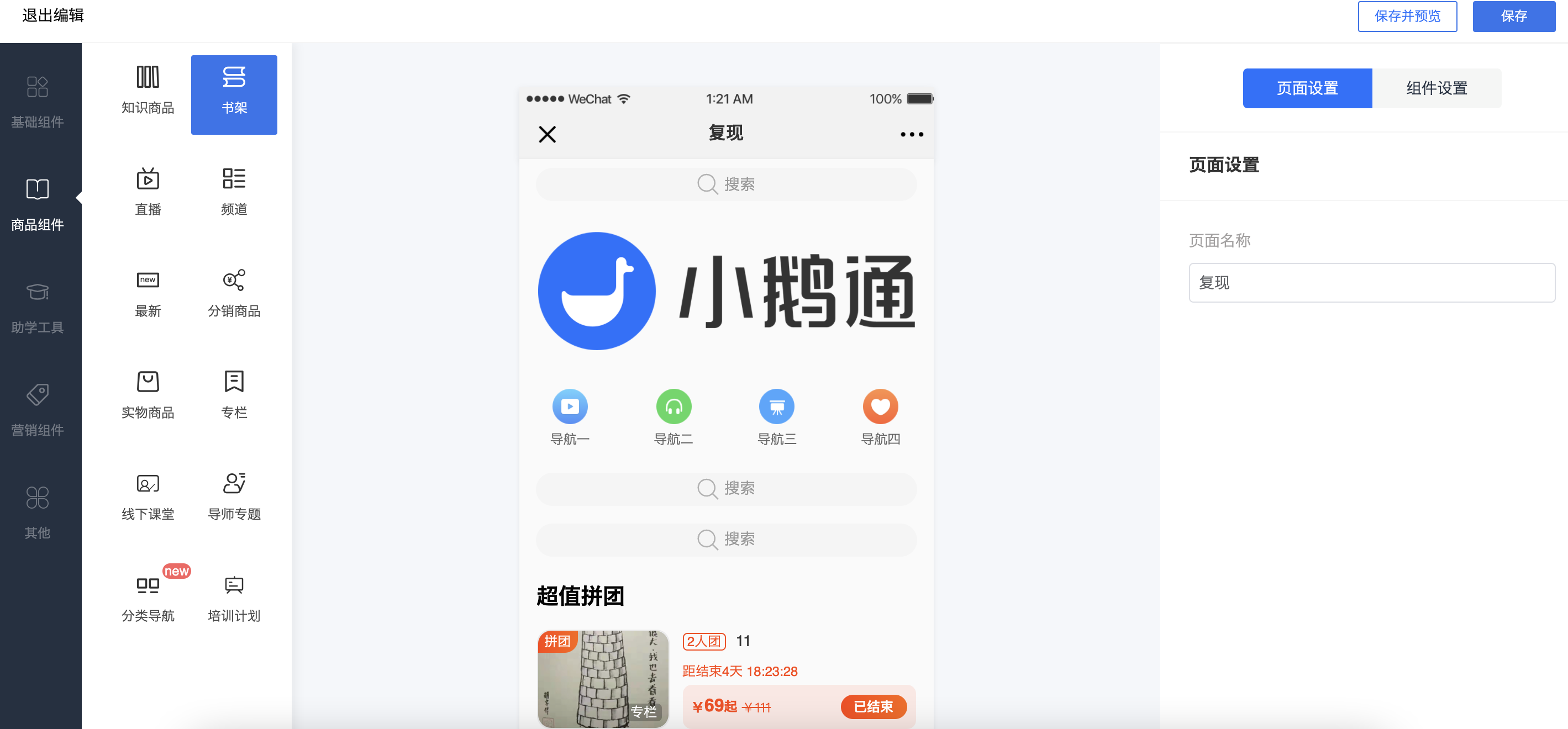
How to turn the pages of an e-book?
You can click on the left or right blank space of the e-book to turn the page.
How to adjust the font size of e-books?
On Android devices, you can select [Adjust Font Size] from the three dots in the upper right corner. This function is not supported on iPhones. Adjusting the font size in this way only works for e-books in EPUB format and is not supported for PDF format. For PDF e-books, you can use two-finger gestures to zoom in and out. Additionally, you cannot turn the pages when the e-book is not in the normal proportion. The normal left-right page-turning function will be restored after you return to the original proportion.