Audio
- How to set the online and offline status of audio products?
- What's the benefit of joining the recommendation?
- Does the audio support variable playback speed or continuous play?
- After creating an audio course, how can merchants share the audio product with learners?
- How to handle audio upload/playback failures?
- Is the uploaded audio available for export?
- What should I do if the audio cannot be played or the transcoding has not been completed for a long time?
How to set the online and offline status of audio products?
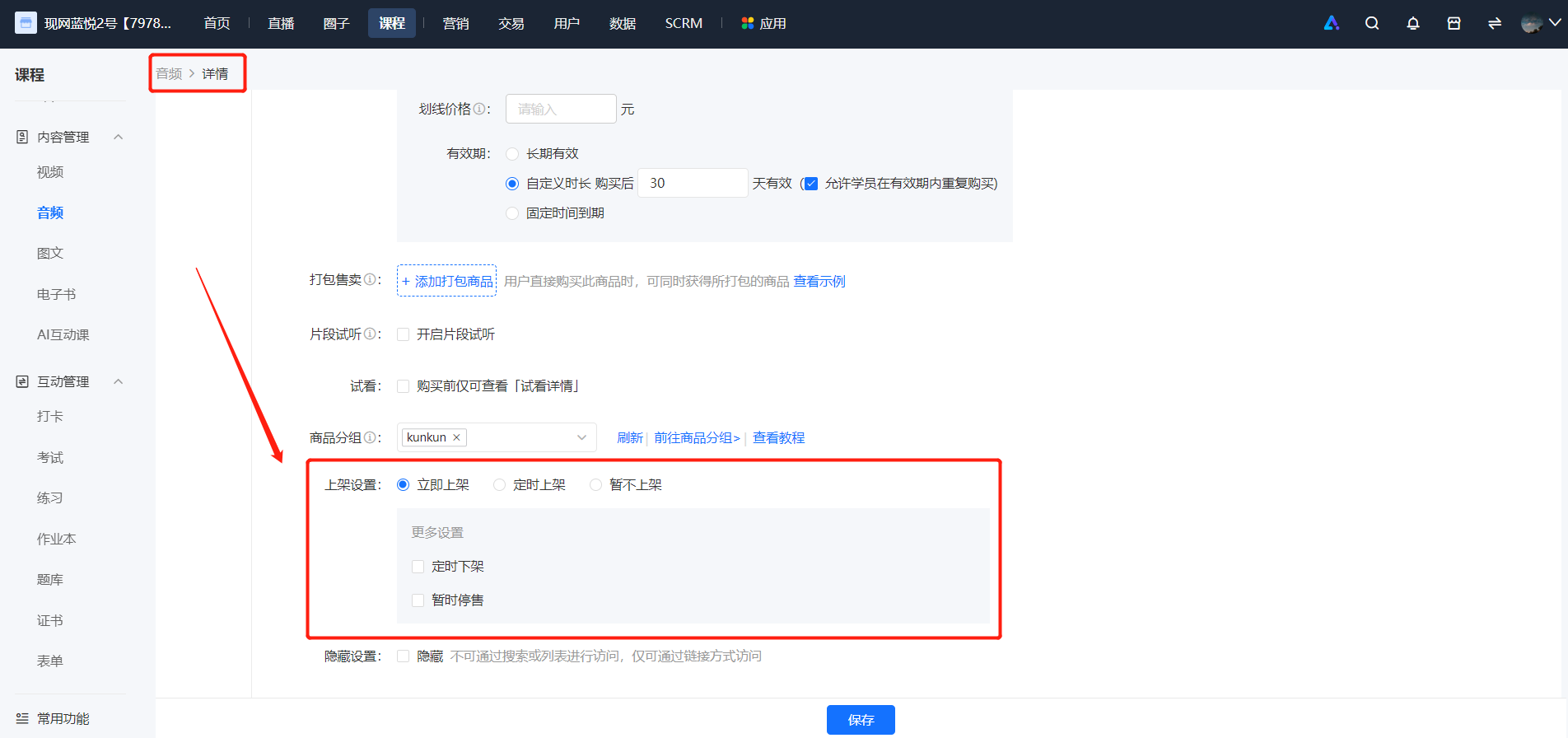
1. When creating/editing a product, you can set the product to be listed.
If you set the product to be listed immediately, it will be displayed in the store upon publication.
If you set the product to be listed at a scheduled time, it will be displayed in the store after the set time.
If you set the product to be hidden after listing, it can only be accessed via a link.
【Content Management】-【Audio】-【Details/Edit】-【Sales Settings】
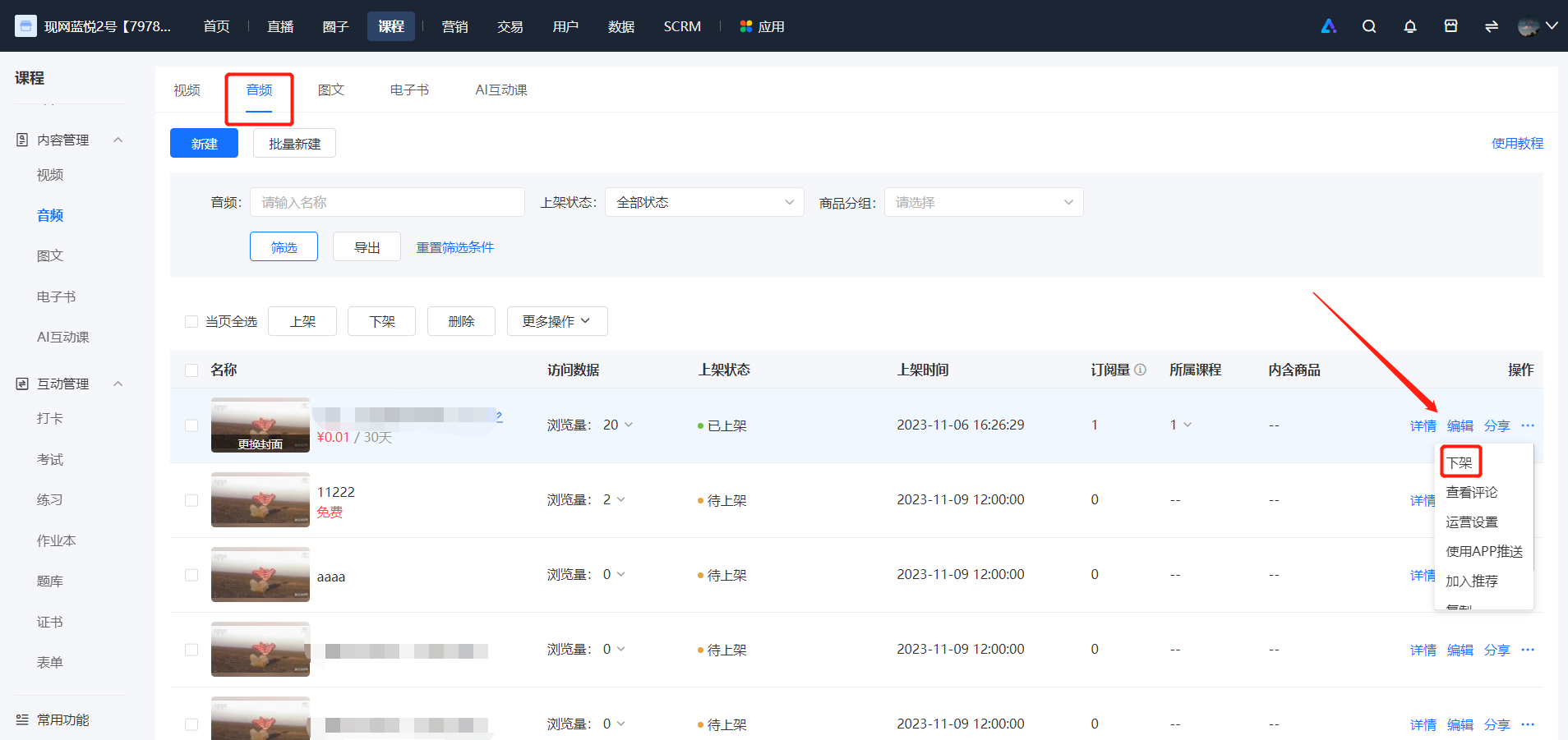
2. After saving the product, you can directly list or unlist the audio product in the audio list.
What's the benefit of joining the recommendation?
After enabling the product recommendation function, there will be a [Related Recommendations] module on the product detail page, displaying the product information set by the merchant. Users can click to jump to other product detail pages for selection.
Specific operation: After saving the product, you can also click [More] - [Add to Recommendations] in the audio list.
You can click to view the specific tutorial on using product recommendations.~
Does the audio support variable playback speed or continuous play?
1. Playback at Different Speeds:Users can adjust the audio playback speed when listening to audio. Currently, 8 playback speeds are supported: 0.5x, 0.75x, normal speed, 1.25x, 1.5x, 2.0x, 2.5x, and 3.0x.
Supported platforms include WeChat H5, Mini Programs, and the PC version of the Online Store.
2. Continuous Playback:Audio courses in columns/memberships support continuous playback on WeChat H5 and Mini Programs.
3. Playback Modes:Currently, the WeChat H5 platform supports 4 playback modes: single-track playback, single-track loop, sequential playback, and playlist playback.
4. Floating Playback:The WeChat H5 platform supports floating window-style playback of audio courses (a floating control box is displayed at the bottom of the page, and the audio control area at the top is not displayed). Students can flexibly control pause, play, and drag the audio playback progress.
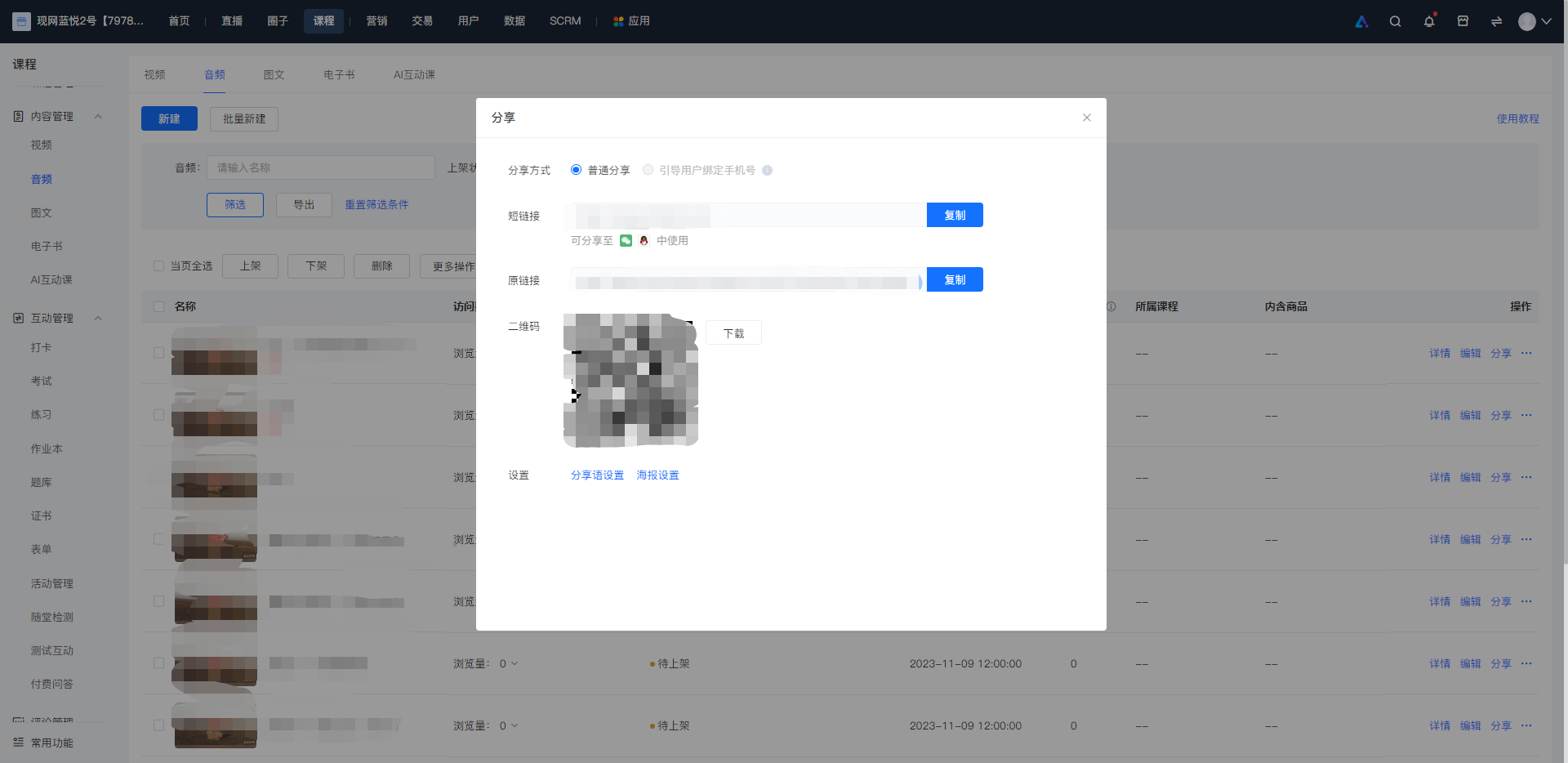
After creating an audio course, how can merchants share the audio product with learners?
How to handle audio upload/playback failures?
I. When audio upload fails, such as the failure to upload audio content, please check according to the following steps:
1. Whether the format is MP3/M4A;
2. Whether the resource size exceeds 500M.
3. If you confirm that everything is correct, you can try to switch the network, transcode the resource again using Format Factory, and then log in to the store backend using Google Chrome to upload it again. If the upload still fails after the attempt, you can feedback the problem to the online customer service in the lower right corner of the management console.
II. When there is an abnormal audio playbackplease confirm whether the audio is in the standard mp3 or m4a format and whether the resource size exceeds 500MB. If the format/size is correct but it still cannot be played, please try:
1. Guide users to exit WeChat and re - enter the product page;
2. Guide users to switch the network environment and try again;
3. If the original audio has been processed, such as format conversion, please confirm that the resource is not damaged/can play normally, and try to recreate the audio product on the management console and upload the resource.
Is the uploaded audio available for export?
You cannot directly export audio files in the [Audio] section of [Course Management]. However, the uploaded audio files will be available in [Content Management] - [Audio], where you can download and export them.
What should I do if the audio cannot be played or the transcoding has not been completed for a long time?
To provide a better course learning experience for students, we aim to improve the audio quality. Currently, elink supports audio uploads of up to 500MB and is compatible with mp3 (recommended) and m4a audio formats.
Through testing and research, some merchants have reported the following audio issues:
Common audio issues:Unable to play on WeChat, audio resources unavailable, audio file transcoding not completed after a long time
Most of these problems are due to issues with the original recorded files,such as audio file format incompatibility with the player (e.g., WeChat player), outdated audio formats, corrupted recorded files, or only changing the file extension without actually converting the format when changing the file format.elink recommends the following solutions for video transcoding for your reference:
1. Use Format Factory (recommended),Video Editing Expert and other Windows toolsto transcode (convert the format) to mp3 format for normal playback.
How to use Format Factory to generate audio files compatible with the WeChat player?
I. Select appropriate editing and transcoding software
For video editing and transcoding: We recommend commonly used Windows software such as Format Factory and Video Editing Expert. Download address:http://www.pcgeshi.com/
II. Select an appropriate video format
For the final video format, it is recommended to choose the MP3 format.
III.Software operation process (taking Format Factory as an example):
① Click to output MP3
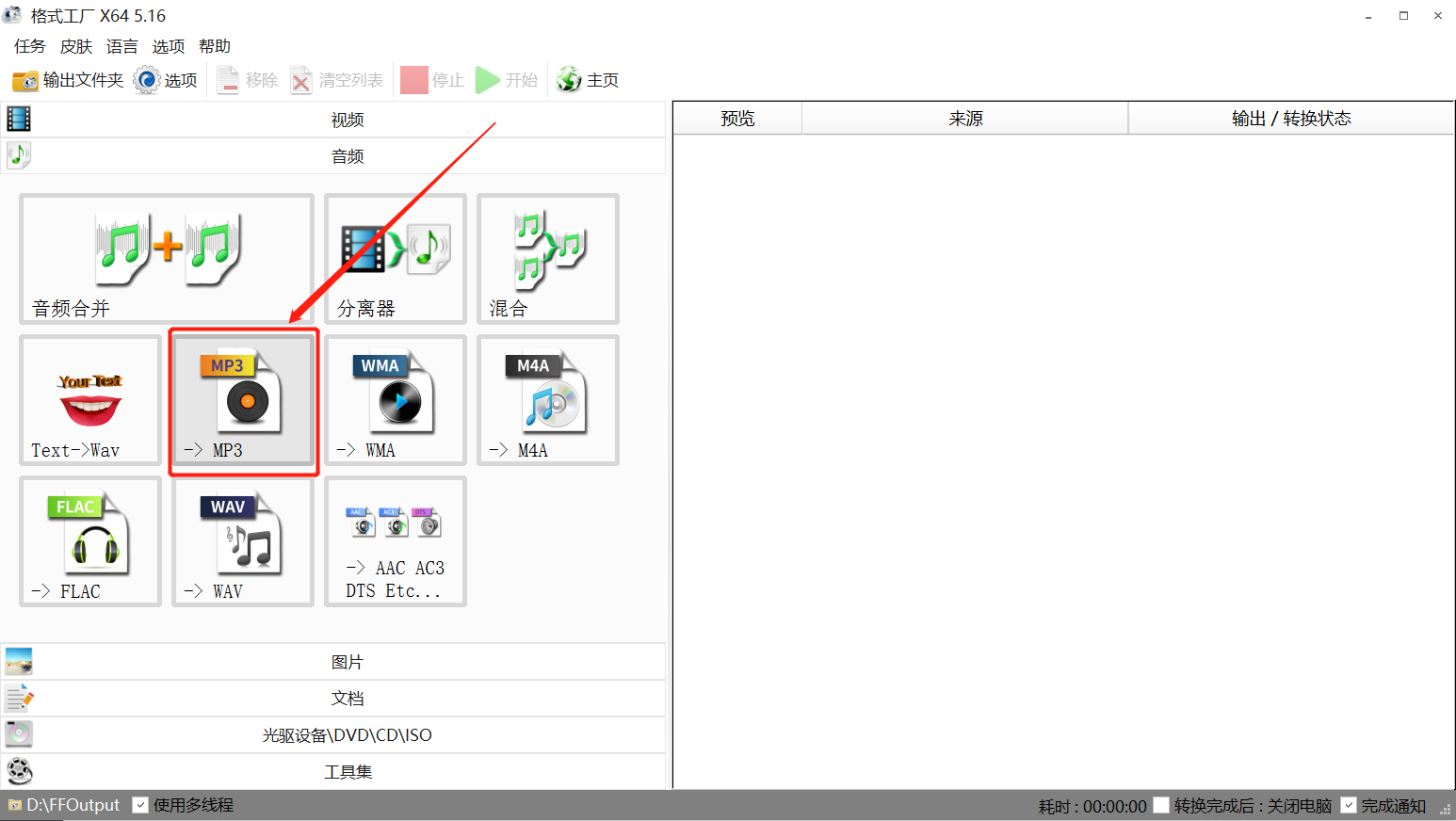
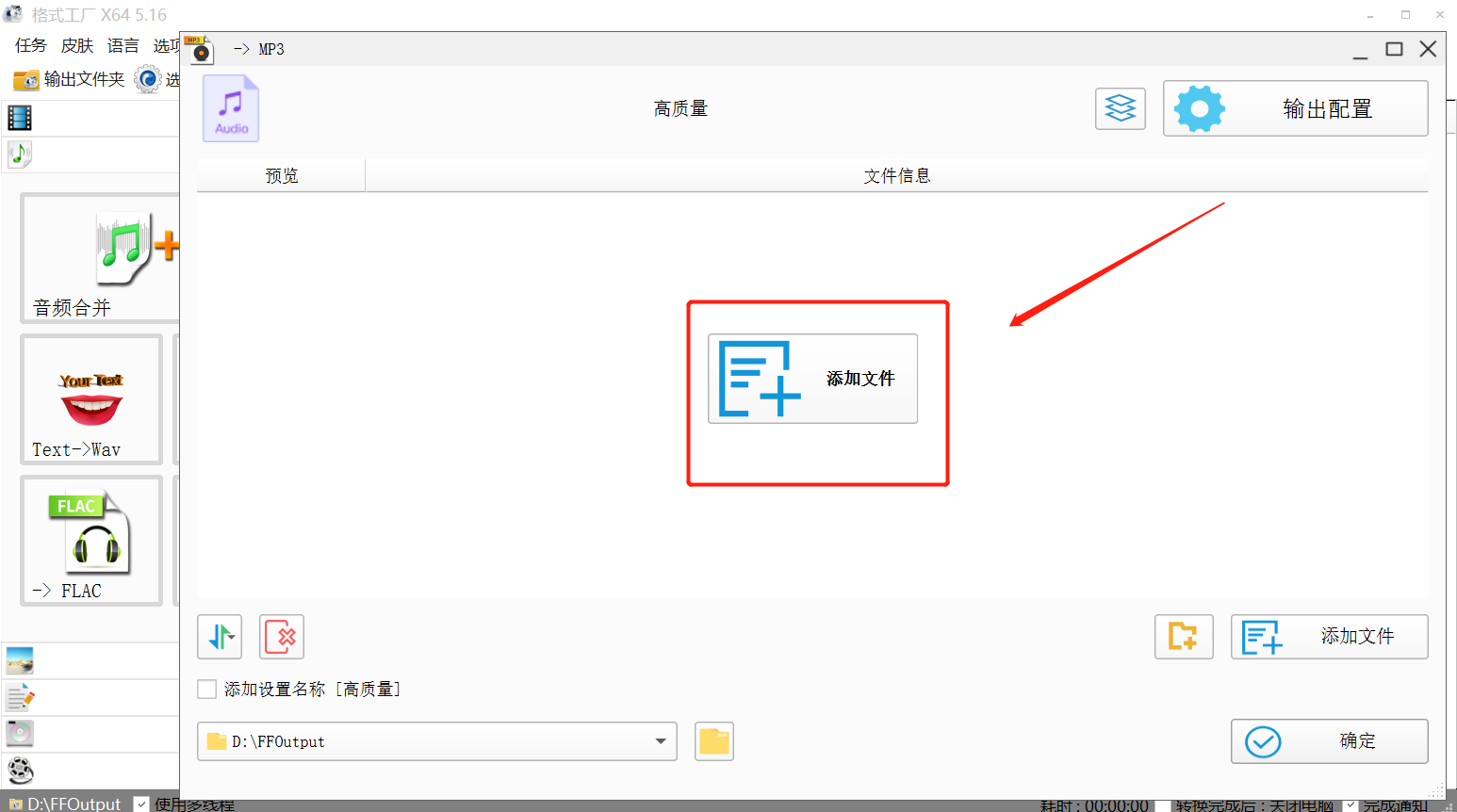
② Click to add files
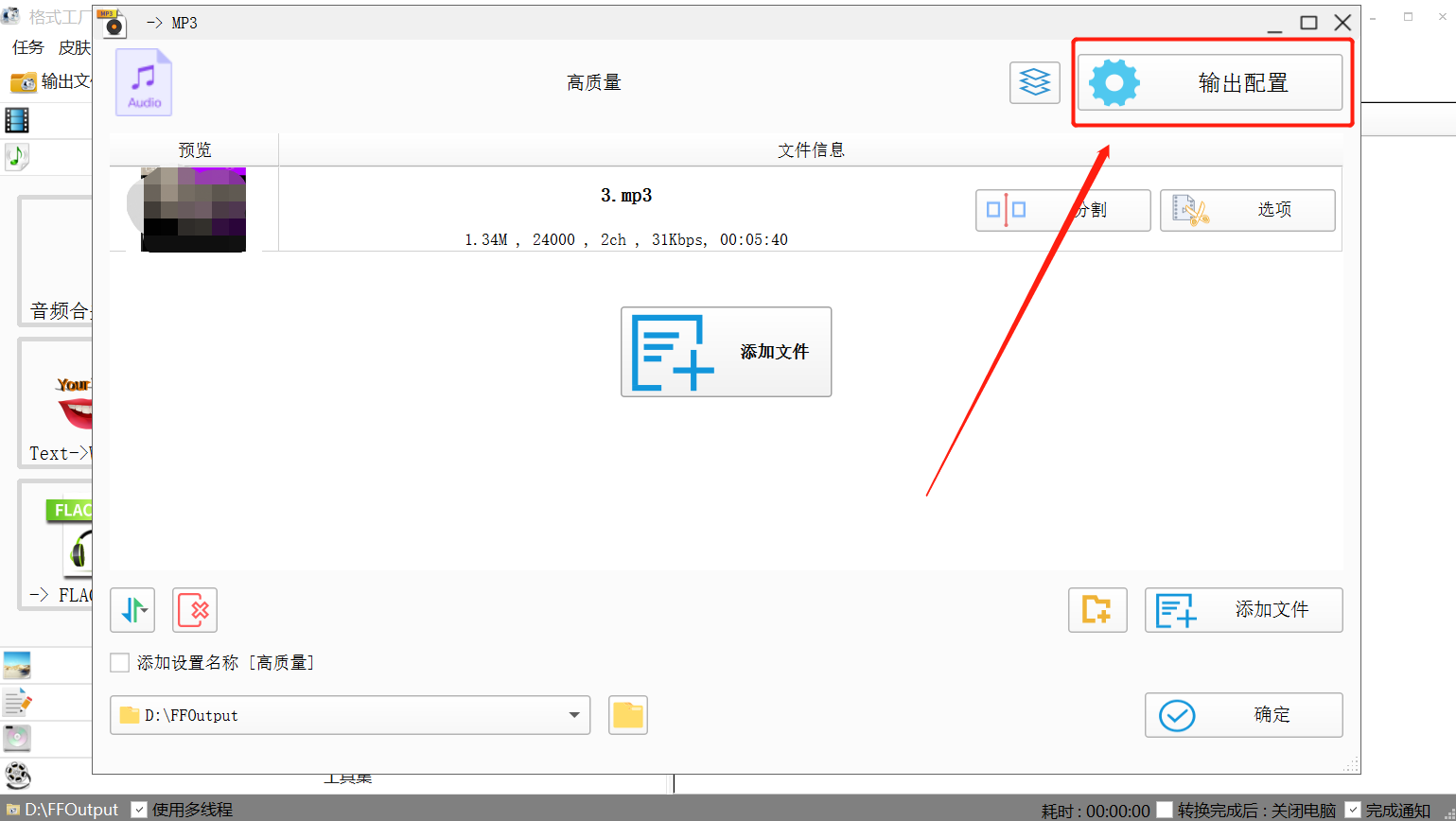
③ Click to configure output
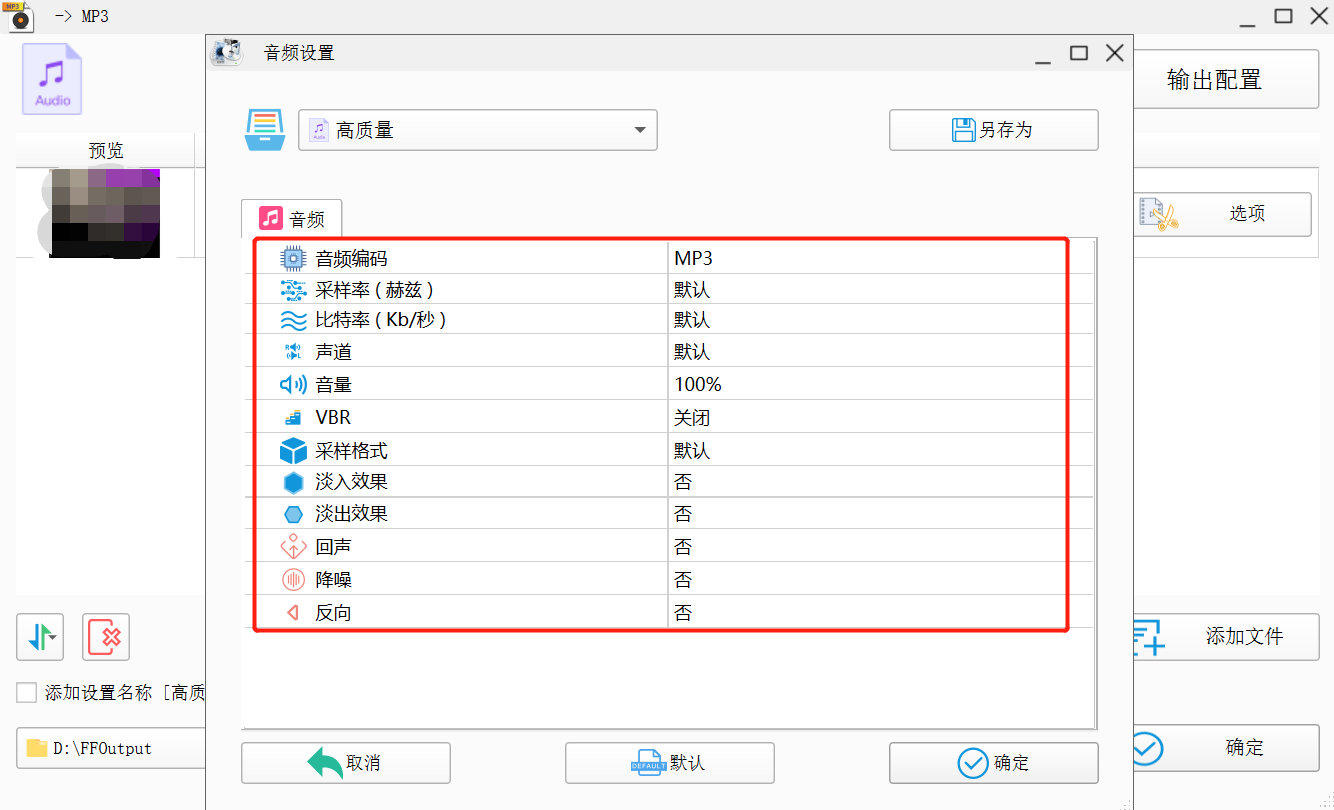
④ Set the audio as needed. Usually, no changes are required. After confirming that everything is correct, click the OK button in the lower right corner.
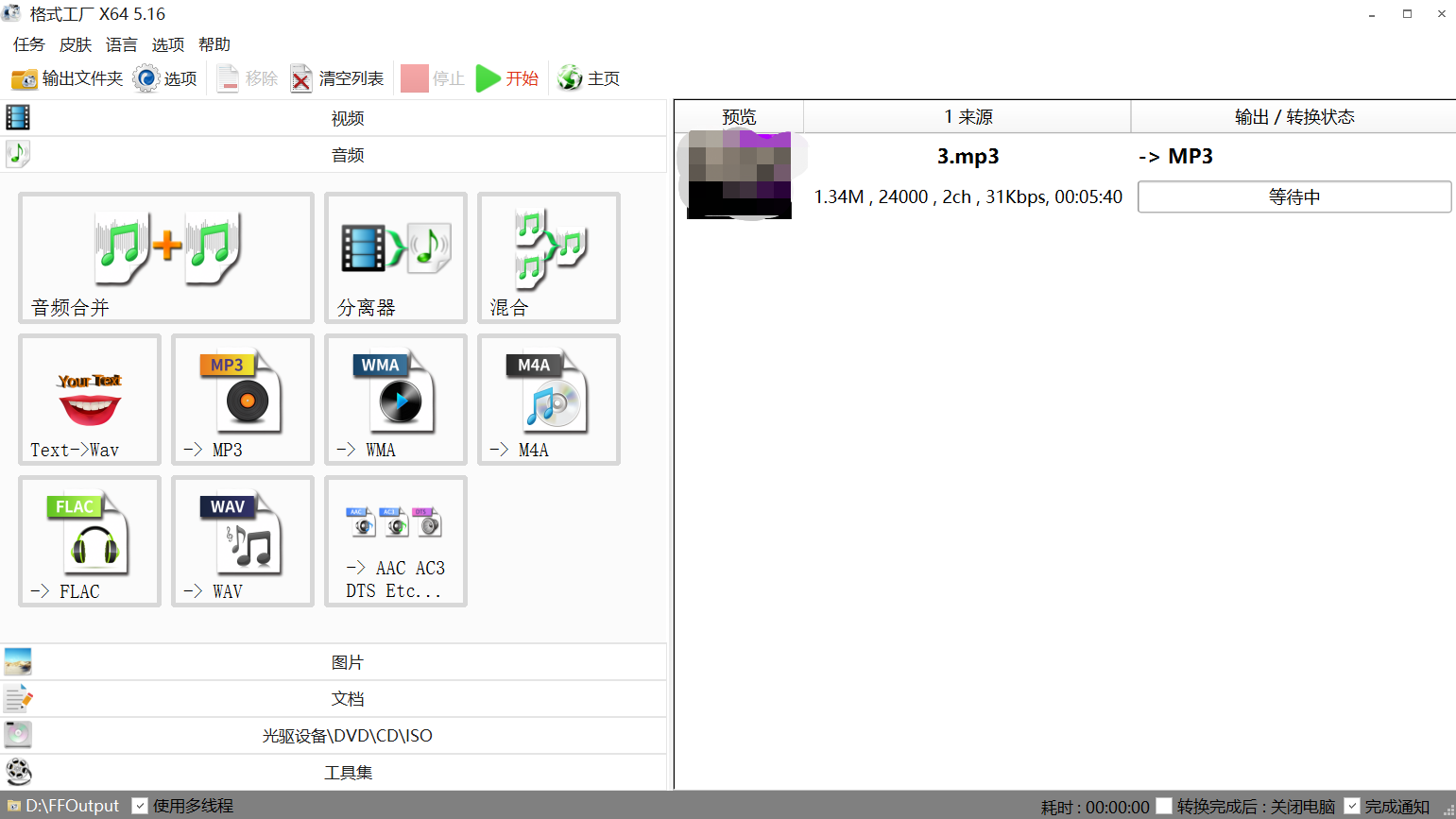
⑤ You can see that the file is being converted. Wait for the transcoding to succeed.
Upload the processed audio to elink
After processing, you can upload it to elink. We recommend that you play it on a mobile device. If it does not meet the requirements, you can check the size of the original audio and the processing steps.