# 打卡开始后，还能修改打卡设置吗？

<div data-elink-language-switch="1" id="bkmrk-english" style="border:1px solid #d6d9de;border-radius:6px;padding:10px 12px;margin:0 0 18px 0;background:#f8fafc;font-size:14px;">[English](/books/content-interaction-management/page/can-i-modify-the-punch-in-settings-after-the-punch-in-starts)</div><span style="font-size:15px;">以下分别对日历打卡、作业打卡、闯关打卡这三种打卡模式进行说明：  
</span>

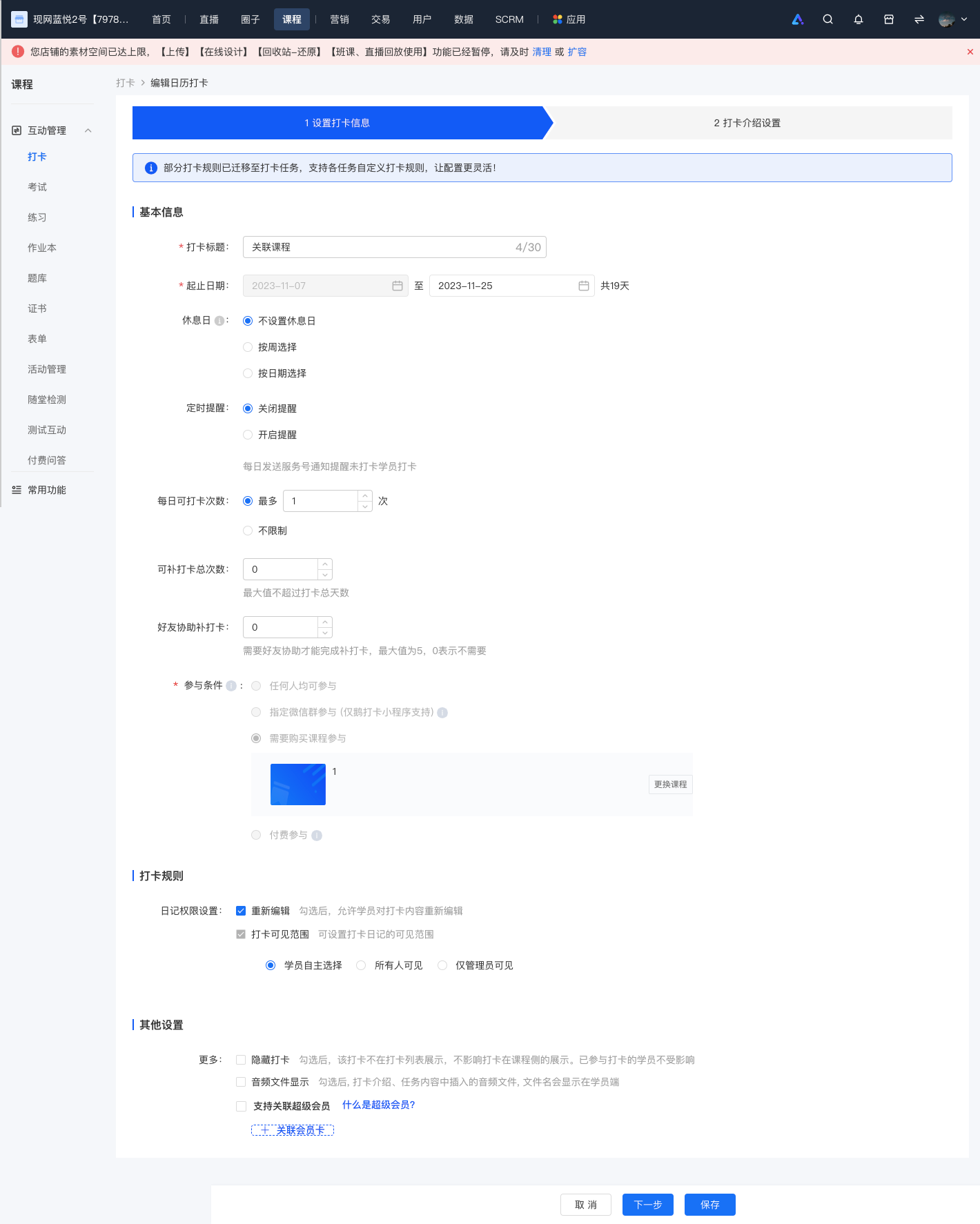
<span style="font-size:15px;">1、对于日历打卡，打卡开始后，除了打卡开始日期及参与条件，其他设置均支持重新修改；</span>

<span style="font-size:15px;">![screencapture-admin-xiaoe-tech-t-clock-admin-index-2023-11-07-18_42_11.png](https://wechatapppro-1252524126.file.myqcloud.com/help_document/image/ueditor/56588900_1699353749.png ".png")</span>

<span style="font-size:15px;">  
</span>

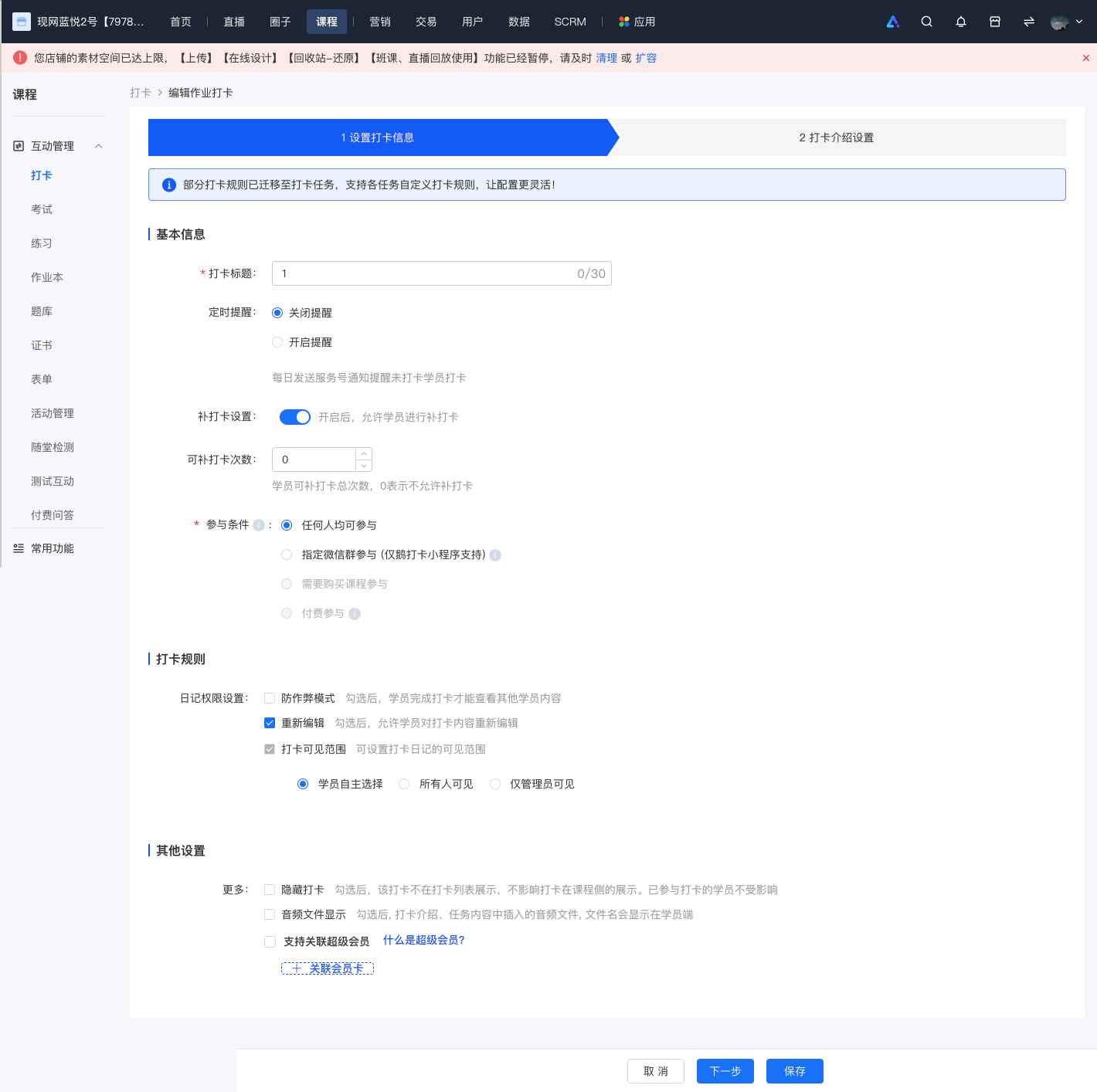
2、对于作业打卡，除参与条件，其他设置均支持重新修改；

![screencapture-admin-xiaoe-tech-t-clock-admin-index-2023-11-07-18_42_56.png](https://wechatapppro-1252524126.file.myqcloud.com/help_document/image/ueditor/45515400_1699353811.png ".png")

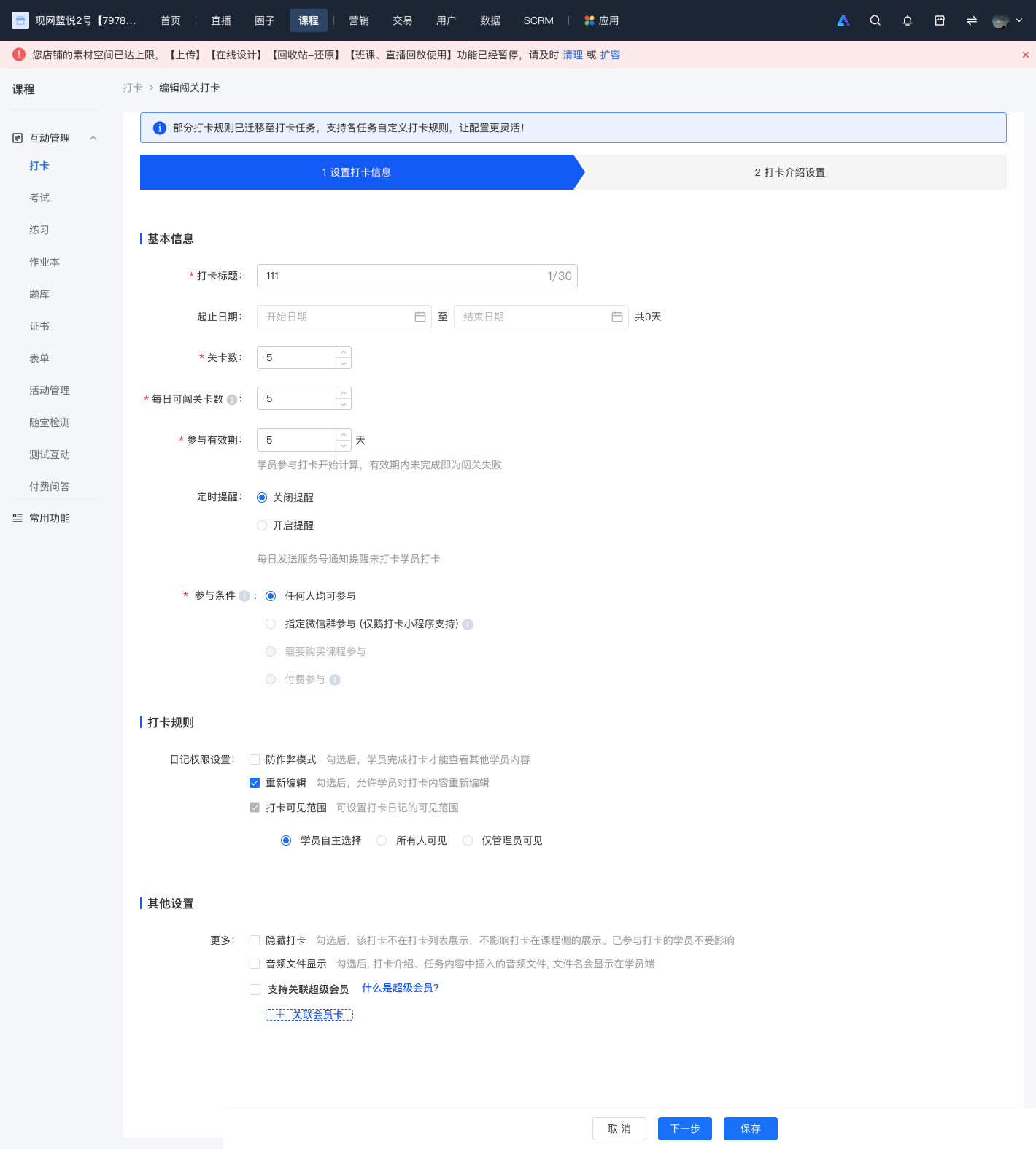
<span style="background:rgb(255,255,255);letter-spacing:0pt;vertical-align:baseline;font-size:15px;">3、对于闯关打卡，除开始时间，其他设置均支持重新修改，需要注意的是，学员的参与有效期，只支持延长，不支持缩短；</span>

![screencapture-admin-xiaoe-tech-t-clock-admin-index-2023-11-07-18_44_02.png](https://wechatapppro-1252524126.file.myqcloud.com/help_document/image/ueditor/34476200_1699353854.png ".png")

<span class="image-wrapper" style="display:inline-block;overflow:hidden;width:550px;height:639px;"></span>