# Why don't the purchased courses appear in the [My Purchases] section when users enter the Mini Program page?

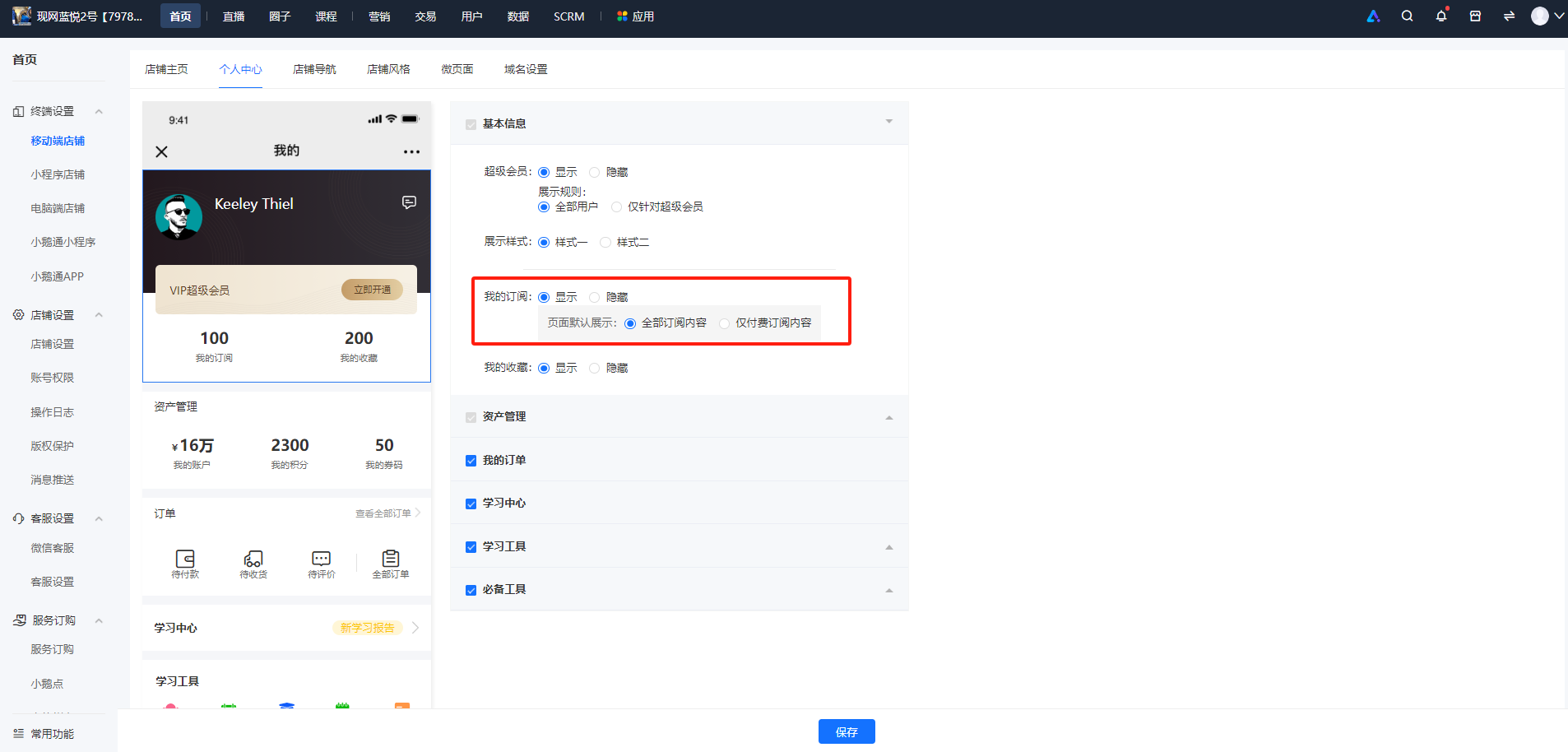
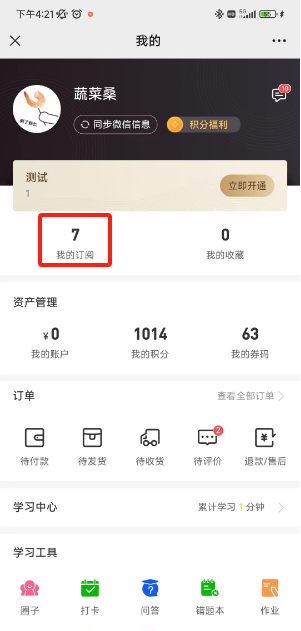
<div data-elink-language-switch="1" id="bkmrk-%E4%B8%AD%E6%96%87" style="border:1px solid #d6d9de;border-radius:6px;padding:10px 12px;margin:0 0 18px 0;background:#f8fafc;font-size:14px;">[中文](/books/821fa/page/37bc2)</div><span style="font-size:15px;color:rgb(51,51,51);background-image:initial;background-position:initial;background-size:initial;background-repeat:initial;background-attachment:initial;letter-spacing:0pt;vertical-align:baseline;">Due to the requirements of WeChat, the \[My Purchases\] in the Mini Program has been renamed to \[My Subscriptions\]. You can configure it in Terminal Settings - Mobile Store - Personal Center - Basic Information, with support for display or hiding.</span>

<span style="font-size:15px;color:rgb(51,51,51);background-image:initial;background-position:initial;background-size:initial;background-repeat:initial;background-attachment:initial;letter-spacing:0pt;vertical-align:baseline;">1. Configuration on the PC management console:</span>

<span style="font-size:15px;color:rgb(51,51,51);background-image:initial;background-position:initial;background-size:initial;background-repeat:initial;background-attachment:initial;letter-spacing:0pt;vertical-align:baseline;">![image.png](https://wechatapppro-1252524126.file.myqcloud.com/help_document/image/ueditor/31018300_1700209312.png ".png")</span>

2\. User page:

![1700209301986.png](https://wechatapppro-1252524126.file.myqcloud.com/help_document/image/ueditor/84768800_1700209311.png ".png")