Tutorial on guiding users to bind mobile phone numbers
I. Feature Introduction
The feature of guiding users to bind their mobile phone numbers enables merchants to quickly obtain users' mobile phone numbers.
II. Purpose of Use
After merchants set up the guidance for users to bind their mobile phone numbers, they can obtain the users' mobile phone numbers, send text messages to users, or quickly contact them.
III. Scenario Examples
Scenario 1: Situations where merchants need to obtain users' mobile phone numbers.
IV. Operation Path
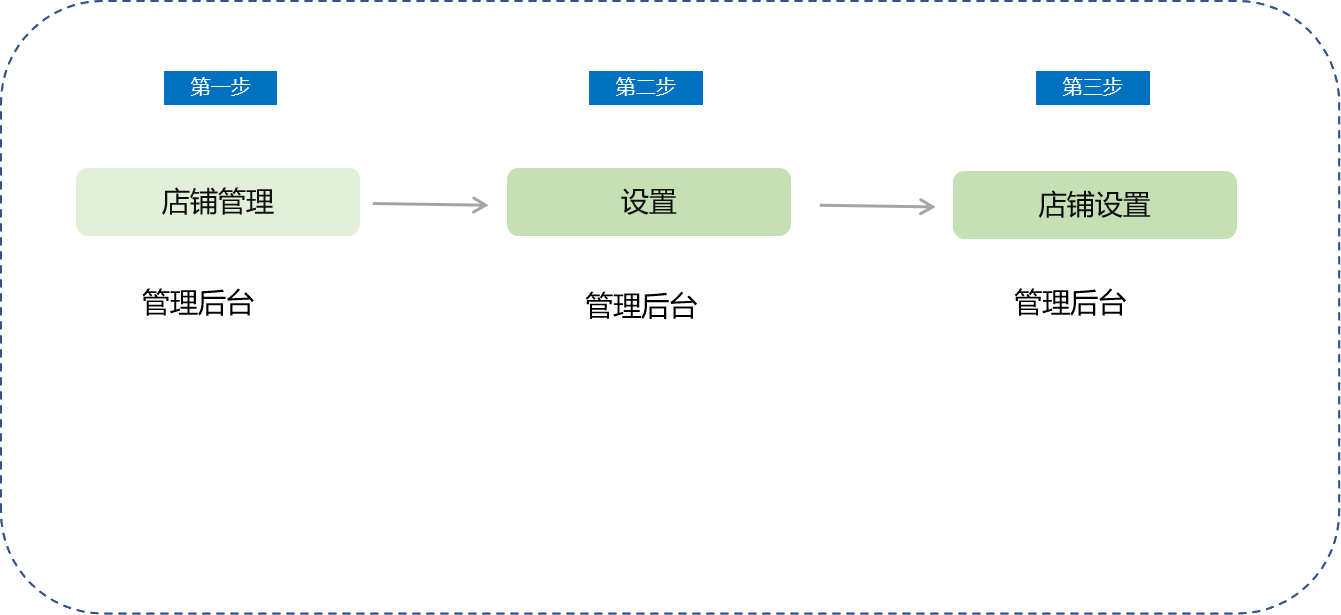
Merchant side: Merchant backend → Settings → Store settings
V. Usage Tutorial
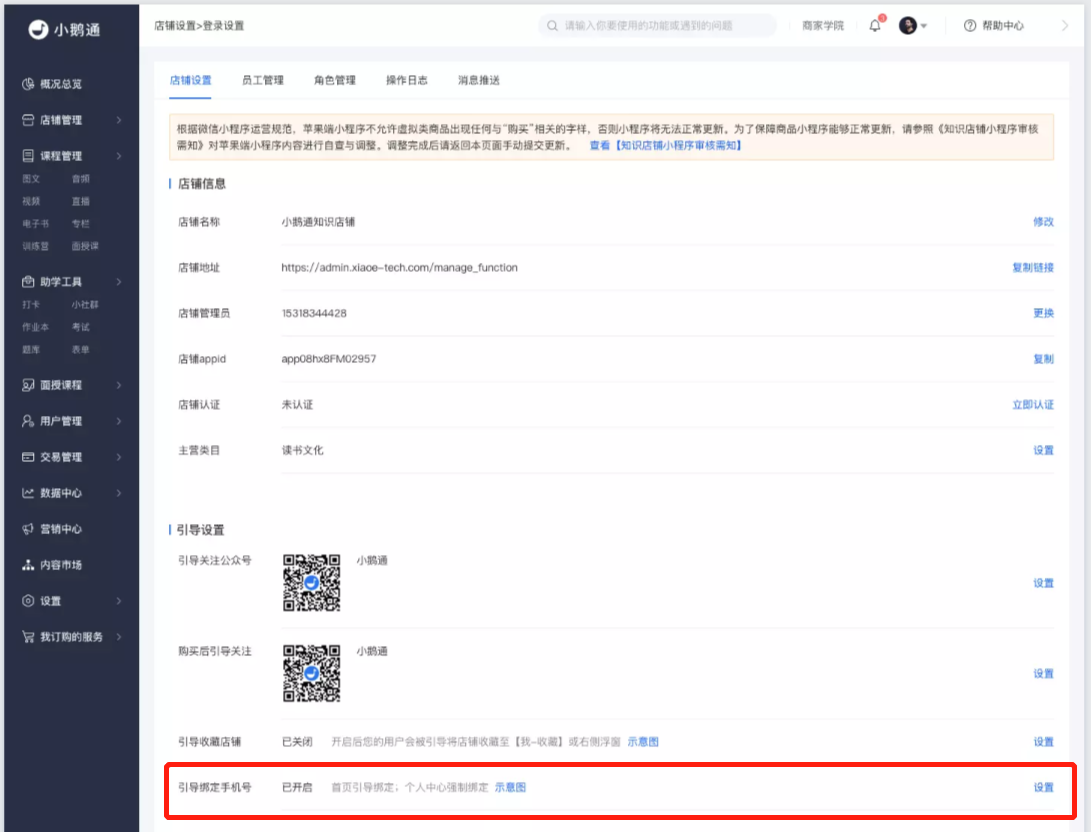
Step 1:Click “Settings” - “Store settings” - “Guide to bind mobile phone number - Settings button” to enter the settings pop - up page.
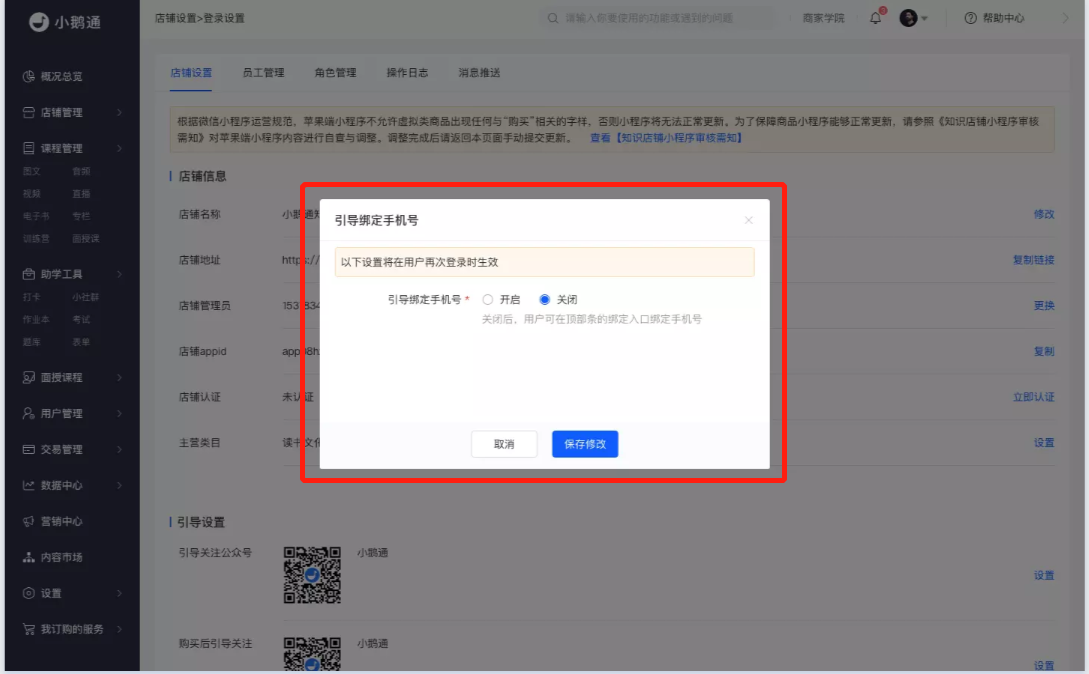
Step 2:Set the rules for binding mobile phone numbers in the pop - up window. The default setting is off. Enabling the function supports guiding binding and mandatory binding. It can be set in 3 locations: the home page, the personal center, and when clicking the subscribe/purchase button.
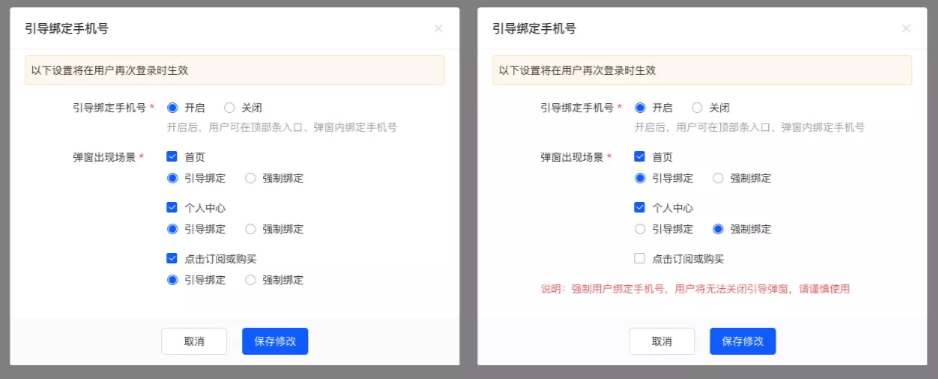
Step 3:After the settings are completed, save the settings. Then return to the list to view the corresponding settings.

Step 4:If you need to make modifications, click the “Settings” button to enter the pop - up window for modification. You can also click the schematic diagram to view the style.
