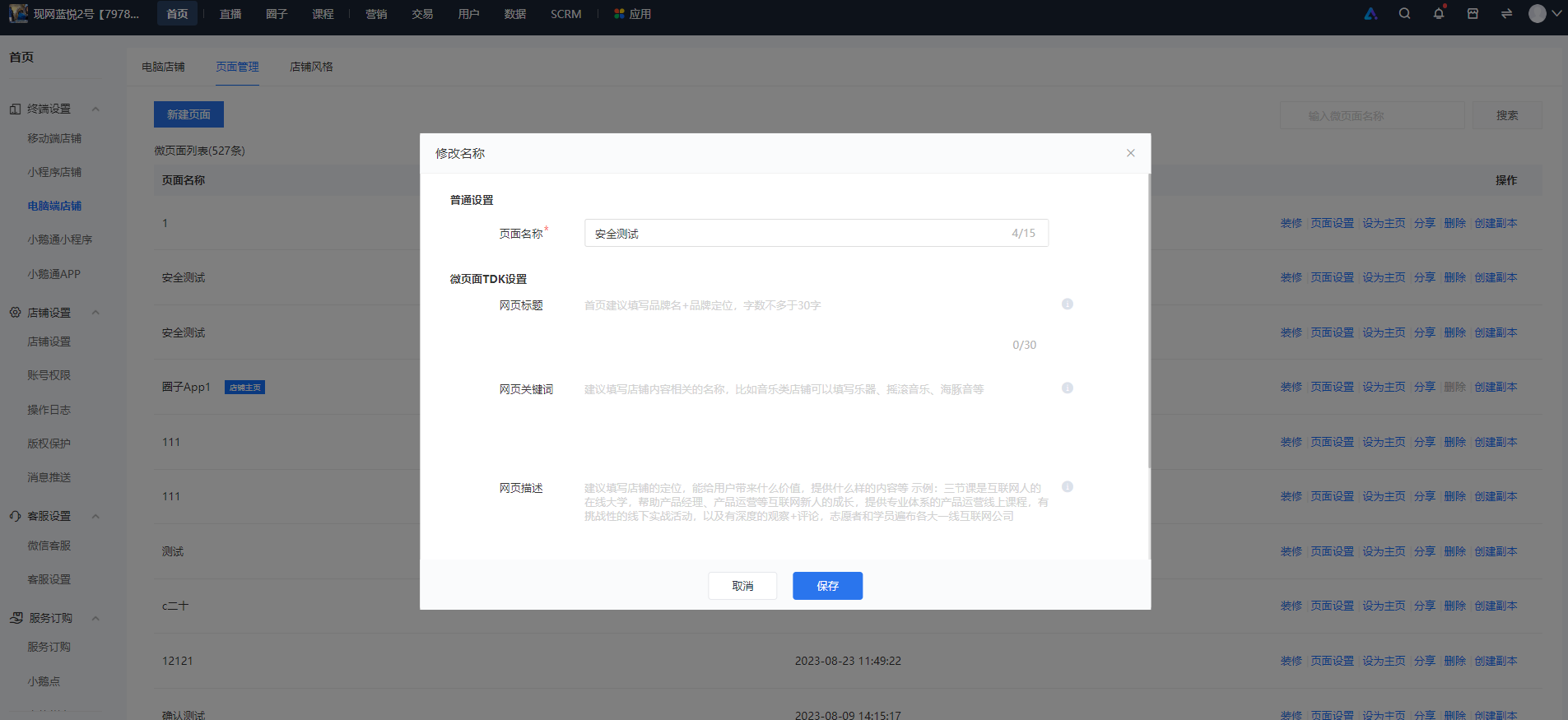
How to configure the TDK of a page?
1. TDK Settings
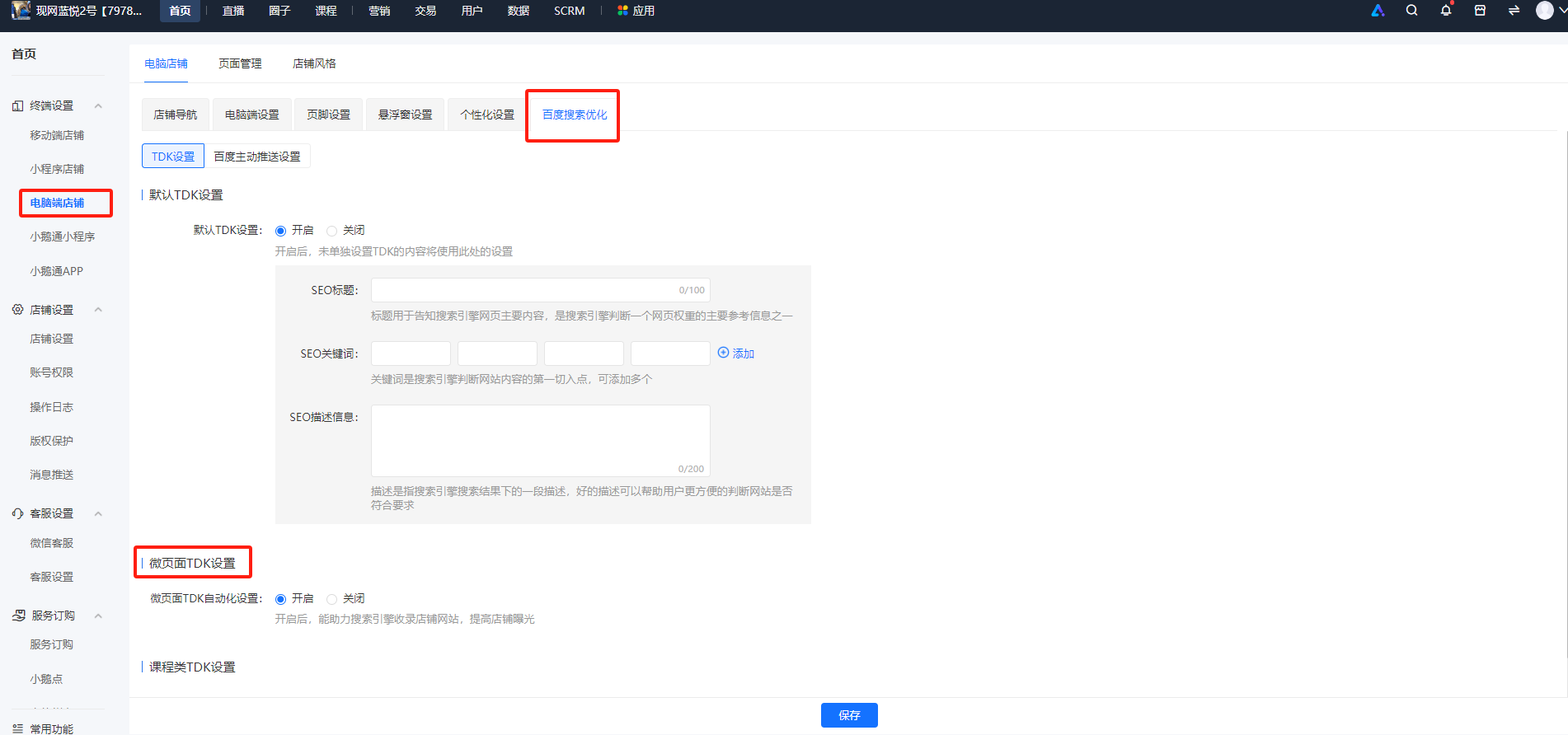
TDK settings are divided into two categories: Mini Pages and courses. You need to turn on the TDK switch for Mini Pages/courses first.
Both switches are turned off by default and need to be manually turned on by merchants. For course TDK settings, once the switch is turned on, the page elements required for TDK (t: page title; d: page description; k: keywords) will be automatically collected. However, for Mini Pages, after turning on the switch, you also need to set the TDK for each Mini Page separately.
Step 1: Turn on the TDK settings switch
Path: Home Page -> Terminal Settings -> Desktop Store->Baidu Search Optimization
Step 2: Fill in the TDK for Mini Pages
Path: Home Page -> Terminal Settings -> Desktop Store->Mini Page List-> Operation Item: Select Page Settings-> Fill in the pop-up window