Application - Service Ordering
Service Ordering and Renewal
Explanation of Function Service Subscription Rules
I. Scope of Application
For the functional services, you need to subscribe to the function package when your store is on the official version.
II. Specification Explanation of Functional Service Duration
(1) When you purchase functional services during the store service period, you can choose a specification that matches the remaining duration of the store or choose to purchase by year within the remaining duration of the store;
For example, if the remaining duration of your store is 370 days, you can choose to purchase a 370 - day functional service duration or purchase by 1 - year;
(2) When you renew the store version while purchasing functional services, you can choose to purchase a function package specification that matches the duration after renewing the store version;
For example, if the remaining duration of your store is 90 days and you renew it for 1 year at this time, you can purchase a 455 - day (90 days + 365 days) functional service duration or choose a specification less than 455 days, that is, purchase by 1 - year;
(3) If the service duration of your store has expired, please renew the store version first and then purchase the service duration;
III. Calculation Rules for Functional Service Specifications
When newly purchasing/renewing functional services:
Subscription price = (Pricing of functional services/365) * (Remaining duration of the store - Remaining duration of the functional services)
When renewing the store version and purchasing/renewing functional services at the same time:
Subscription price = (Pricing of functional services/365) * (Remaining duration of the store + Duration of the renewed version - Remaining duration of the functional services)
IV. Ordering Path for Functional Services
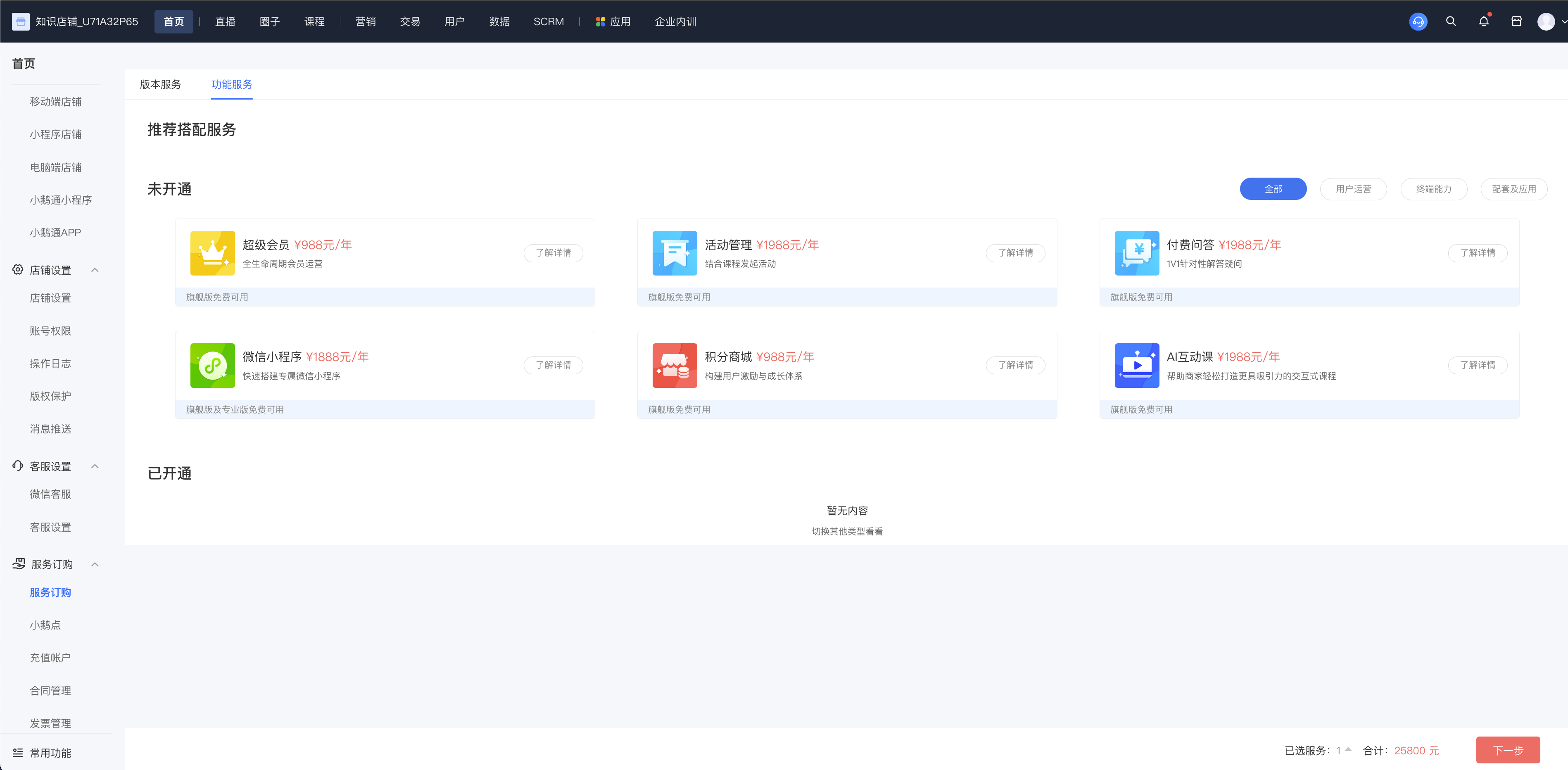
Click [Service Subscription] - [Functional Services] and select the functional services you need to purchase;Click [Next Step], select the duration of the functional services you need to purchase, and the services will be automatically activated after successful payment.
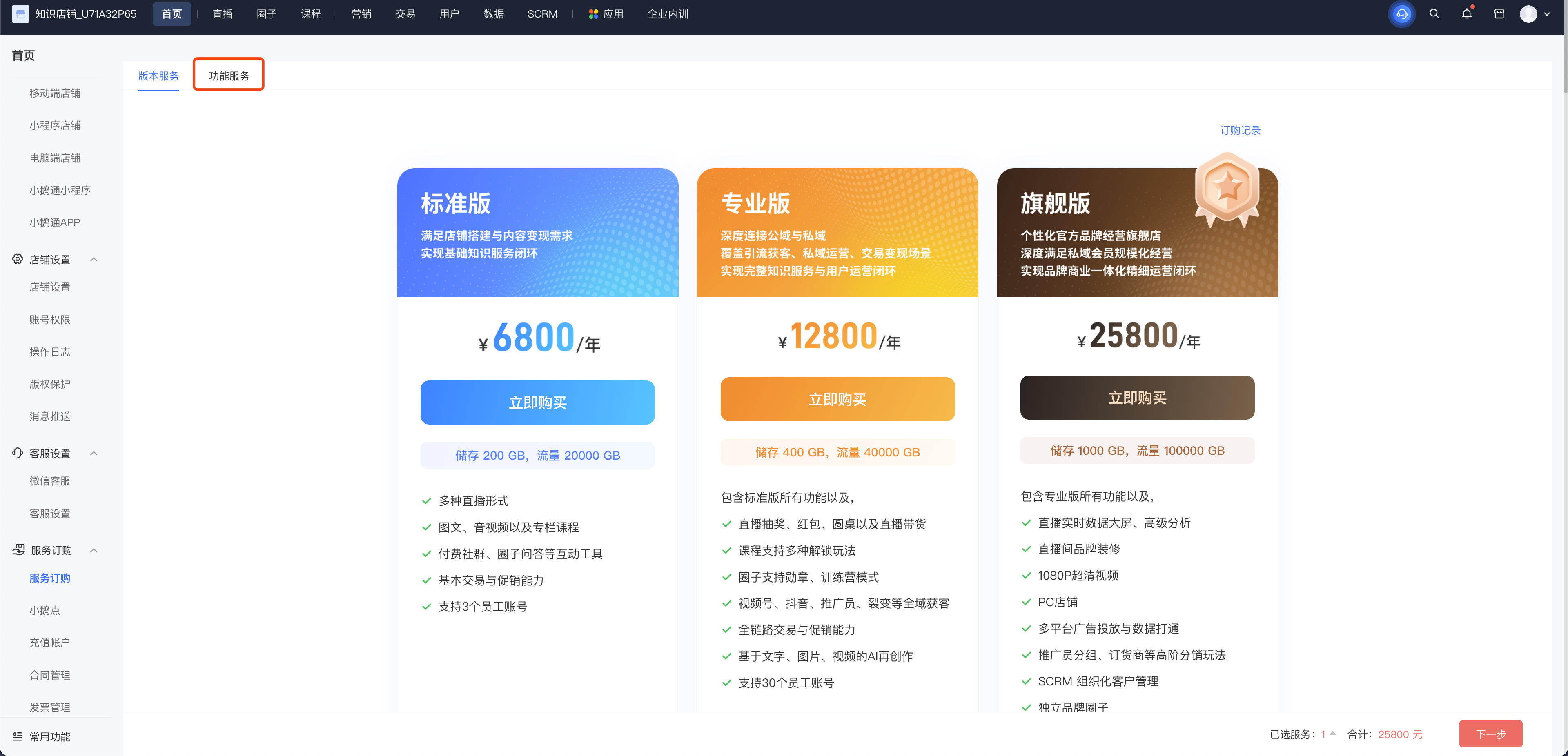
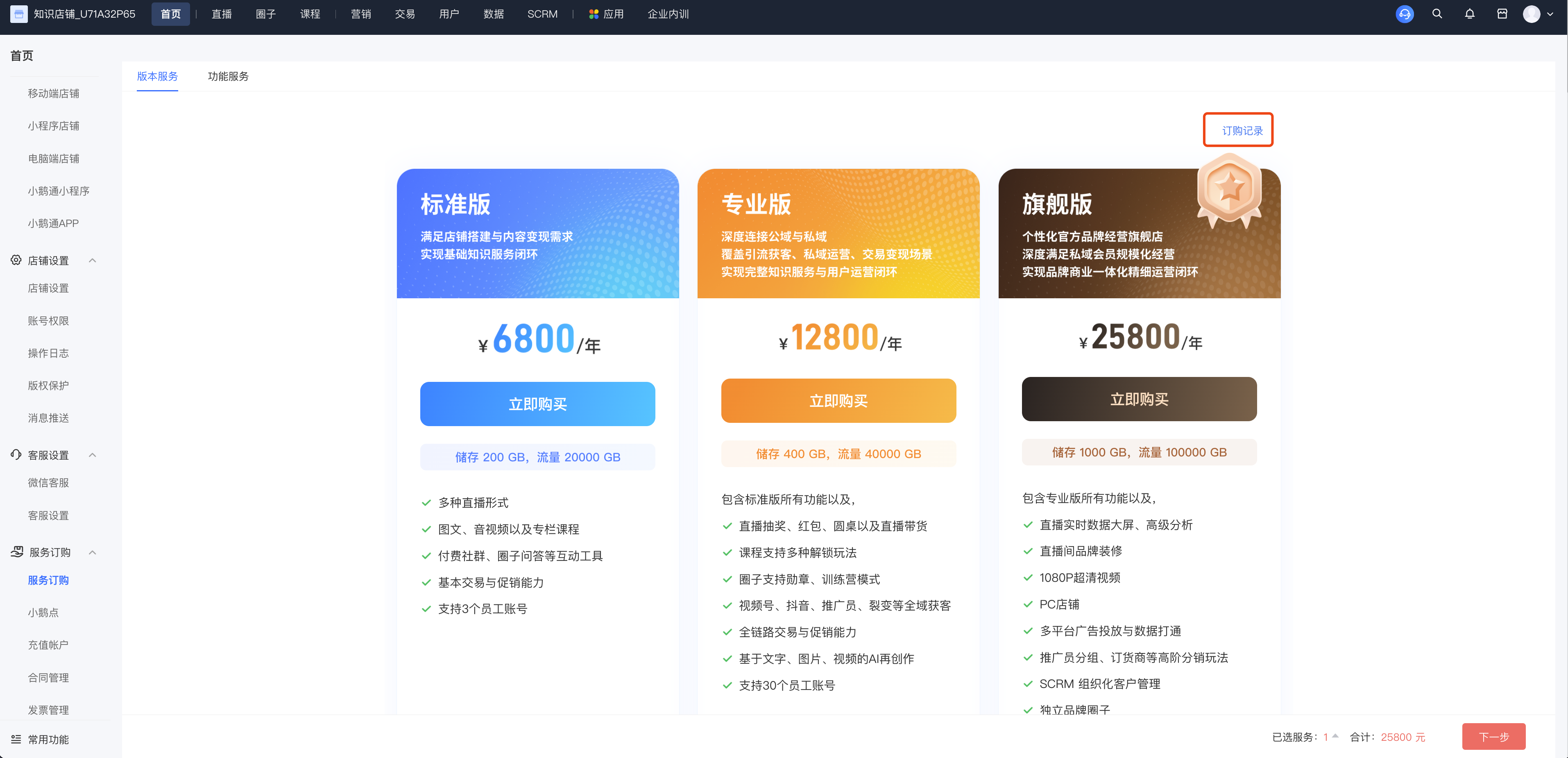
How to view order records?
Log in to the [Management Console]. On the home page, click [Service Subscription]. There is an option [Subscription Records] in the top right corner. Simply click on it to view the records.
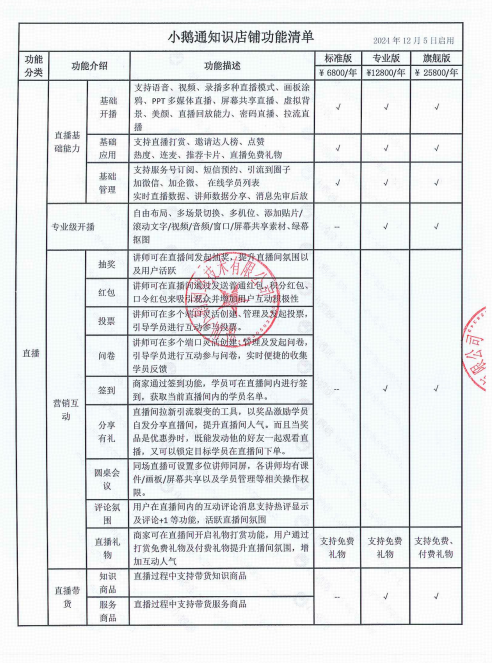
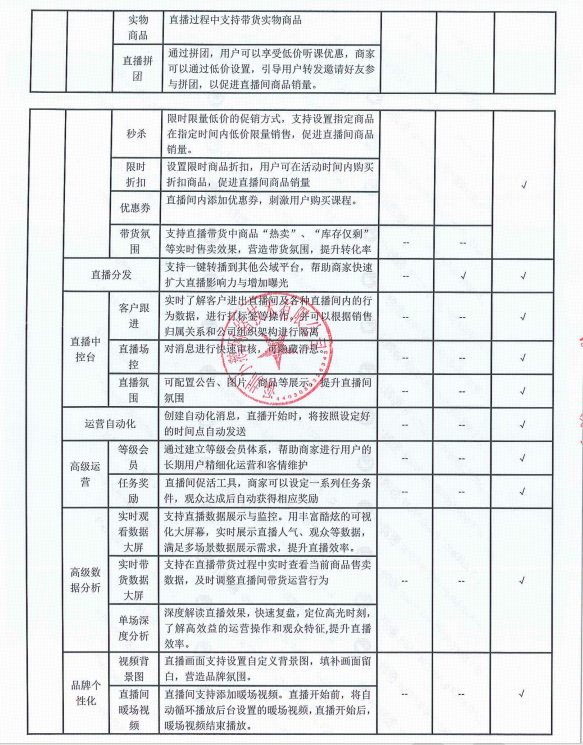
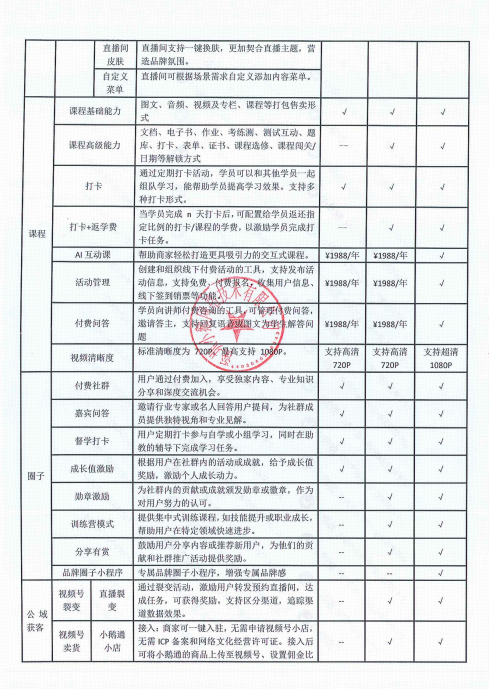
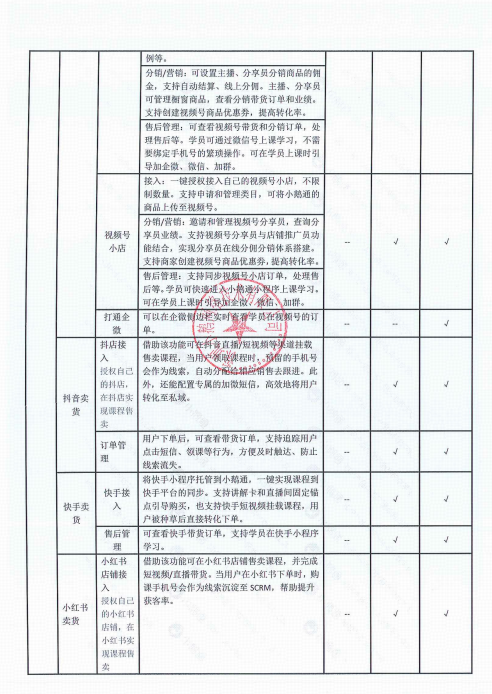
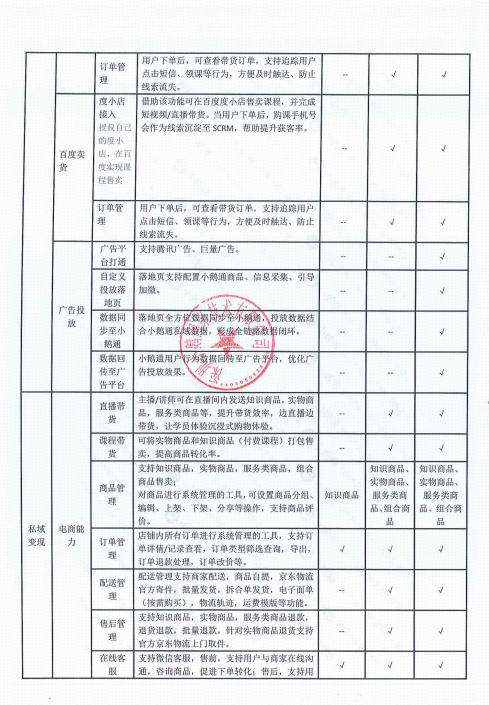
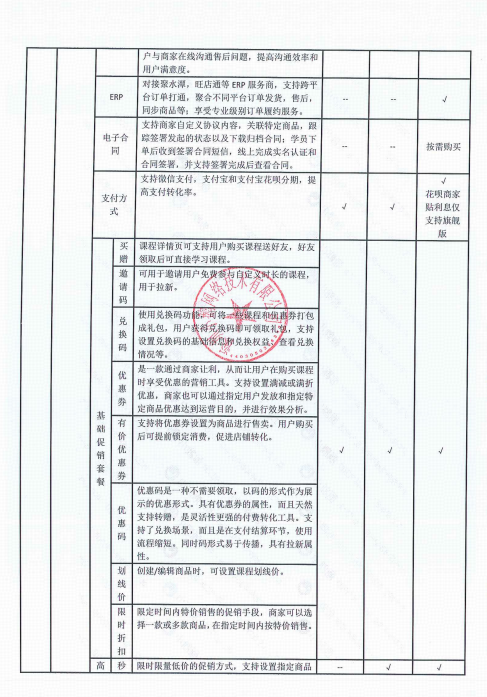
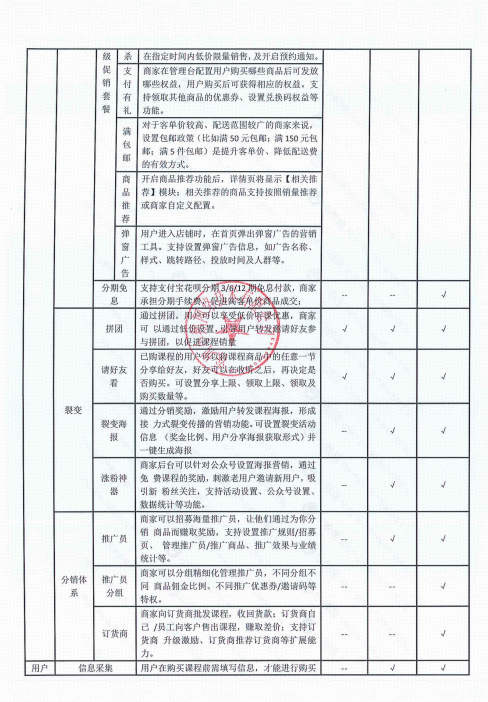
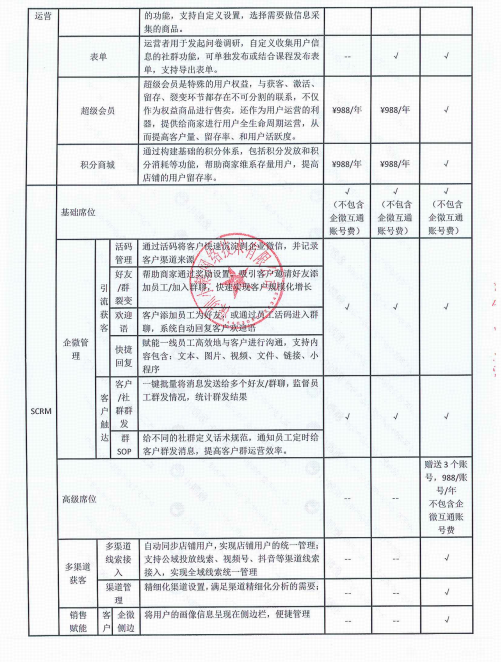
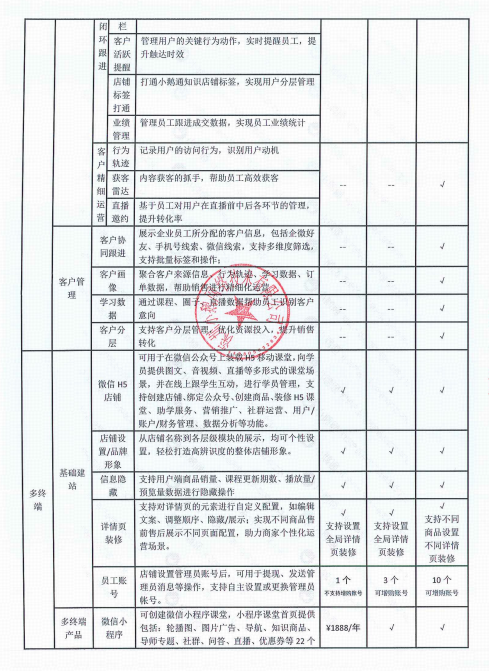
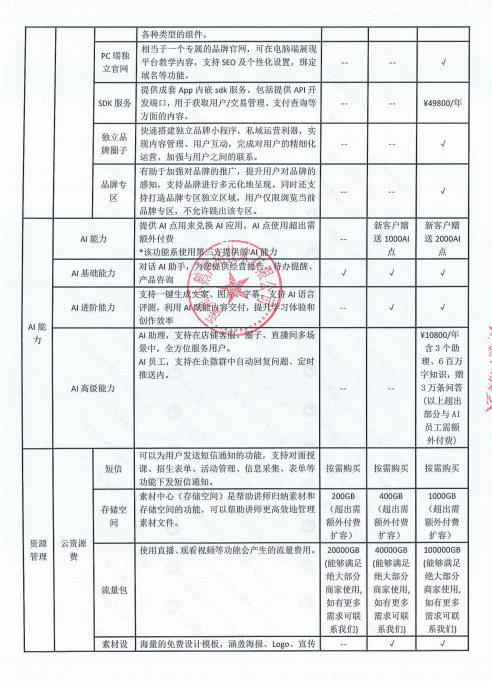
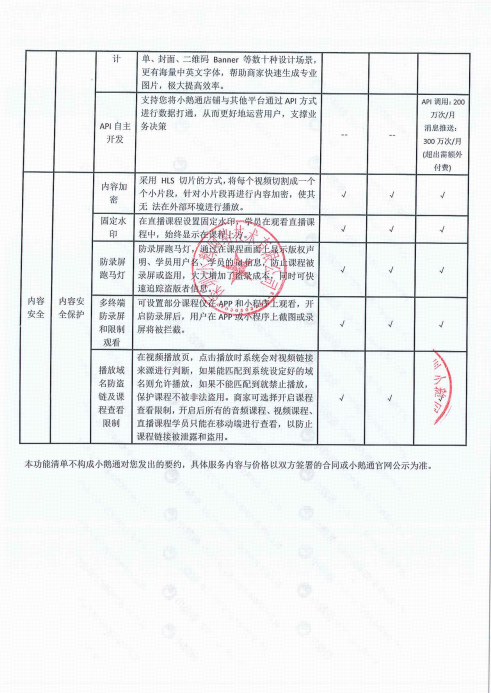
elink Online Store Feature List
Dear users, elink has adjusted the features of the Online Store since 14:00 (GMT+08:00) on December 5, 2024. The specific latest content can be found in the following table (elink Online Store Feature List).
The features you have enjoyed during your service period will not be affected. Starting from 00:00 (GMT+08:00) on December 17, 2024, for renewed or newly purchased Online Store services, the features will be implemented according to the adjusted content.
elink Online Store Feature List: