# 如何配置页面的tdk？

<div data-elink-language-switch="1" id="bkmrk-english" style="border:1px solid #d6d9de;border-radius:6px;padding:10px 12px;margin:0 0 18px 0;background:#f8fafc;font-size:14px;">[English](/books/applications-application-zone/page/how-to-configure-the-tdk-of-a-page)</div><span style="font-size:12pt;"></span>

###### <span style="font-size:12pt;">1.tdk设置</span>

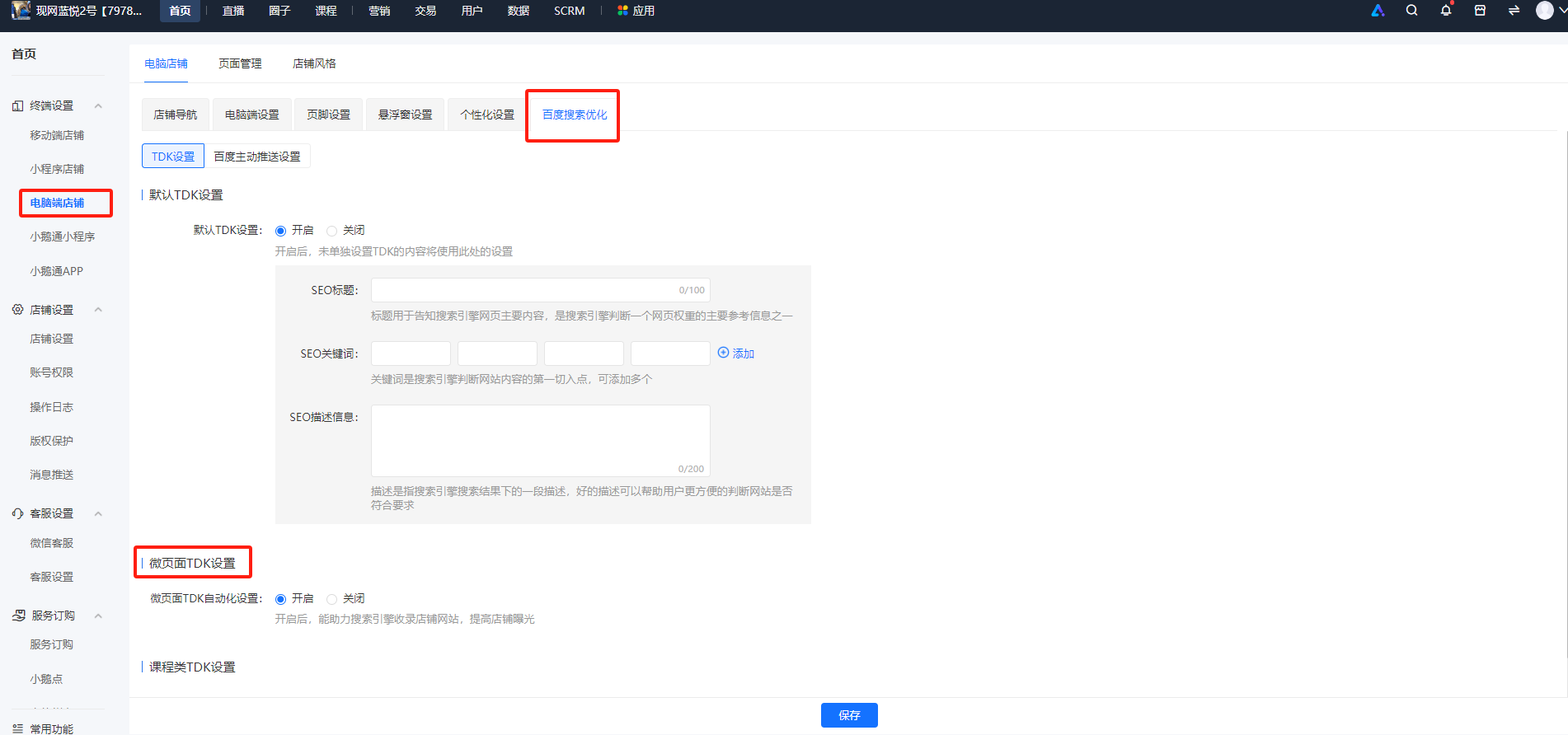
<span style="font-size:12pt;">tdk分为微页面和课程两类的设置，需要先开启微页面/课程的tdk开关。</span>

<span style="font-size:12pt;">这两个开关默认状态都是关闭，需要商家手动去开启，课程的tdk设置只要打开这个设置开关即会自动采集tdk需要的页面元素tdk（t：页面title；d:页面描述description；k：关键词 key），而微页面的tdk开启了开关后，还需要对微页面单独设置tdk。</span>

<span style="font-size:12pt;">  
</span>

<span style="font-size:12pt;">步骤一：开启tdk的设置开关</span>

<span style="font-size:12pt;"><span style="font-size:14px;">路径：首页—&gt;终端设置—&gt;电脑端店铺<span style="font-size:14px;">—&gt;</span>百度搜索优化</span></span>

<span style="font-size:14px;">![image.png](https://wechatapppro-1252524126.file.myqcloud.com/help_document/image/ueditor/86994300_1700204039.png ".png")</span>

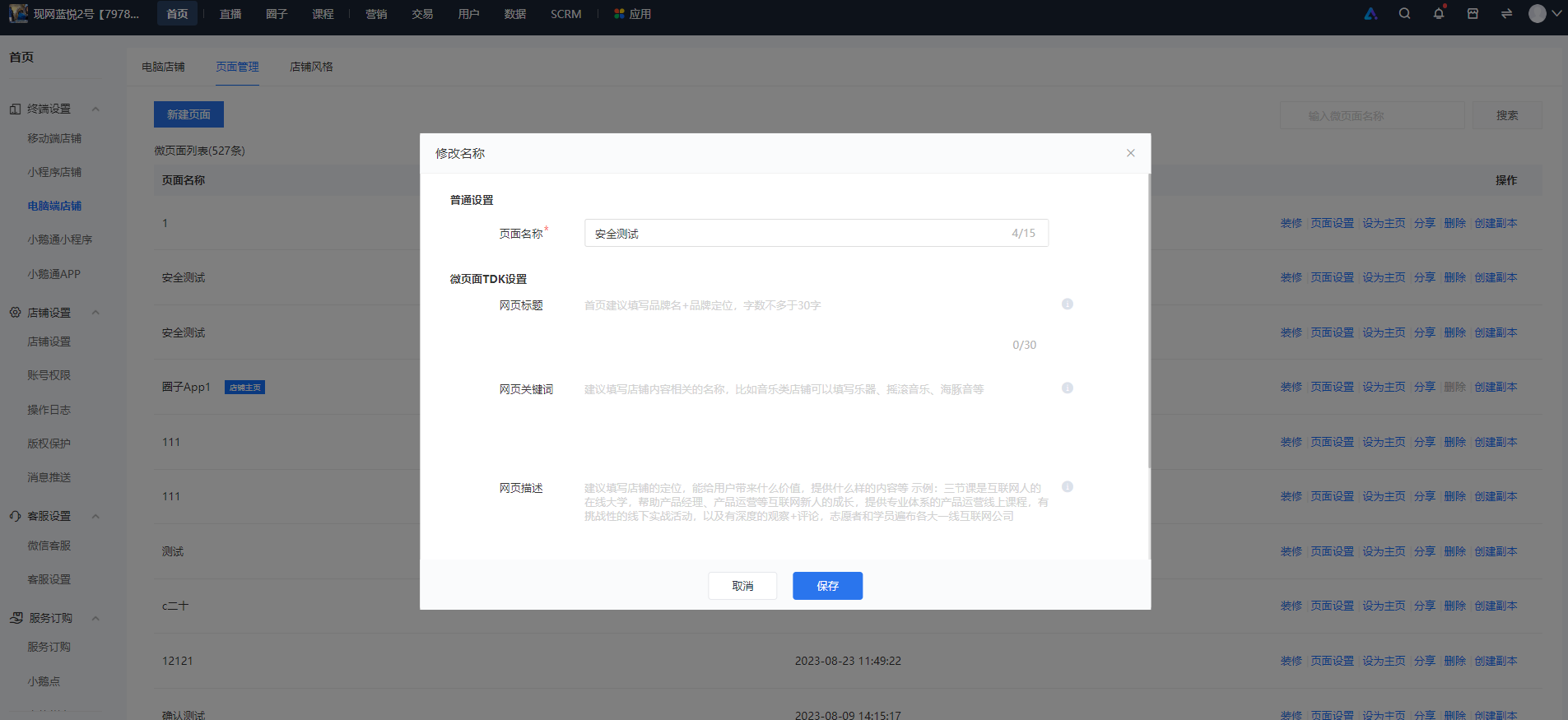
<span style="font-size:12pt;">步骤二：填写微页面的tdk</span>

<span style="font-size:14px;">路径：首页—&gt;终端设置—&gt;电脑端店铺<span style="font-size:14px;">—&gt;</span>微页面列表<span style="font-size:14px;">—&gt;操作项：选择页面设置<span style="font-size:14px;">—&gt;在弹窗页面填写</span></span></span>

![image.png](https://wechatapppro-1252524126.file.myqcloud.com/help_document/image/ueditor/81335400_1700204135.png ".png")

<span class="image-wrapper" style="display:inline-block;overflow:hidden;width:1280px;height:992px;"> </span><span style="font-size:12pt;"></span>