# 为什么用户进入小程序页面在【我的已购】不显示已购买的课程？

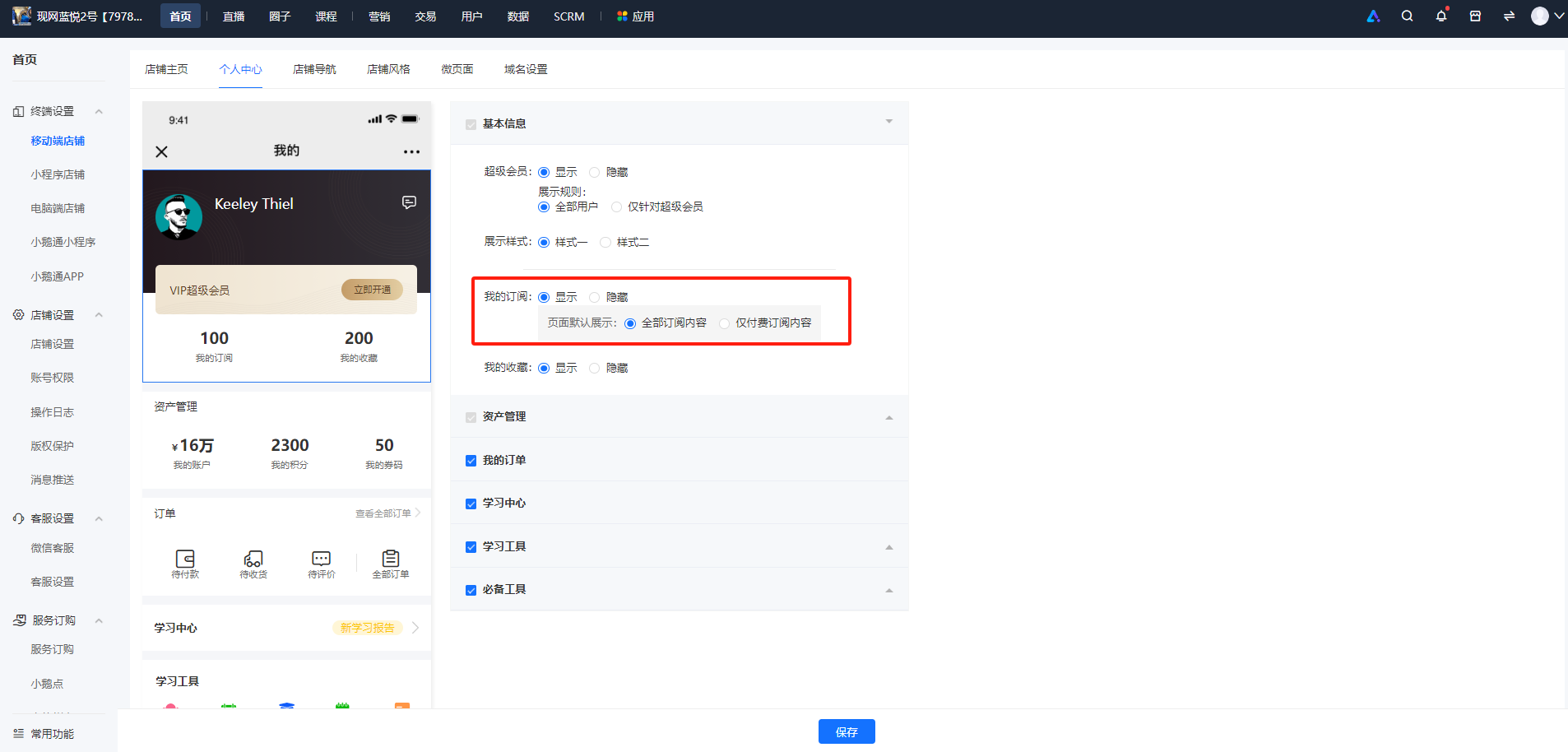
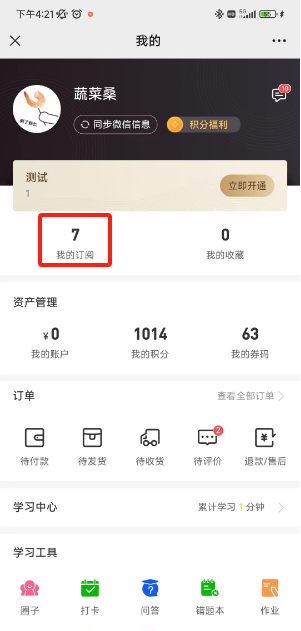
<div data-elink-language-switch="1" id="bkmrk-english" style="border:1px solid #d6d9de;border-radius:6px;padding:10px 12px;margin:0 0 18px 0;background:#f8fafc;font-size:14px;">[English](/books/applications-application-zone/page/why-dont-the-purchased-courses-appear-in-the-my-purchases-section-when-users-enter-the-mini-program-page)</div><span style="font-size:15px;color:rgb(51,51,51);background-image:initial;background-position:initial;background-size:initial;background-repeat:initial;background-attachment:initial;letter-spacing:0pt;vertical-align:baseline;">由于微信侧的要求，小程序里面【我的已购】改名为【我的订阅】，可以在终端设置-移动端店铺-个人中心-基本信息进行配置，支持显示或隐藏。</span>

<span style="font-size:15px;color:rgb(51,51,51);background-image:initial;background-position:initial;background-size:initial;background-repeat:initial;background-attachment:initial;letter-spacing:0pt;vertical-align:baseline;">1、电脑端管理台配置：</span>

<span style="font-size:15px;color:rgb(51,51,51);background-image:initial;background-position:initial;background-size:initial;background-repeat:initial;background-attachment:initial;letter-spacing:0pt;vertical-align:baseline;">![image.png](https://wechatapppro-1252524126.file.myqcloud.com/help_document/image/ueditor/31018300_1700209312.png ".png")</span>

2、用户页面：

![1700209301986.png](https://wechatapppro-1252524126.file.myqcloud.com/help_document/image/ueditor/84768800_1700209311.png ".png")