# 讲师在客户端上课时误操作点击了下课怎么办？

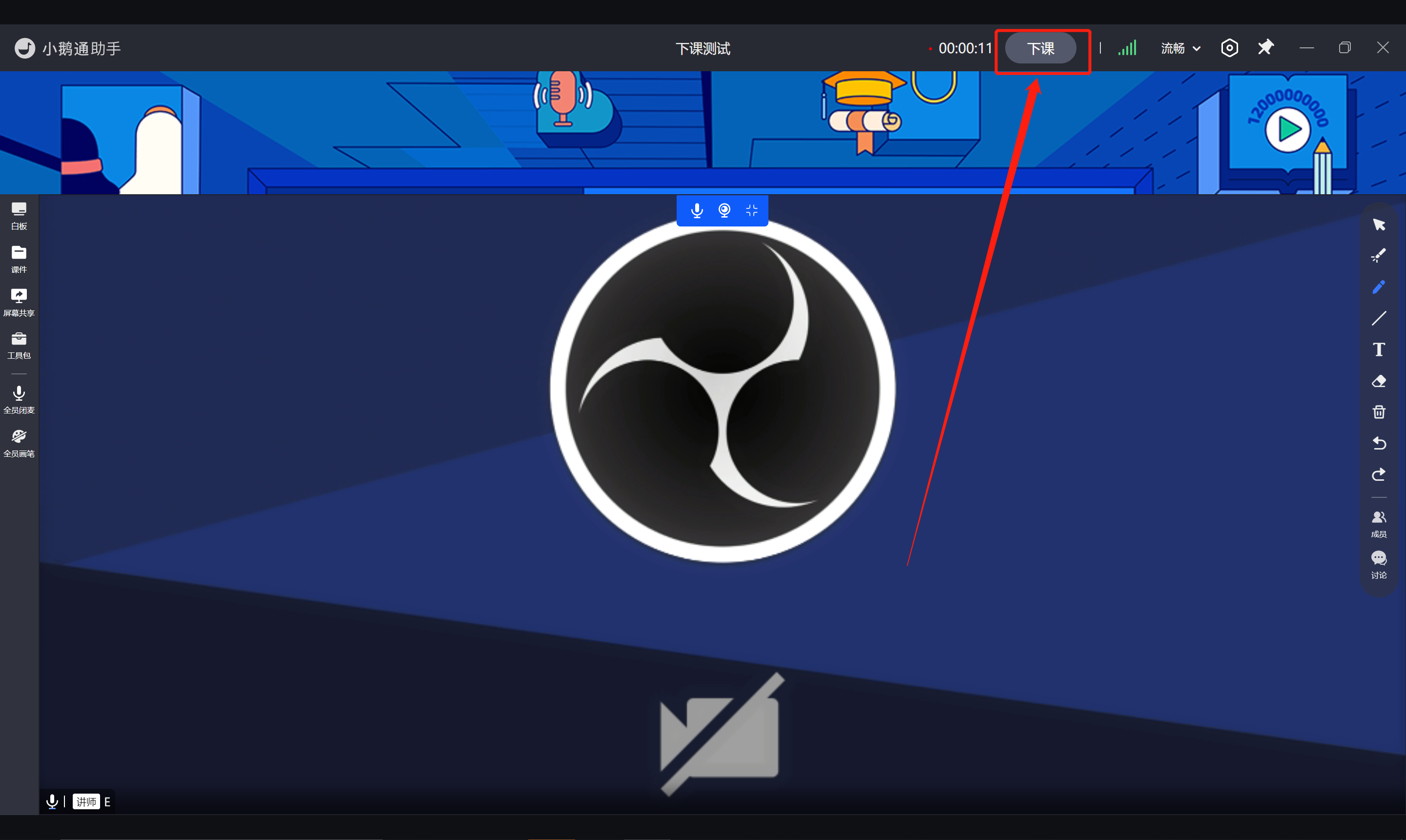
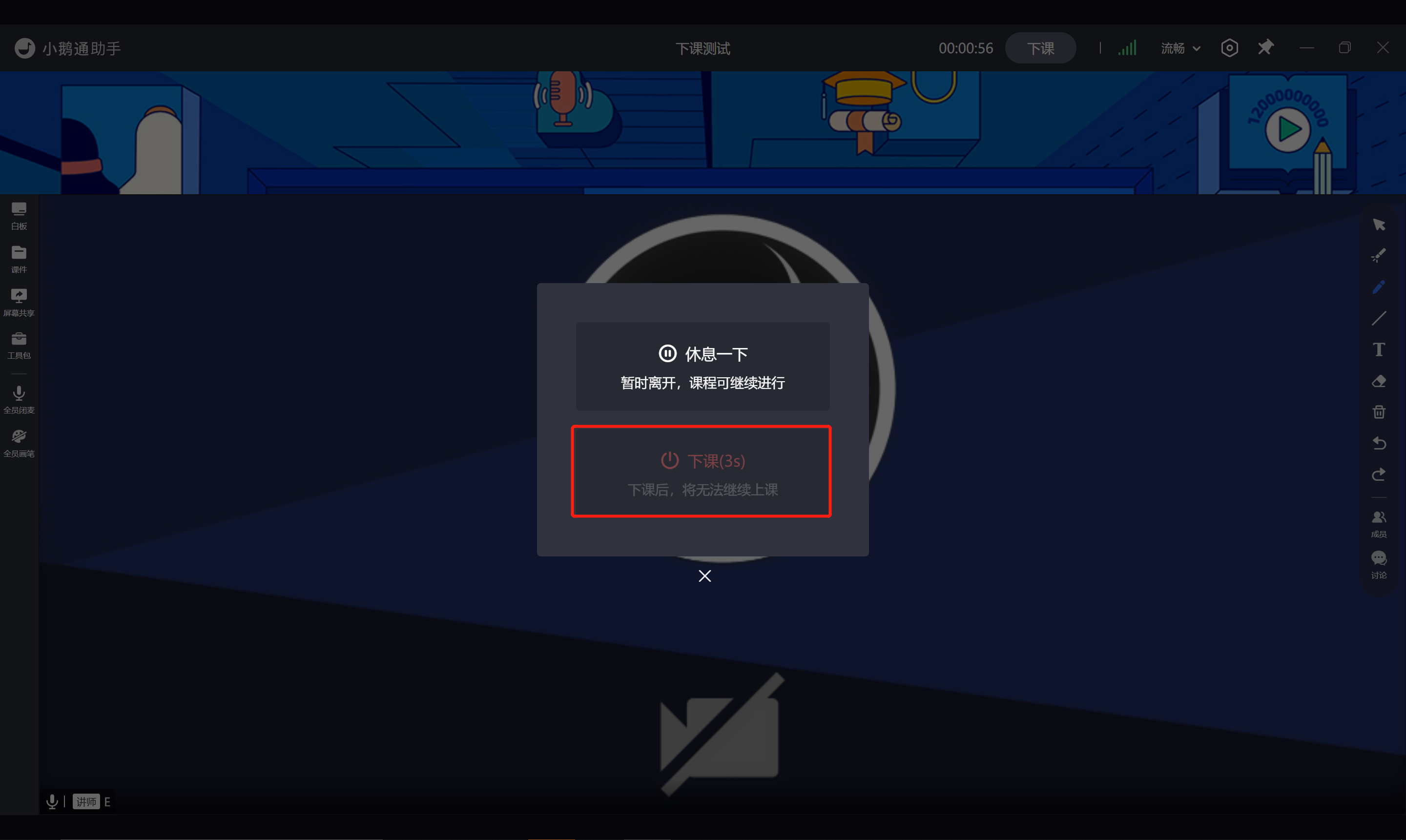
<div data-elink-language-switch="1" id="bkmrk-english" style="border:1px solid #d6d9de;border-radius:6px;padding:10px 12px;margin:0 0 18px 0;background:#f8fafc;font-size:14px;">[English](/books/online-classroom-class-course/page/what-should-the-instructor-do-if-they-accidentally-click-the-end-class-button-during-a-class-on-the-client-side)</div><span style="font-size:15px;">讲师在上课过程中点击了”下课“按钮后，</span><span style="font-size:15px;">会弹出弹窗：</span>

<span style="font-size:15px;">1、点击“休息一下”，回到课程列表页，课程并不会结束；还可以再次进入；</span>

<span style="font-size:15px;">2、“下课”按钮会有5秒钟倒计时，防止误操作结束课程。</span>

![30.png](https://wechatapppro-1252524126.file.myqcloud.com/help_document/image/ueditor/97251100_1640266649.png ".png")

![31.png](https://wechatapppro-1252524126.file.myqcloud.com/help_document/image/ueditor/78778600_1640266650.png ".png")

<span style="font-size:15px;">  
</span>

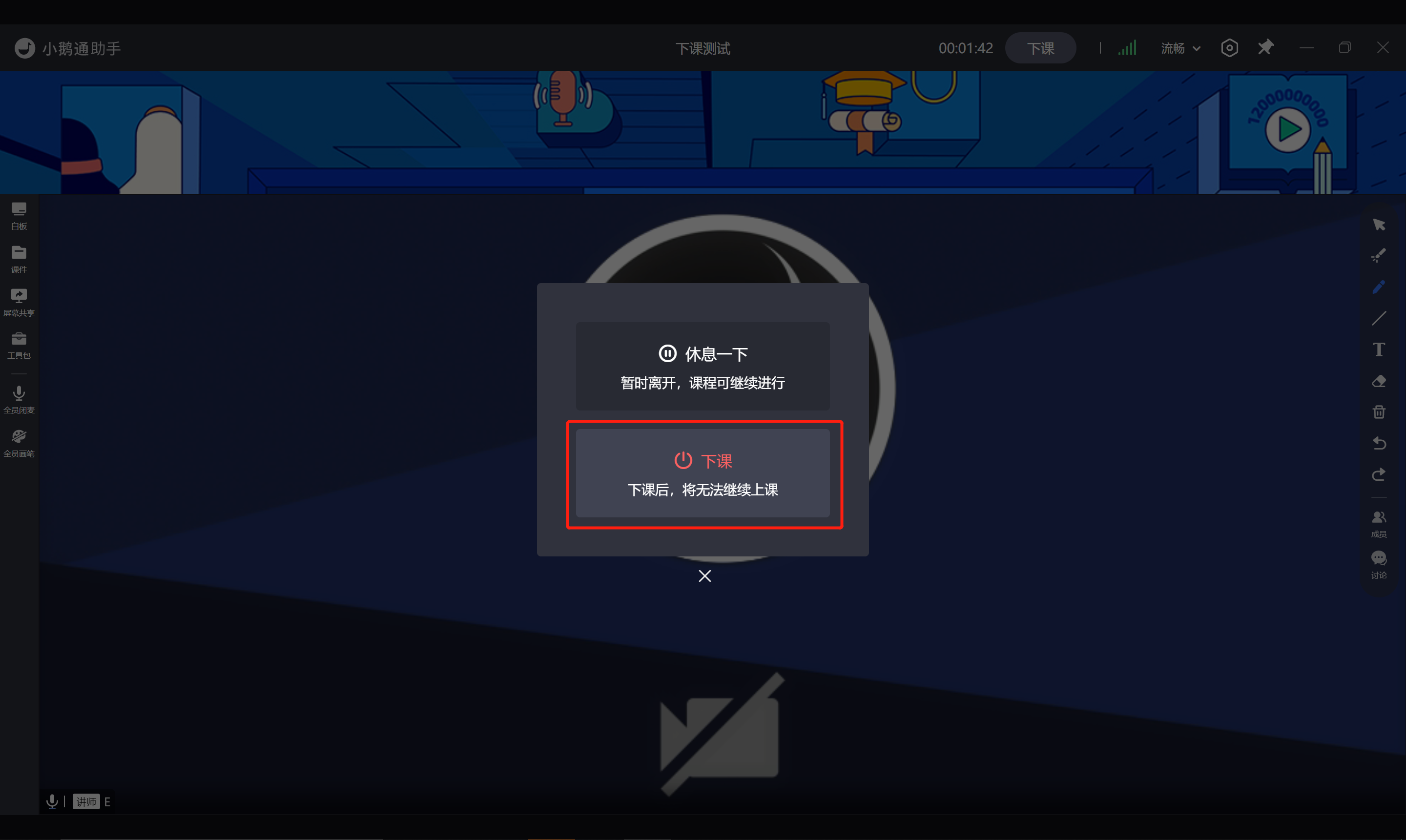
<span style="font-size:15px;">倒计时结束后，“下课”按钮变亮，同时可以点击。</span>

<span style="font-size:15px;"><span style="font-size:15px;">此时点击”下课“后，将会结束该课节，且无法再次进行上课。</span></span>

![32.png](https://wechatapppro-1252524126.file.myqcloud.com/help_document/image/ueditor/60825700_1640266651.png ".png")

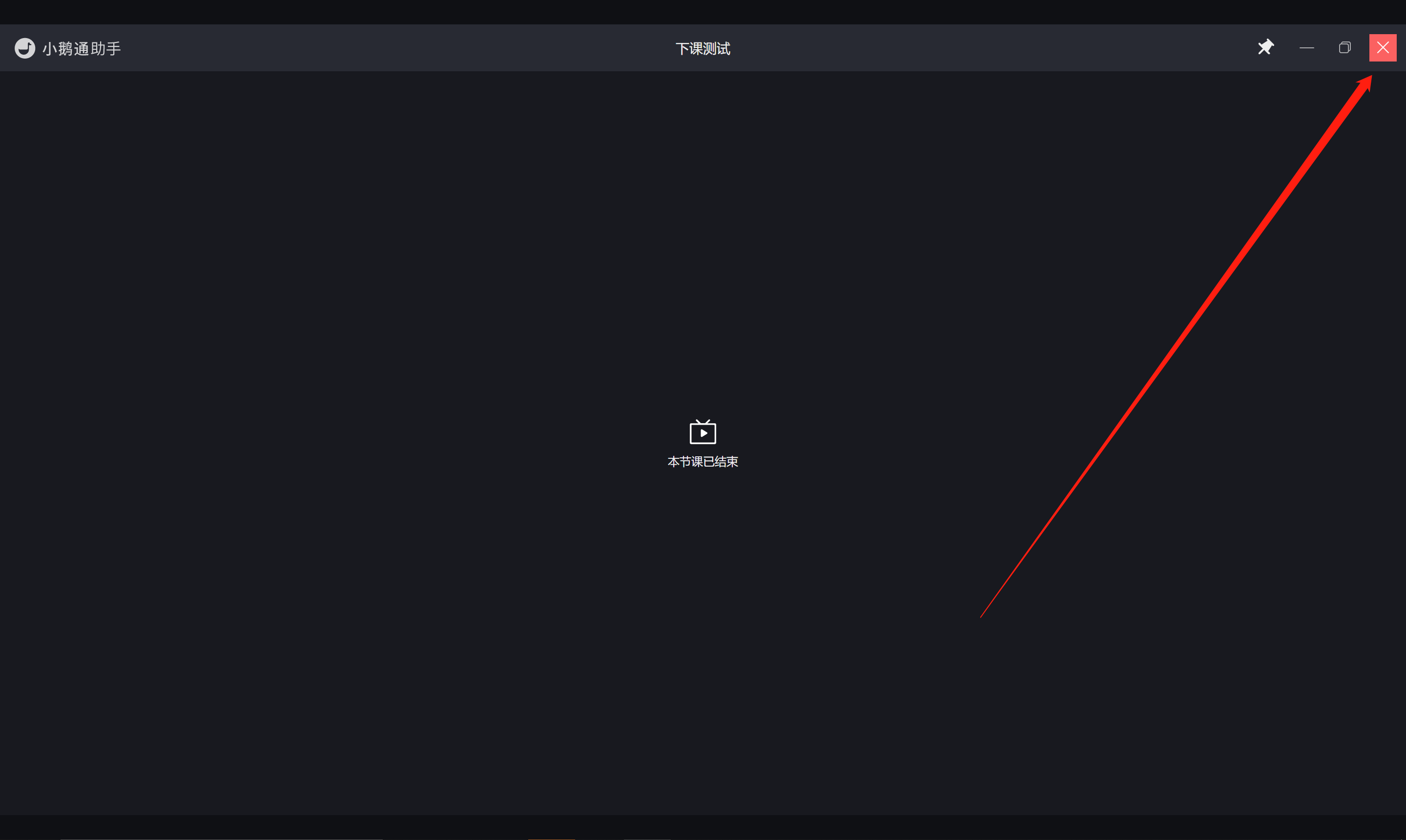
<span style="font-size:15px;"><span style="font-size:15px;">点击右上角，关闭界面，回到课程日历列表页。</span></span>

<span style="font-size:15px;">![33.png](https://wechatapppro-1252524126.file.myqcloud.com/help_document/image/ueditor/12873500_1640266652.png ".png")</span>