# 图文课程如何开启信息采集？

<div data-elink-language-switch="1" id="bkmrk-english" style="border:1px solid #d6d9de;border-radius:6px;padding:10px 12px;margin:0 0 18px 0;background:#f8fafc;font-size:14px;">[English](/books/content-courses-including-content-management/page/how-to-enable-information-collection-for-image-text-courses)</div><span style="font-size:17px;">**一、功能说明**</span>

<span style="font-size:15px;">信息采集功能，自定义采集付费用户信息，包括手机号、微信号等联系方式，以及个性化用户信息，清晰刻画用户画像。</span>

<span style="font-size:15px;">那么图文课程如何开启信息采集呢？</span>

<span style="font-size:17px;">**二、操作步骤**</span>

<span style="font-size:15px;">1、创建或编辑商品并保存；</span>

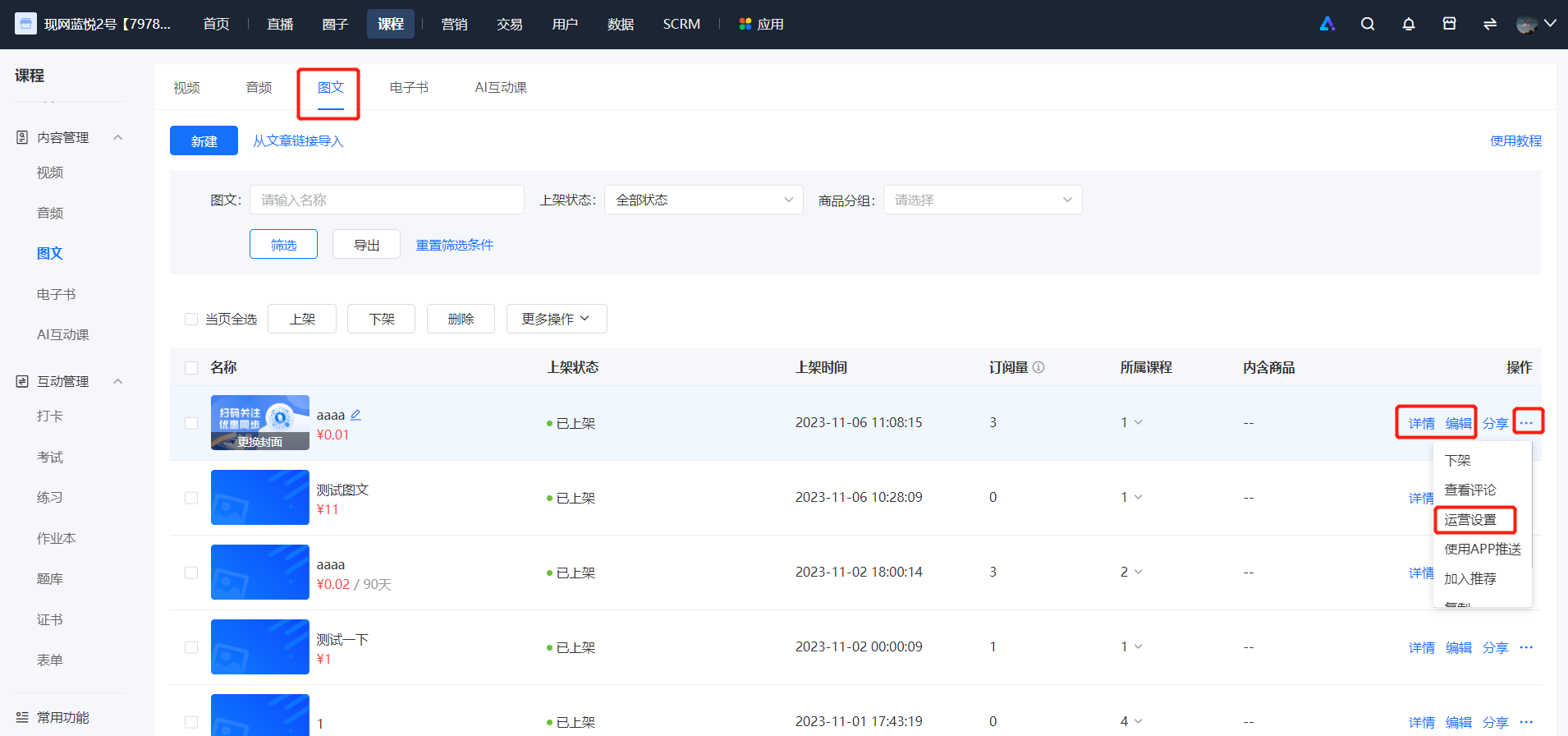
<span style="font-size:15px;">2、图文列表中点击【···】-【运营设置】，或点击【详情/编辑】；</span>

<span style="font-size:15px;">![image.png](https://wechatapppro-1252524126.file.myqcloud.com/help_document/image/ueditor/73264800_1699327063.png ".png")</span>

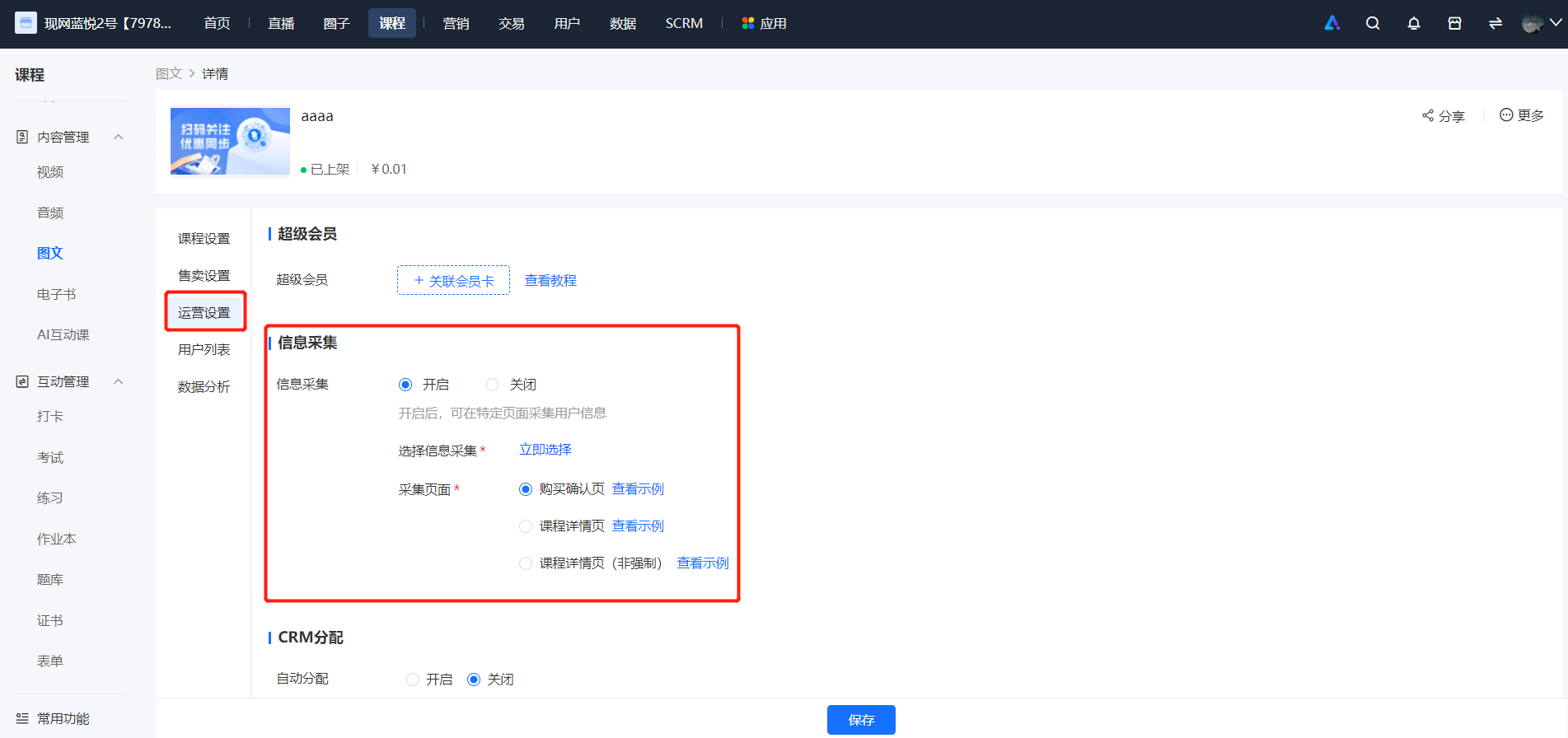
<span style="font-size:15px;">3、在图文详情页-运营设置页面，开启信息采集功能；</span>

<span style="font-size:15px;">![image.png](https://wechatapppro-1252524126.file.myqcloud.com/help_document/image/ueditor/64929300_1699327063.png ".png")</span>

<span style="font-size:15px;">4、选择已有的信息采集，或新建信息采集；选择采集页面；最后保存；</span>