# 回放有效期功能使用教程

<div data-elink-language-switch="1" id="bkmrk-english" style="border:1px solid #d6d9de;border-radius:6px;padding:10px 12px;margin:0 0 18px 0;background:#f8fafc;font-size:14px;">[English](/books/live-broadcast/page/tutorial-on-using-the-playback-validity-period-function)</div>**<span style="font-size:17px;">一、 功能介绍</span>**

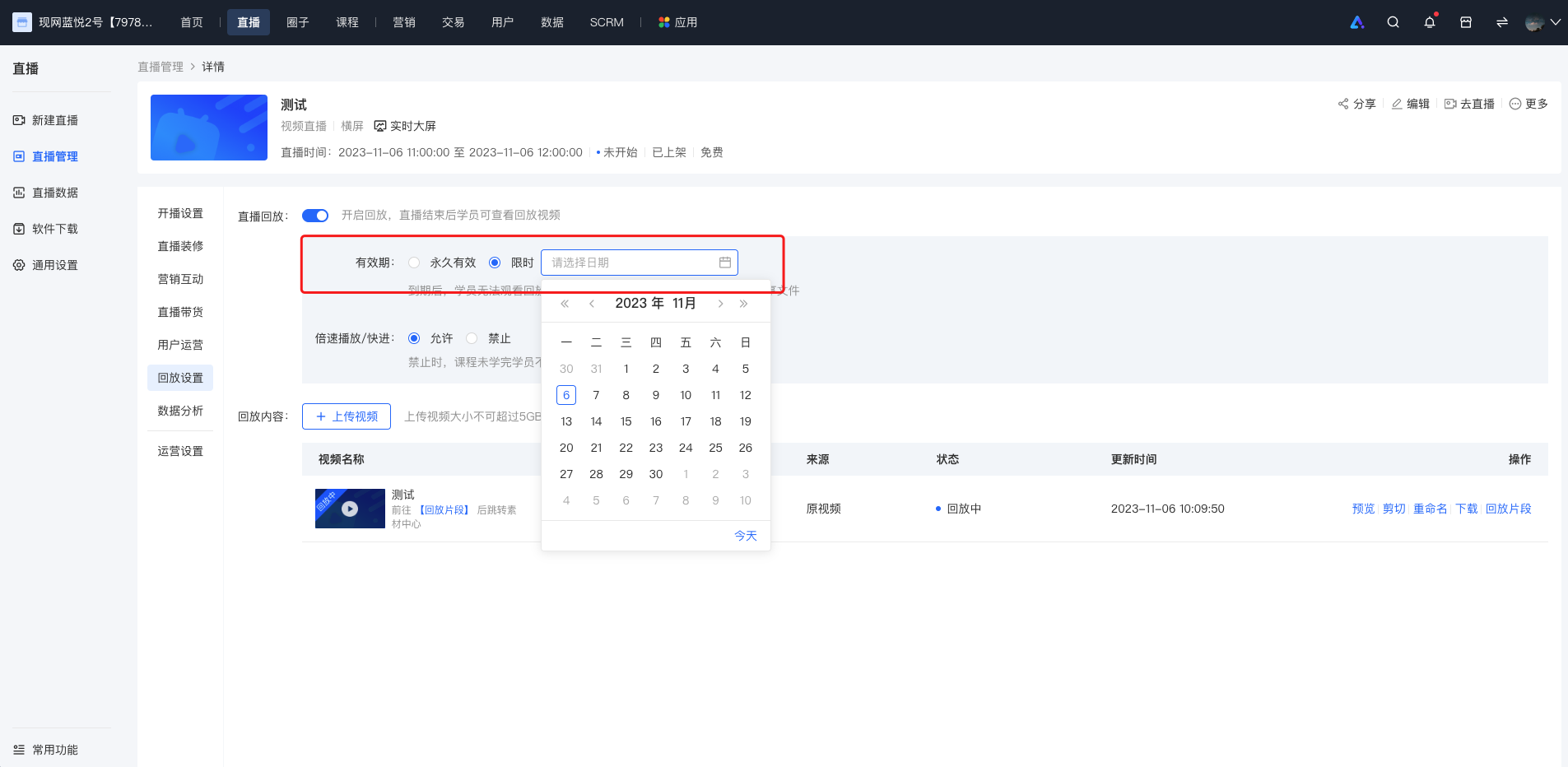
<span style="font-size:14px;">商家可以设置回放的有效期，通过回放设置界面或直播课程编辑页选择【限时】选项并点选回放到期的日期来控制学员的可观看时长。</span>

<span style="font-size:14px;">  
</span>

**<span style="font-size:17px;">二、 使用目的</span>**

<span style="font-size:14px;">满足商家想要刺激学员及时观看，提升学员观看率。</span>

<span style="font-size:14px;">  
</span>

**<span style="font-size:17px;">三、 使用场景</span>**

<span style="font-size:14px;">商家发现学员学习有惰性、没有动力，希望通过限制课程时间的方法督促学员学习已购课程，设定回放有效期；</span>

**<span style="font-size:17px;">四、 操作路径</span>**

<span style="font-size:14px;">商家端：商家后台</span>

<span style="font-size:14px;">学员端：直播间详情页 → 进入直播</span>

**<span style="font-size:17px;">五、 使用教程</span>**

![1.png](https://wechatapppro-1252524126.file.myqcloud.com/help_document/image/ueditor/92507000_1699238248.png ".png")

<span style="font-size:14px;">  
</span>

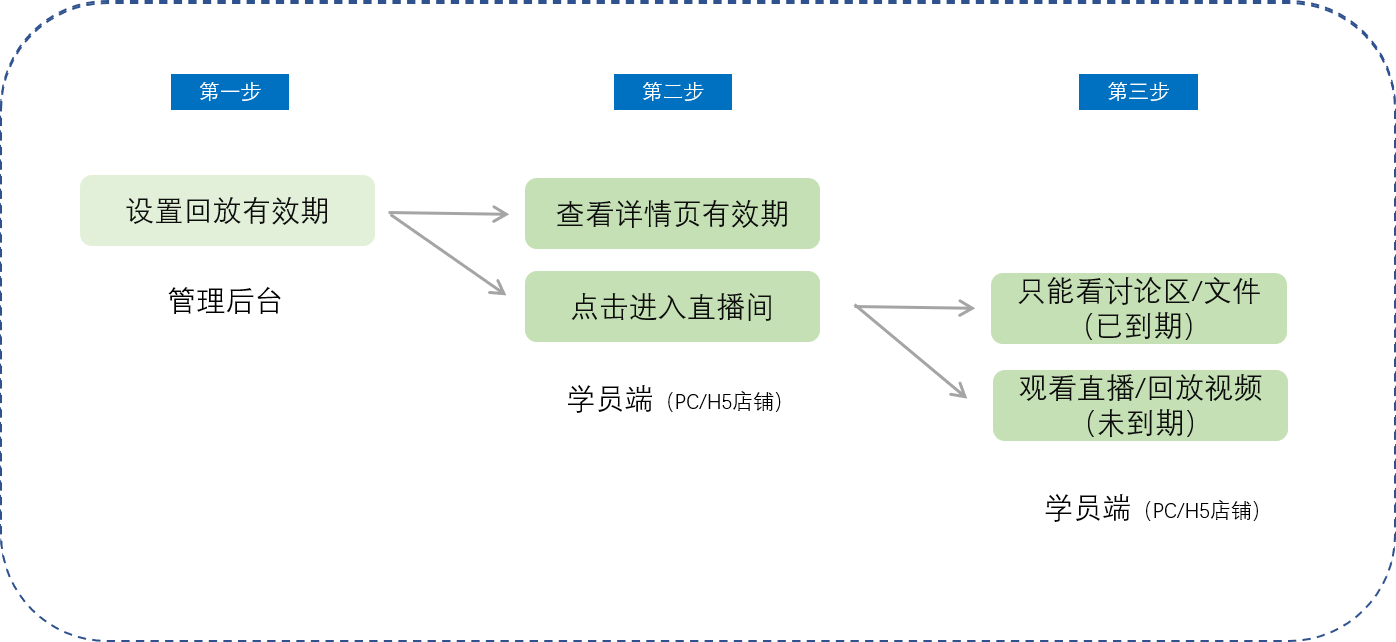
**<span style="font-size:14px;">第一步 设置回放有效期（管理后台）</span>**

**<span style="font-size:14px;">![image.png](https://wechatapppro-1252524126.file.myqcloud.com/help_document/image/ueditor/90481700_1699238248.png ".png")</span>**

**<span style="font-size:14px;">  
</span>**

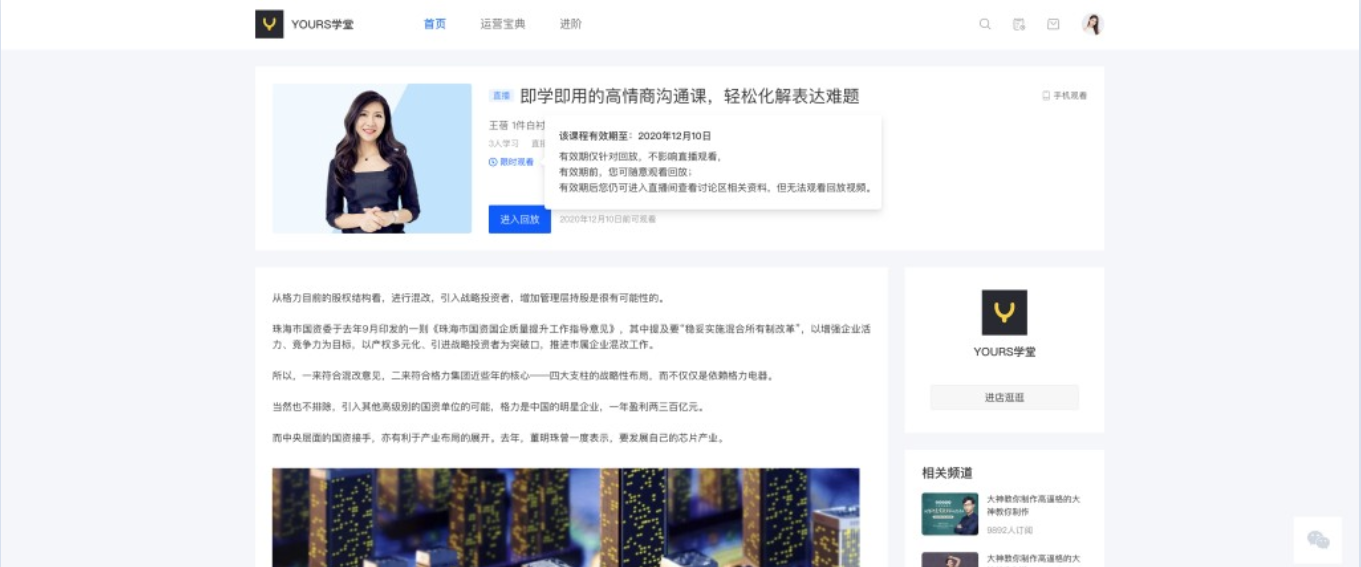
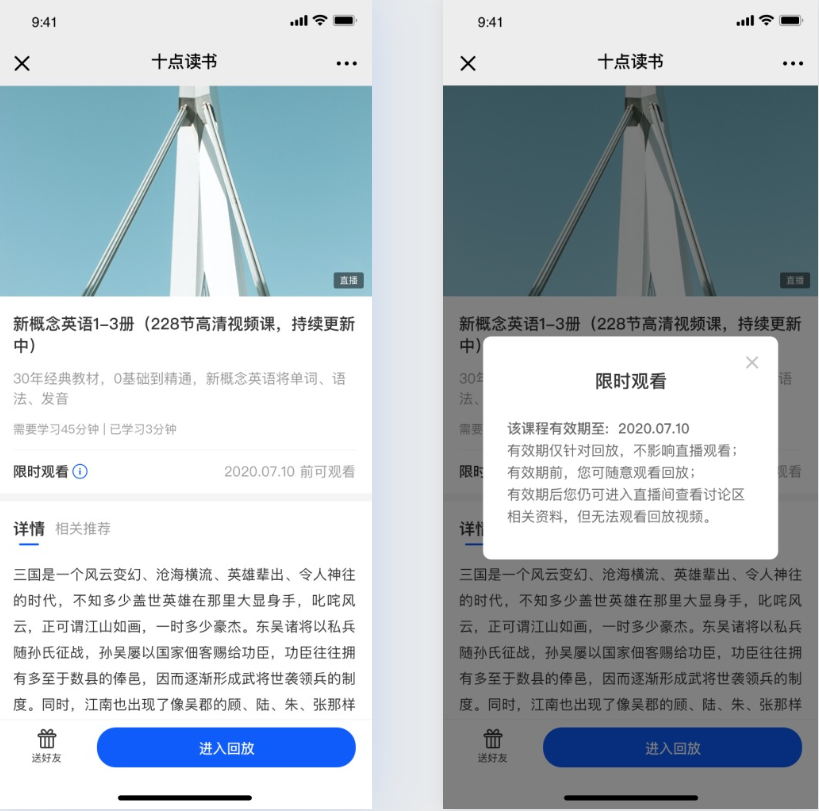
**<span style="font-size:14px;">第二步 查看详情页有效期（学员PC/H5店铺）</span>**

![3.png](https://wechatapppro-1252524126.file.myqcloud.com/help_document/image/ueditor/38094200_1699238249.png ".png")

<span style="font-size:14px;"> PC学员店铺</span>

![4.png](https://wechatapppro-1252524126.file.myqcloud.com/help_document/image/ueditor/71347200_1699238249.png ".png")

<span style="font-size:14px;"> **H5学员店铺**</span>

**<span style="font-size:14px;">第三步 进入直播间（学员PC/H5店铺）</span>**

<span style="font-size:14px;">回放未过有效期时，正常观看回放视频无影响；</span>

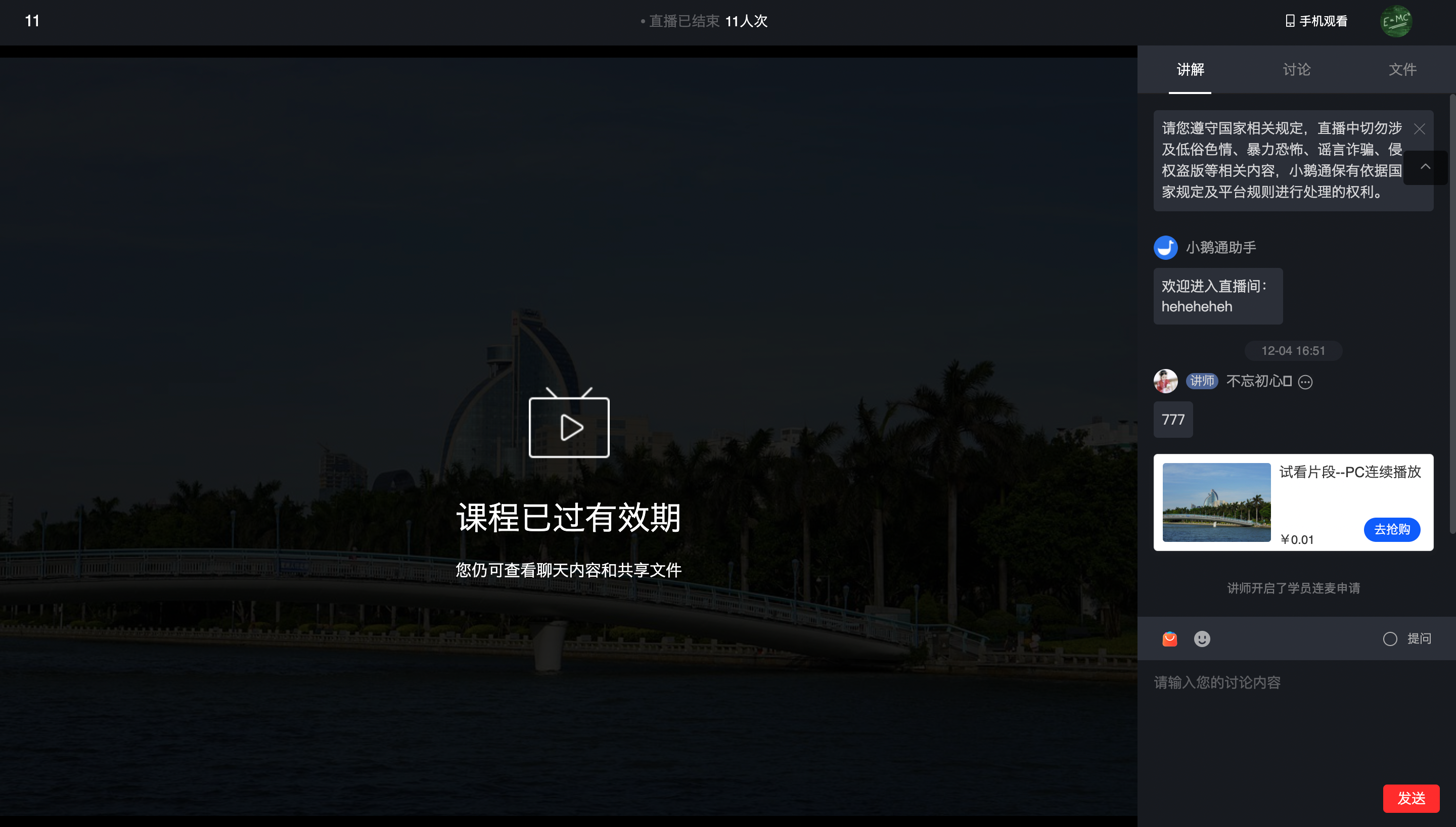
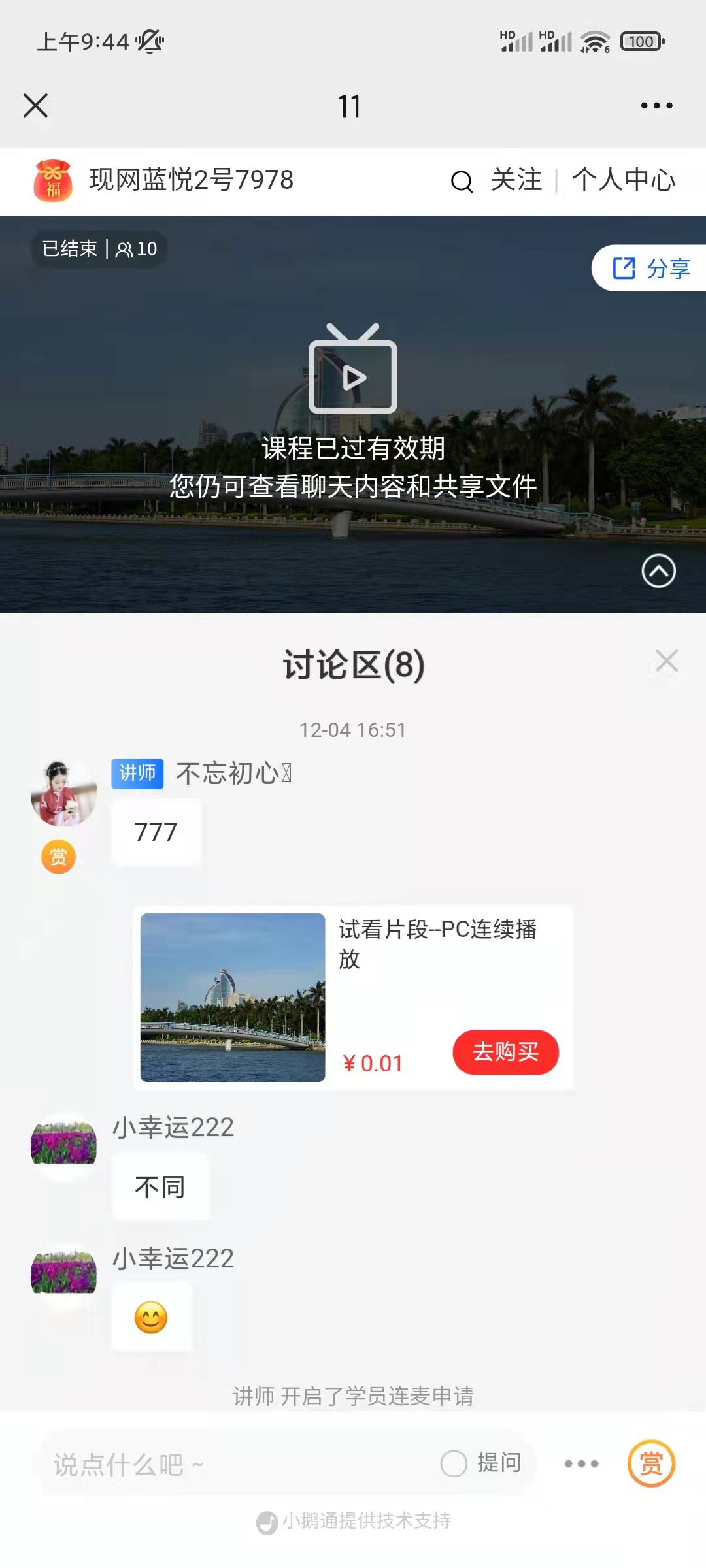
<span style="font-size:14px;">回放已过期时，进入直播间：</span>

<span style="font-size:14px;">![image.png](https://wechatapppro-1252524126.file.myqcloud.com/help_document/image/ueditor/27963700_1699238250.png ".png")</span>

**<span style="font-size:14px;">PC学员店铺</span>**

**<span style="font-size:14px;">  
</span>**

<span style="font-size:14px;">![image.png](https://wechatapppro-1252524126.file.myqcloud.com/help_document/image/ueditor/59974800_1699238250.png ".png")</span>

<span style="font-size:14px;">  **H5学员店铺**</span>

<span style="font-size:14px;"></span>