# 讲师如何在直播间内分享学习资料?
[English](/books/live-broadcast/page/how-can-instructors-share-learning-materials-in-the-live-streaming-room)
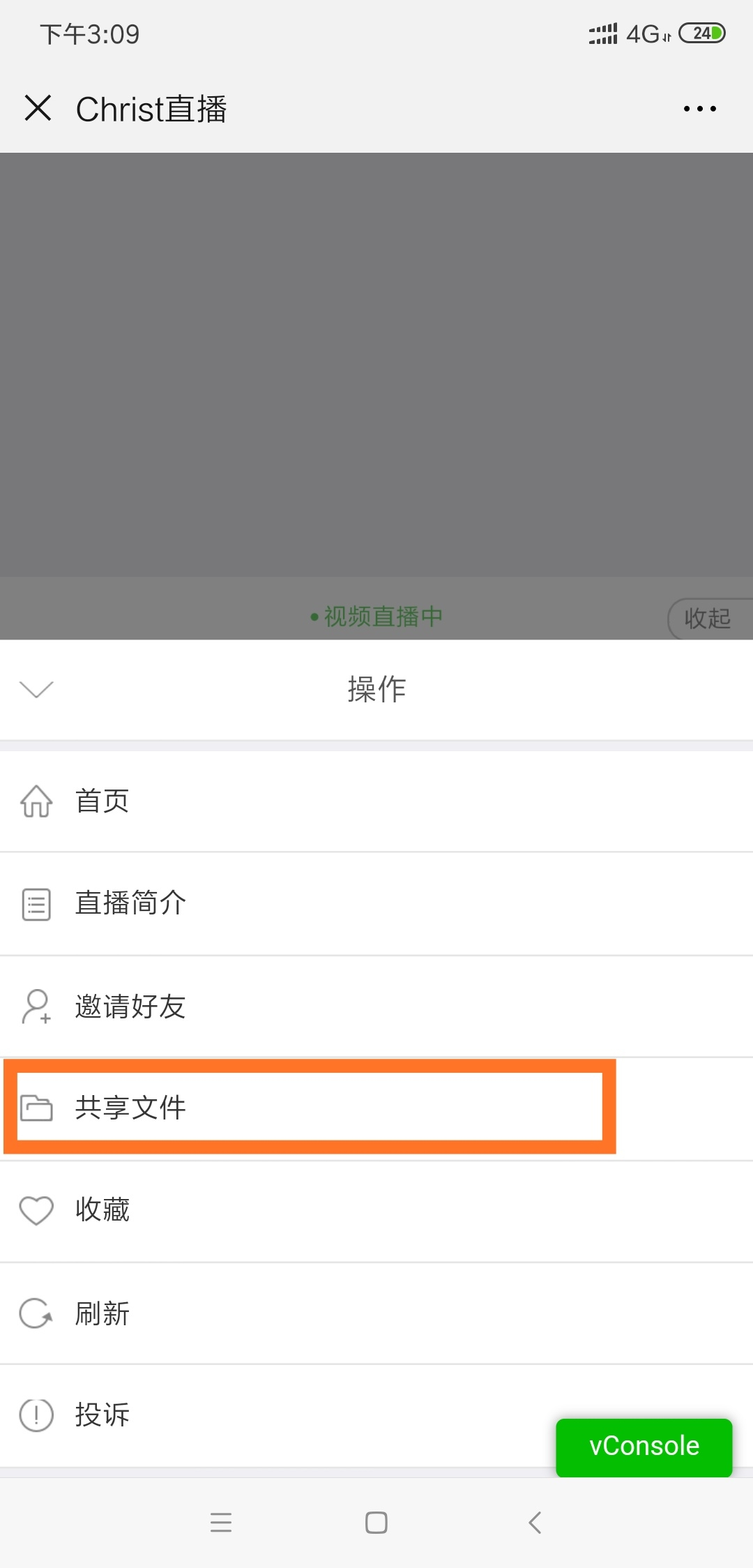
讲师可以在PC直播间,或者微信浏览器H5直播间内将对应文件上传到素材库(暂时只支持上传word,ppt,excel,pdf类型的文件),上传完成之后可以点击相关文件发送到讲解区,发送之后学员即可在直播间中的共享文件内找到对应的文件进行下载 ![0](https://wechatapppro-1252524126.file.myqcloud.com/help_document/image/ueditor/91736600_1562048196.cn/txdocpic/0/a5e2cae3a941a1407bf9abc5400ca0b7/0) 学员在直播间内点击【操作->共享文件->点击下载】 ![0](https://wechatapppro-1252524126.file.myqcloud.com/help_document/image/ueditor/30578400_1562048197.cn/txdocpic/0/2f8d7bdbb12943427b7c55a63c5530ce/0)![0](https://wechatapppro-1252524126.file.myqcloud.com/help_document/image/ueditor/69945900_1562048197.cn/txdocpic/0/976604fec2d1c1a87d2b8c3ac07e4df0/0)