# 如何检测当前麦克风是否可以正常使用？

<div data-elink-language-switch="1" id="bkmrk-english" style="border:1px solid #d6d9de;border-radius:6px;padding:10px 12px;margin:0 0 18px 0;background:#f8fafc;font-size:14px;">[English](/books/live-broadcast/page/how-to-check-if-the-current-microphone-is-working-properly)</div>**<span style="font-size:20px;">如何检测当前麦克风是否可以正常使用？</span>**  
  
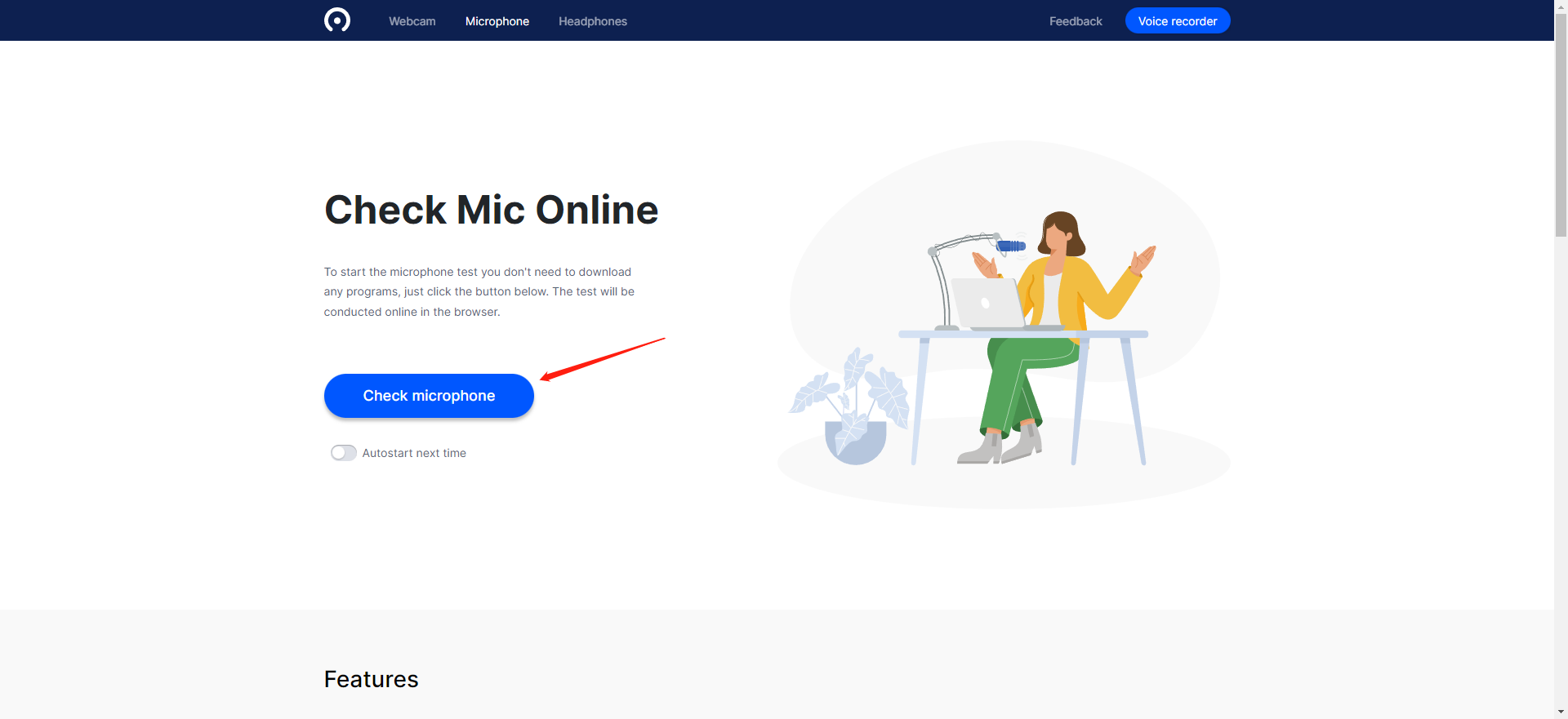
1、点击下面网址进行测试:[https://webcammictest.com/check-mic.html](https://webcammictest.com/check-mic.html)
![image.png](https://wechatapppro-1252524126.file.myqcloud.com/help_document/image/ueditor/96010700_1677492619.png ".png")

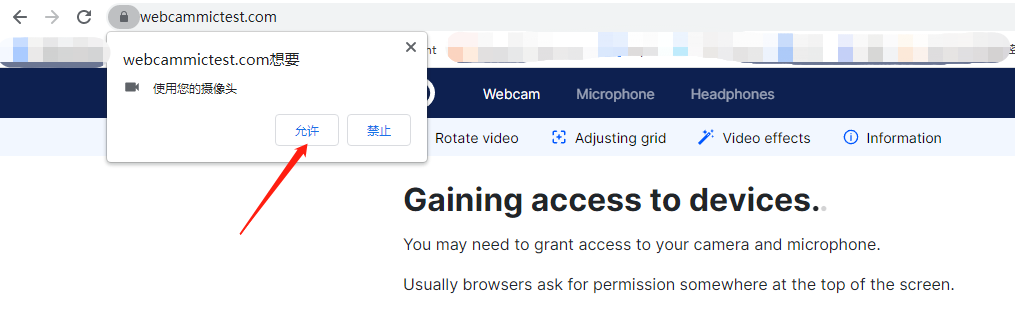
2、进行授权

![image.png](https://wechatapppro-1252524126.file.myqcloud.com/help_document/image/ueditor/57970700_1677492660.png ".png")

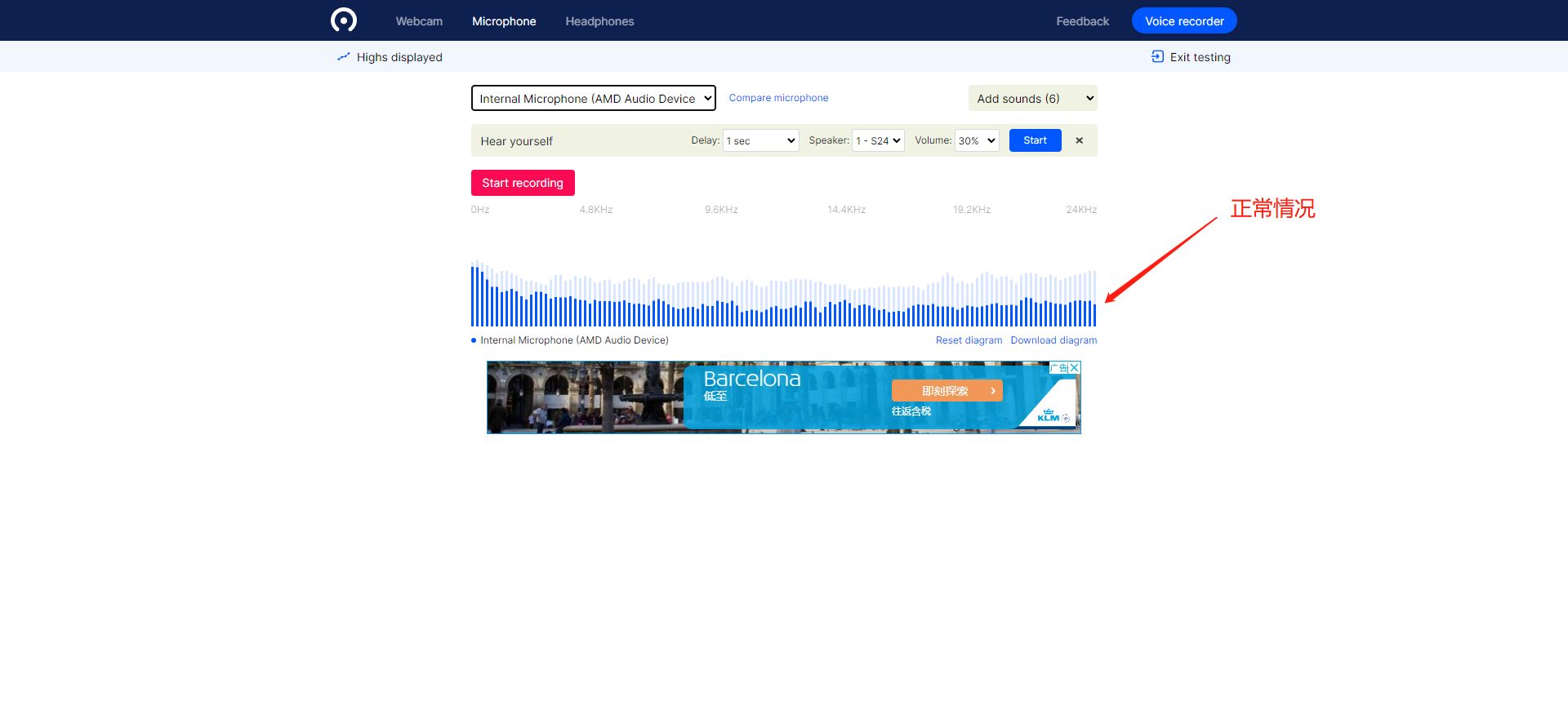
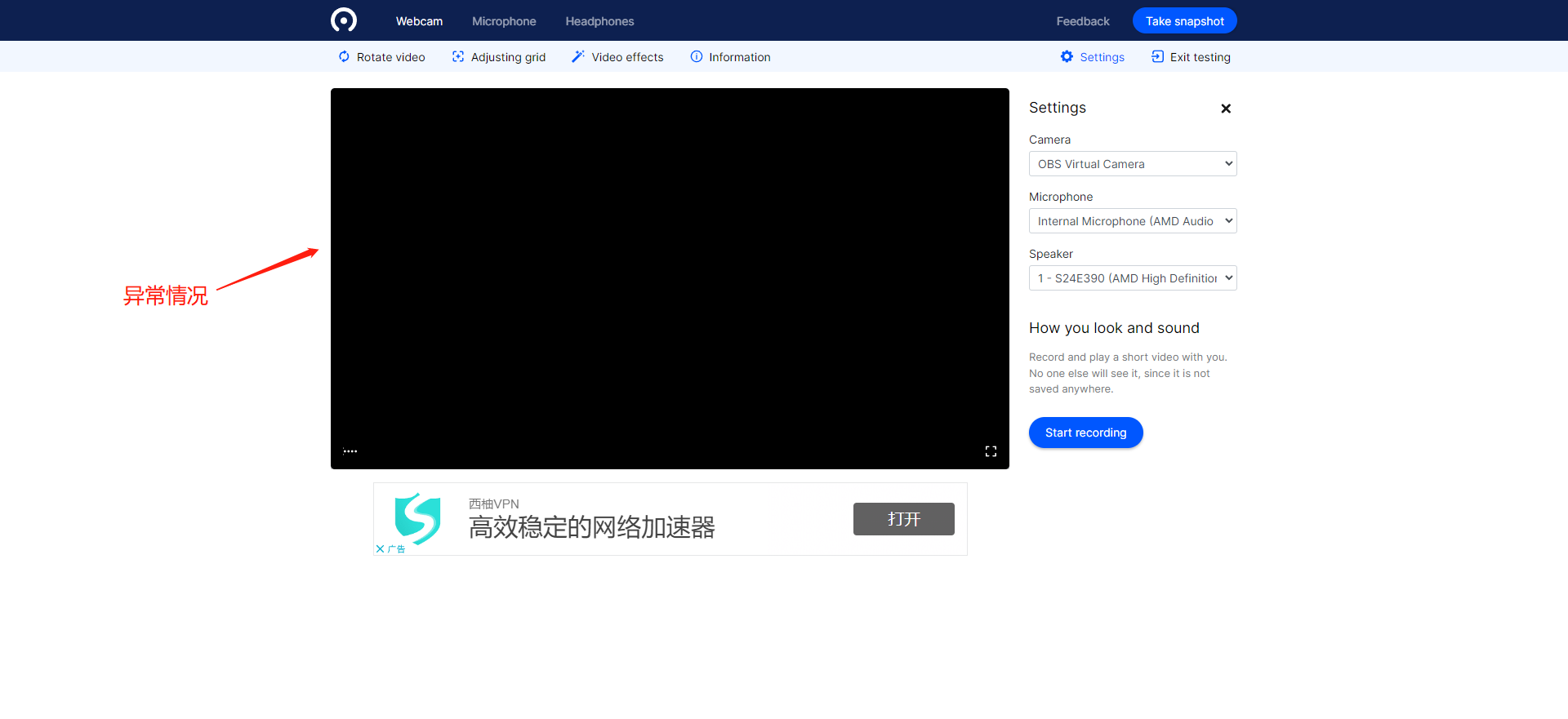
3、若检测的麦克风音量或设备列表中无可用设备，您需要检查麦克风设备是否异常或更换麦克风；

![image.png](https://wechatapppro-1252524126.file.myqcloud.com/help_document/image/ueditor/49539000_1677492677.png ".png")

![image.png](https://wechatapppro-1252524126.file.myqcloud.com/help_document/image/ueditor/32225400_1677492677.png ".png")